> For the complete documentation index, see [llms.txt](https://morphic.com/docs/llms.txt). Markdown versions of documentation pages are available by appending `.md` to page URLs; this page is available as [Markdown](https://morphic.com/docs/ar/getting-started/assets/upload-assets.md).

# رفع الأصول

الطرق الأربع لإدخال ملفاتك الخاصة إلى Morphic، وأين تنتهي بعد ذلك.

يتيح لك Morphic تحميل أصولك الخاصة لاستخدامها عبر مشاريعك. سواء كنت تعمل في Canvas أو Copilot، يمكنك إضافة الملفات باستخدام اختصار لوحة المفاتيح، أو لوحة الأصول، أو السحب والإفلات، أو قائمة النقر بزر الماوس الأيمن. ستظهر كل ما تحمّله في مكتبتك على [studio.morphic.com/library](https://studio.morphic.com/library).

### إليك كيفية تحميل الأصول على Morphic:

أسرع طريقة لتحميل الأصول في أي مكان على Morphic هي باستخدام اختصار لوحة المفاتيح. اضغط على `Cmd + O` (على Mac) أو `Ctrl + O` (على Windows) من Canvas أو Copilot لفتح منتقي الملفات، ثم حدّد الملفات التي تريد تحميلها.

### من Canvas

لديك ثلاث طرق إضافية لتحميل الأصول عند العمل في Canvas:

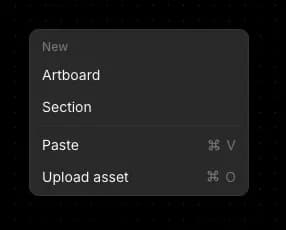
* قائمة السياق: انقر بزر الماوس الأيمن على أي منطقة فارغة من Canvas واختر 'تحميل الأصول.'

<div align="left"><figure><img src="https://468387403-files.gitbook.io/~/files/v0/b/gitbook-x-prod.appspot.com/o/spaces%2FoPhHCbNZdzW70rakoLhf%2Fuploads%2Fklb7yXIZRWarxYBhBJoe%2FCleanShot%202026-05-02%20at%2017.19.19.png?alt=media&amp;token=b0dc4ddf-bd9b-4745-a876-db8359d1dcae" alt=""><figcaption></figcaption></figure></div>

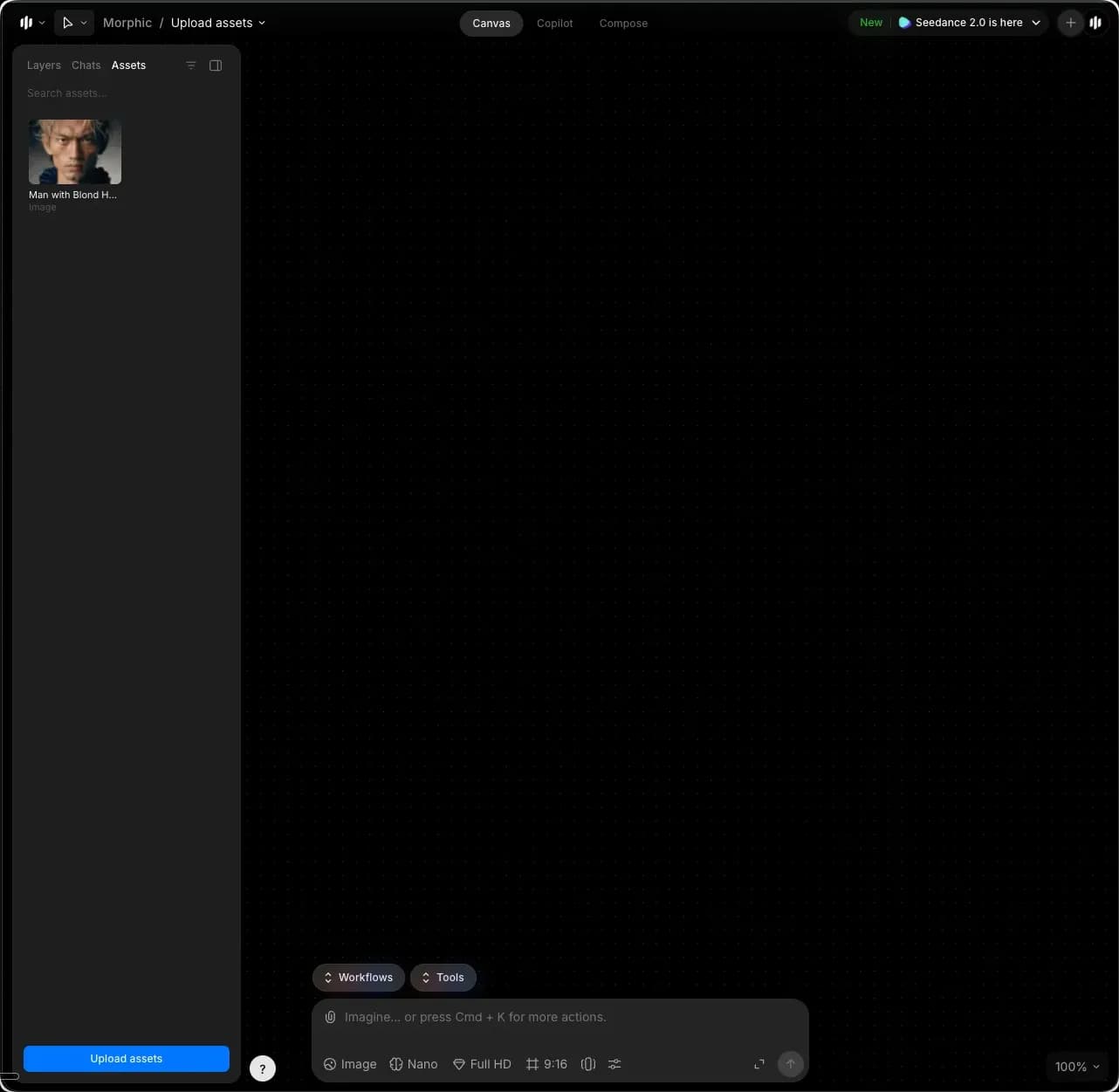
* لوحة الأصول: انقر على علامة تبويب الأصول في الشريط الجانبي الأيسر ثم انقر على 'تحميل الأصول' في أسفل اللوحة.

<figure><img src="https://468387403-files.gitbook.io/~/files/v0/b/gitbook-x-prod.appspot.com/o/spaces%2FoPhHCbNZdzW70rakoLhf%2Fuploads%2FzjHLYeb2juHDBw3kMXMk%2FCleanShot%202026-05-02%20at%2017.20.19.png?alt=media&amp;token=c7260b36-8af6-4061-b011-140d2f0e7f77" alt=""><figcaption></figcaption></figure>

* السحب والإفلات: افتح المجلد على جهاز الكمبيوتر الذي يحتوي على ملفاتك، وحدّد ملفًا واحدًا أو أكثر، ثم اسحبها إلى Canvas.

ستظهر الأصول التي حمّلتها على Canvas وفي علامة تبويب الأصول في الشريط الجانبي الأيسر.

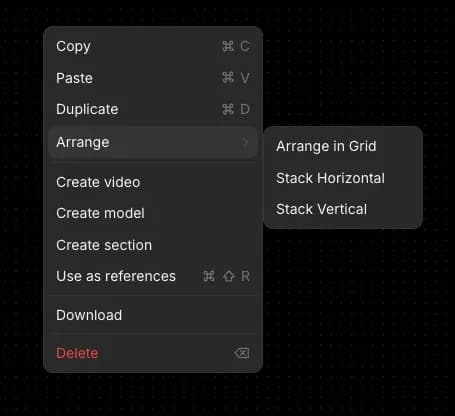
نصيحة: لترتيب الأصول المحمّلة بشكل أنيق على Canvas، حدّد جميع الأصول، ثم انقر بزر الماوس الأيمن، ومرّر فوق 'ترتيب.' يمكنك الاختيار من بين:

* ترتيب في شبكة
* تكديس أفقي
* تكديس عمودي

<div align="left"><figure><img src="https://468387403-files.gitbook.io/~/files/v0/b/gitbook-x-prod.appspot.com/o/spaces%2FoPhHCbNZdzW70rakoLhf%2Fuploads%2FmLK0jYOr4yUQIhk711Om%2FCleanShot%202026-05-02%20at%2017.22.51.png?alt=media&amp;token=d756ef7a-54ed-43d6-bbf8-7e00d1df04bd" alt=""><figcaption></figcaption></figure></div>

### من Copilot

لدى Copilot طريقة إضافية واحدة لتحميل الأصول إلى جانب اختصار لوحة المفاتيح:

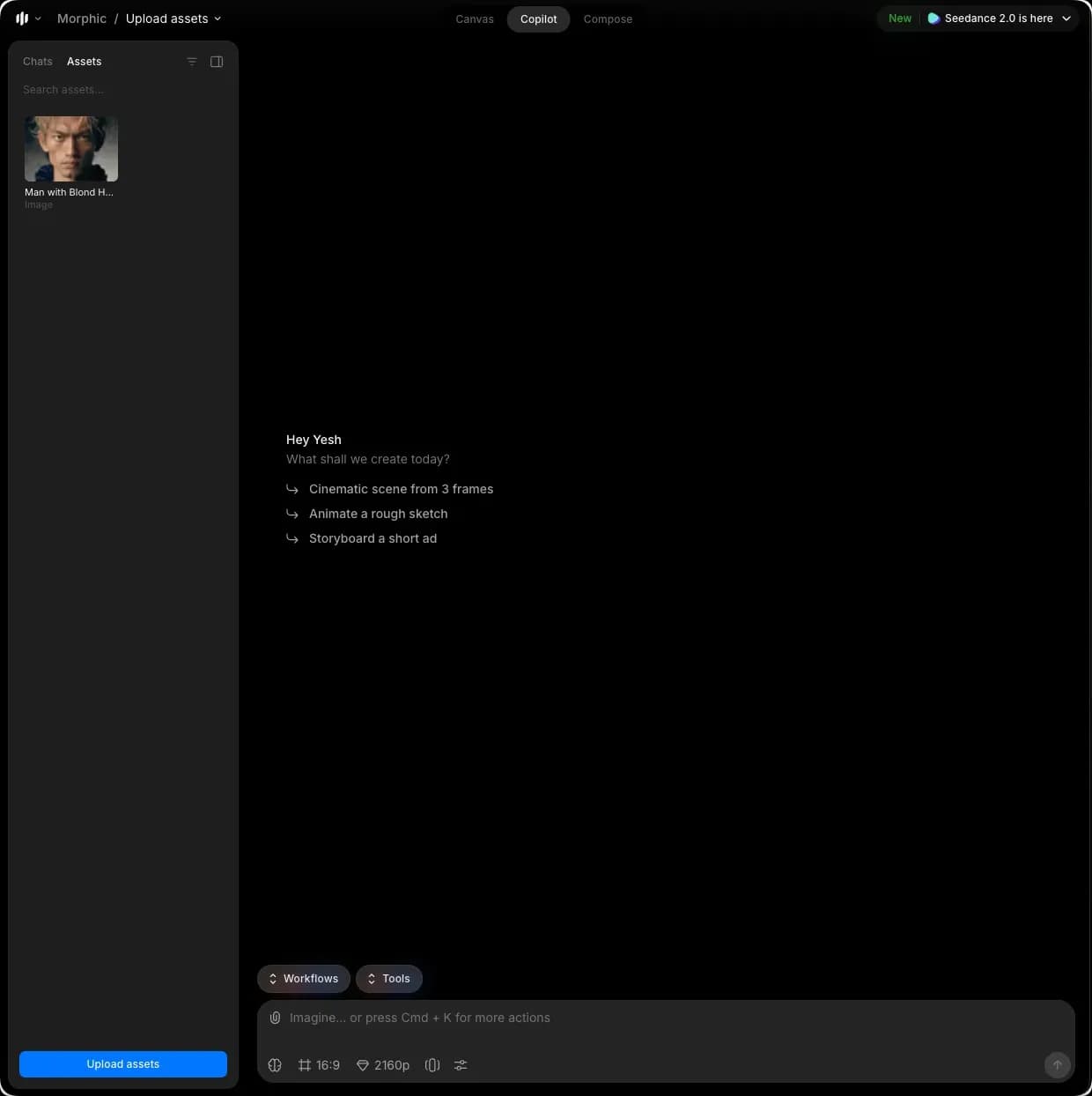
* لوحة الأصول: انقر على علامة تبويب الأصول في الشريط الجانبي الأيسر ثم انقر على 'تحميل الأصول' في أسفل اللوحة.

<figure><img src="https://468387403-files.gitbook.io/~/files/v0/b/gitbook-x-prod.appspot.com/o/spaces%2FoPhHCbNZdzW70rakoLhf%2Fuploads%2FK4VjTRcvLTWKQwH6kIpv%2FCleanShot%202026-05-02%20at%2017.23.35.png?alt=media&amp;token=e12eea6a-24db-4bed-83b2-7a9305b5ab4e" alt=""><figcaption></figcaption></figure>

ستظهر الأصول التي حمّلتها في علامة تبويب الأصول في الشريط الجانبي الأيسر.

***

إذا واجهت أي مشكلة أو كانت لديك أي أسئلة، فلا تتردد في التواصل معنا. يسعدنا مساعدتك. راسلنا على [**support@morphic.com**](mailto:support@morphic.com)**.**


---

# Agent Instructions
This documentation is published with GitBook. GitBook is the documentation platform designed so that both humans and AI agents can read, navigate, and reason over technical content effectively. Learn more at gitbook.com.

## Querying This Documentation
If you need additional information that is not directly available in this page, you can query the documentation dynamically by asking a question.

Perform an HTTP GET request on the current page URL with the `ask` query parameter, and the optional `goal` query parameter:

```
GET https://morphic.com/docs/ar/getting-started/assets/upload-assets.md?ask=<question>&goal=<endgoal>
```

`ask` is the immediate question: it should be specific, self-contained, and written in natural language.
`goal` is optional and describes the broader end goal you are ultimately trying to accomplish on behalf of the user. GitBook uses it to tailor the answer towards what is most useful for that goal.

The response will contain a direct answer to the question and relevant excerpts and sources from the documentation.

Use this mechanism when the answer is not explicitly present in the current page, you need clarification or additional context, or you want to retrieve related documentation sections.