To make a 3D animation without a modelling course, plan the scene in 3D and let video models generate the finished shots. Write the beats, block the scene and camera, generate each shot, then add sound and edit.
The classic 3D animation pipeline, in brief
The traditional route has four stages, and each is its own skill. The best 3D animation software roundup compares the tools for that route.
 Model and textureBuild every character and set as 3D geometry, then shade the surfaces.
- RigGive each character a skeleton and controls so it can bend.
- AnimatePose the rigs at key moments and refine the motion between them.
- Light and renderLight each shot and render every frame, then composite and edit.
The faster route: plan in 3D, generate the shots
Keep the part of 3D that decides the film, staging and camera, and hand the look to a video model. Place ready-made figures, sets and cameras, render a rough blocking video, and generate the shot from it. The 3D animation maker shows the approach at a glance.
How to make a 3D animation in five steps
Write the beats of the 3D animation
Write one line per moment: "A girl in a yellow raincoat runs up a windy hill. Her dog races ahead. A kite lifts out of her hands." Keep the first animation short, with one location and two characters.
Block the 3D animation scene and camera
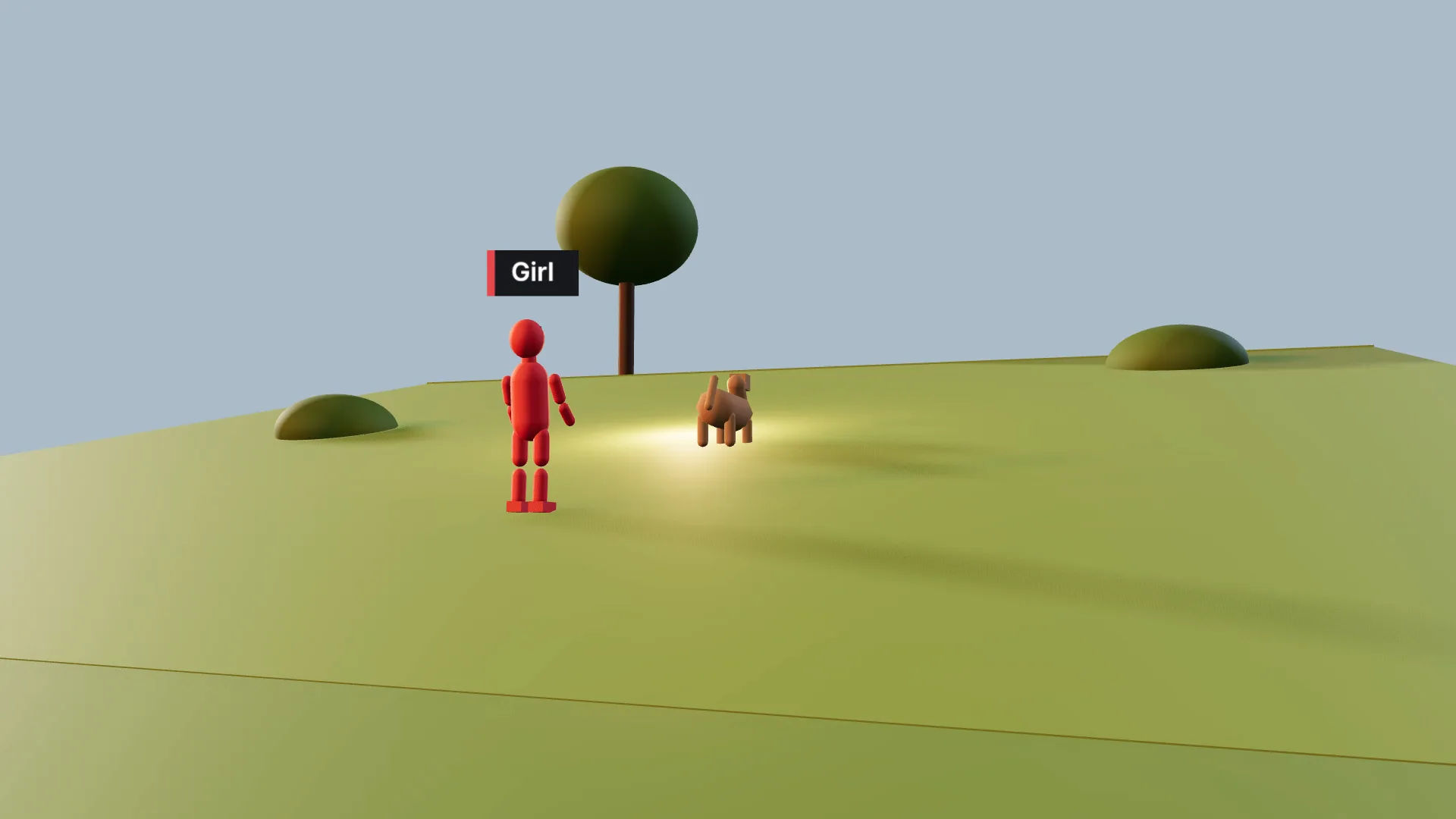
Open 3D Scene and describe the first shot to Copilot, or hand it a shot list; it builds the location, cast, action and cameras. Then adjust by hand: colour each figure, draw a path, pick a lens, or let a camera Follow the runner, as the 3D scene generator shows.
Generate each shot of the 3D animation
Render the blocking video from Export in your browser, at no credit cost, and attach it to a video model that accepts a reference video. Name each figure by colour, add a character sheet, and keep the take that follows the blocking best.
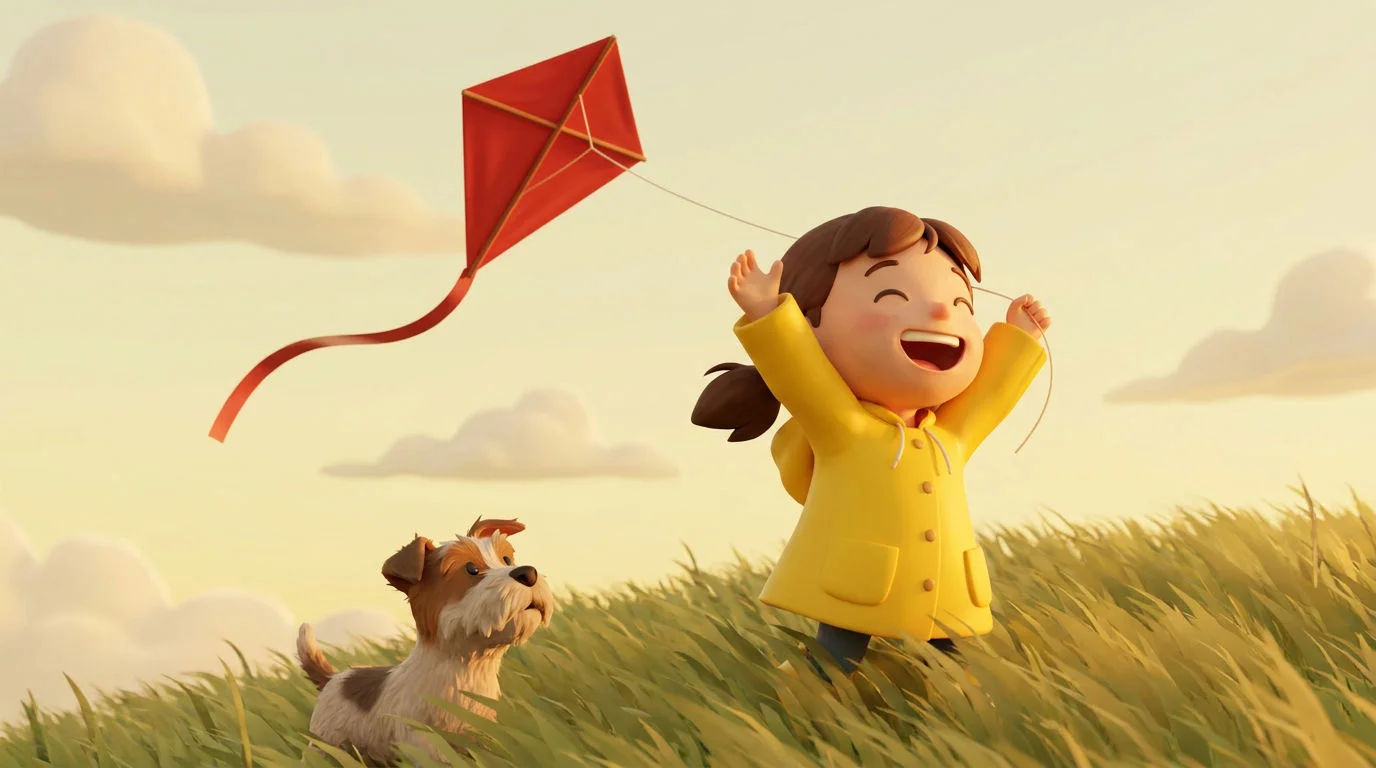
The red figure is a girl in a yellow raincoat, stylised 3D cartoon look, soft rounded shapes, warm late-afternoon light, a breezy hilltop of long grass.
Generated shot from the side-tracking blocking camera
Add voice, music and sound effects to the 3D animation
Generate a voiceover from the voice library, a music cue at the scene's length, and sound effects such as wind and footsteps on grass. Each lands as its own audio file.
Edit and export the 3D animation in Compose
In Compose, lay the shots in order, trim them to the beat and grade them to match. Put music, voice and effects on their own tracks, add captions for social, and export.
Mistakes beginners make with 3D animation
Most first animations go wrong in the same few places. For finished looks to aim for, browse the 3D animation videos library, and for the craft terms, see the 3D animation glossary entry.
| Mistake | Fix |
|---|---|
| Too much in one shot | Split a run, a turn and a kite launch into shots with one clear move each. |
| Prompts without figure colours | Give every figure one line: "The red figure is…". |
| Skipping the character sheet | Attach the same sheet to every generation so the face and coat hold. |
| Crossing the line | The editor flags 180-degree line crossings on the timeline; fix them before you generate. See the 180-degree rule. |
| Making it long first | Get one shot right before blocking ten. |
| Leaving sound to the end | Plan voice and music with the beats, so shots are cut to the right length. |