Why recast characters in a micro drama
A lead sometimes has to change after the episodes are shot: a test audience wants someone else, a contract ends, or the series changes direction. Morphic Recast swaps that character into every finished shot and keeps the performance, camera, cuts and sound. Use the same photo on every shot and the new face stays consistent across the series.
Micro drama recast examples
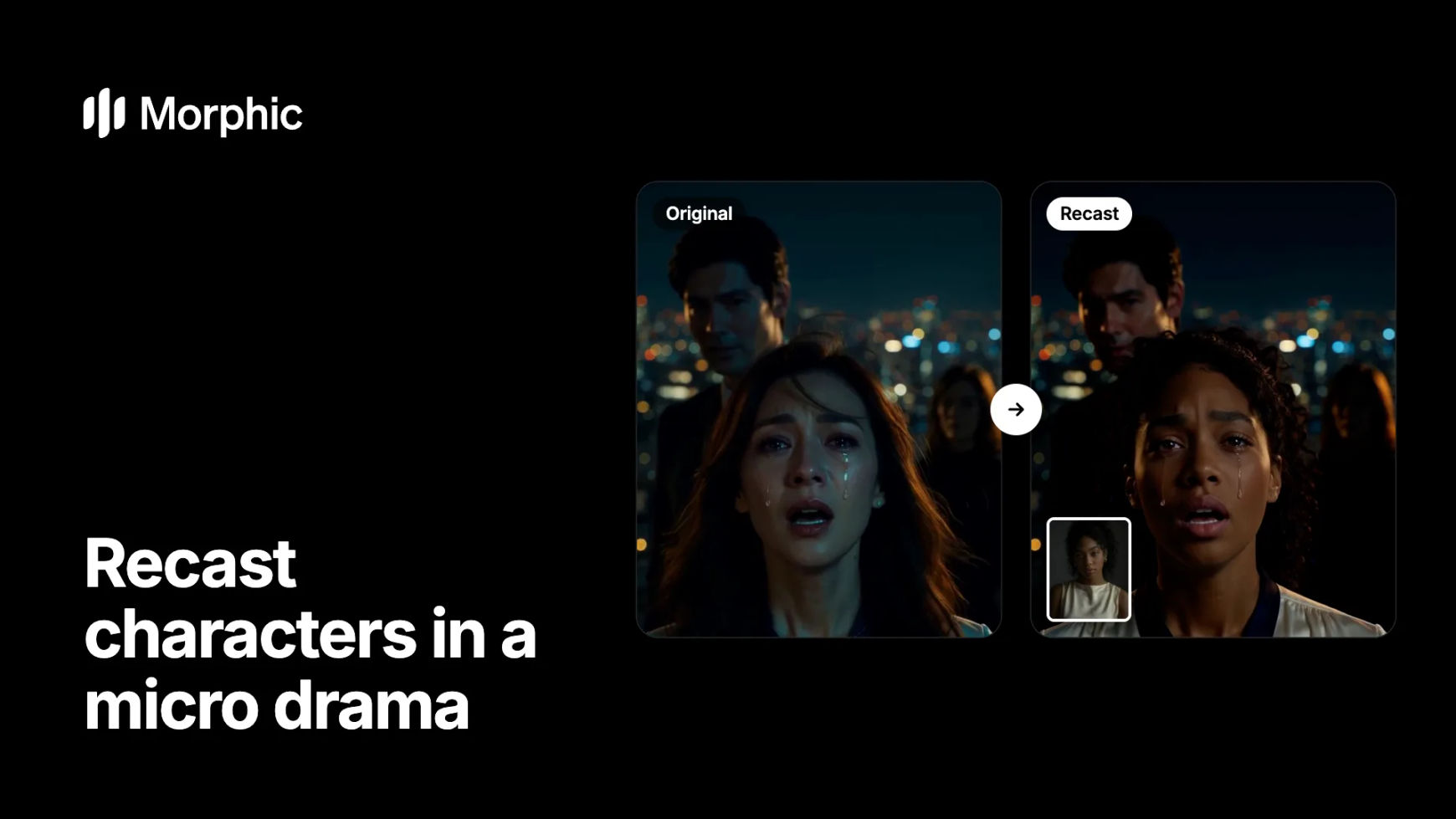
One photo of the new lead, used on two episodes. The tears, the turn of the head and the timing come from the original performance.
Original
Recast
The confrontation on the rooftop keeps its city lights, its co-star and every tear. Only the lead changes, to the woman in the corner photo.
How to recast a micro drama character in Morphic
Pick the new lead and save one photo
Choose a clear, front-facing photo of the new character, well lit, with the face and hair fully visible. This photo is the anchor for the whole series, so use the same one for every episode. For a cast you will reuse, save it as a Reference or build a character reference sheet.
Recast each shot with Morphic Recast
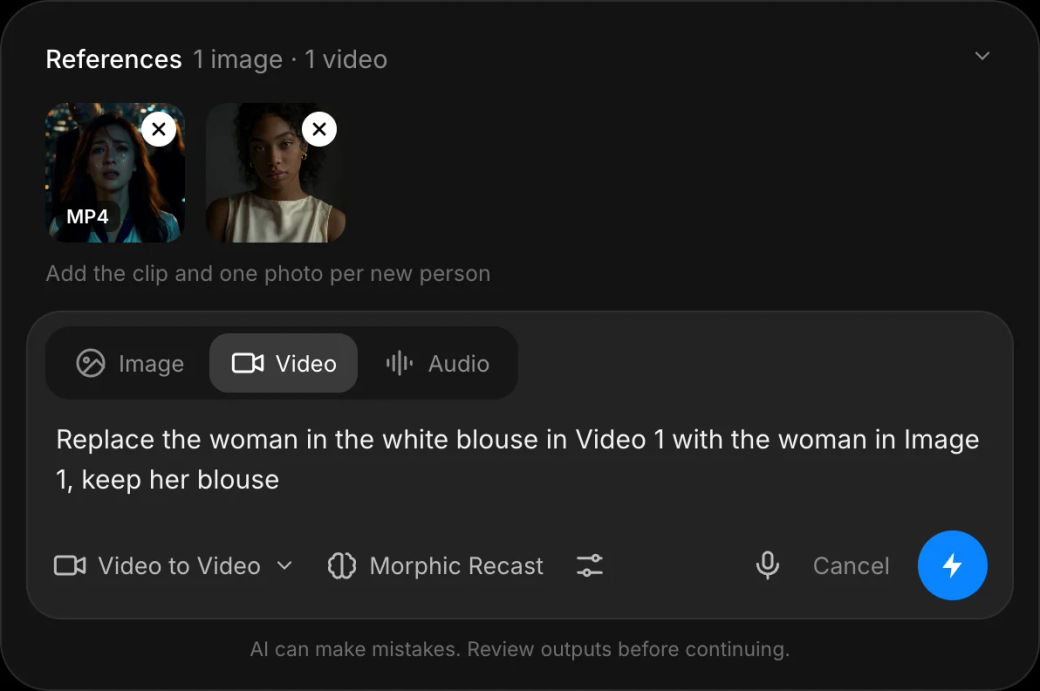
Open Morphic Recast, add one shot (up to 30 seconds) and the photo, then name the swap in plain words, for example "Replace the woman in the white blouse in Video 1 with the woman in Image 1, keep her blouse". Anyone you do not name stays as shot.
Check the take, then move to the next shot
Watch the face, the hands and the last second of the clip. Ask Copilot for a few takes at once when a shot is hard, keep the best one, and repeat with the same photo on the next shot until the episode is done.
Recasting a whole series? Let's build your custom workflow.
For micro drama studios and drama platforms. Tell us how many episodes, leads and markets you have, and we'll design a custom recast workflow with you that keeps every character consistent from the first episode to the finale.
How to keep a recast lead consistent across episodes
- One photo, every shot. A new photo for each episode is the fastest way to get a slightly different face. Reuse the exact same file, or the saved Reference.
- Recast shot by shot. Morphic Recast works on one clip at a time, up to 30 seconds. Cut an episode into its shots and recast each one, then reassemble on the Compose timeline.
- Describe what stays. Name the outfit if it should stay ("keep her blouse"), so wardrobe continuity holds between episodes.
- Watch the hard shots. Fast head turns, hands near the face and very dark frames need the most review. Generate two or three takes there and pick.
- Keep the voice plan separate. Recast keeps the soundtrack as shot. If the new lead needs a new voice or a new language, dub the episode after the recast.
When to recast instead of reshooting
| Situation | Recast | Reshoot |
|---|---|---|
| The lead changes after the episodes are cut | Swap the person, keep every shot | Rebook cast, crew and locations |
| A test audience prefers another face | Try several leads on one scene first | Commit before you know |
| A new market needs a local lead | One recast pass per market | One shoot per market |
| The scene itself has to change | Use video to video for the look | Reshoot if the blocking changes |
Not sure who the new lead should be yet? Run a test casting pass on one scene first, then recast the series with the winner. For a series going to a new country, see how to recast a micro drama for a new market.
FAQs
Yes, shot by shot. Morphic Recast swaps the people in one clip of up to 30 seconds, so a season is recast by running each shot with the same photo of the new lead. Reusing the exact photo, or a saved Reference, is what keeps the face consistent from episode to episode.
Everything except the person you name: the performance, the expressions and lip movements, the camera, the cuts, the background, the length and the soundtrack. Other people in the shot stay as filmed unless you name them too.
The soundtrack stays as shot, so the original dialogue plays under the new face. If the new character needs a different voice or language, dub the recast episode afterwards with AI dubbing, which re-voices the dialogue and syncs the lips.
Yes. Add one photo per new person and say who replaces whom, for example by clothing or position. Copilot pairs each named person with exactly one photo, so only the people you name change.
A sharp, well-lit, front-facing photo with the face and hair fully visible and a plain background. Avoid sunglasses, heavy shadows and group photos, since the model reads the face and build from this one image.
Morphic Recast is available on paid plans. See the pricing page for what each plan includes.