Character lineup of the same animal cast
A clean side-by-side lineup of several anthropomorphic animal characters of consistent style and proportion, evenly spaced on a plain neutral backdrop.
Edit prompt
Design anthropomorphic animal characters in your browser with Morphic's AI image generator. Generate a dapper fox in a tailored suit or an armored wolf knight, hold one design across the set with Character Lineup, then make ears twitch with Image to Video.
A clean side-by-side lineup of several anthropomorphic animal characters of consistent style and proportion, evenly spaced on a plain neutral backdrop.
Edit promptA suited anthropomorphic fox under a streetlight on a wet city street at night, coat collar up, warm reflections on the pavement and soft rain in the air.
Edit prompt
A cozy rabbit in a sweater curled in a chair reading by a cottage window, warm afternoon light spilling across the room, a storybook painterly feel.
Edit prompt
An armored wolf knight standing on a stone rampart at dusk, cloak stirring in the wind, distant hills and a fading sky behind, cool dramatic side light.
Edit prompt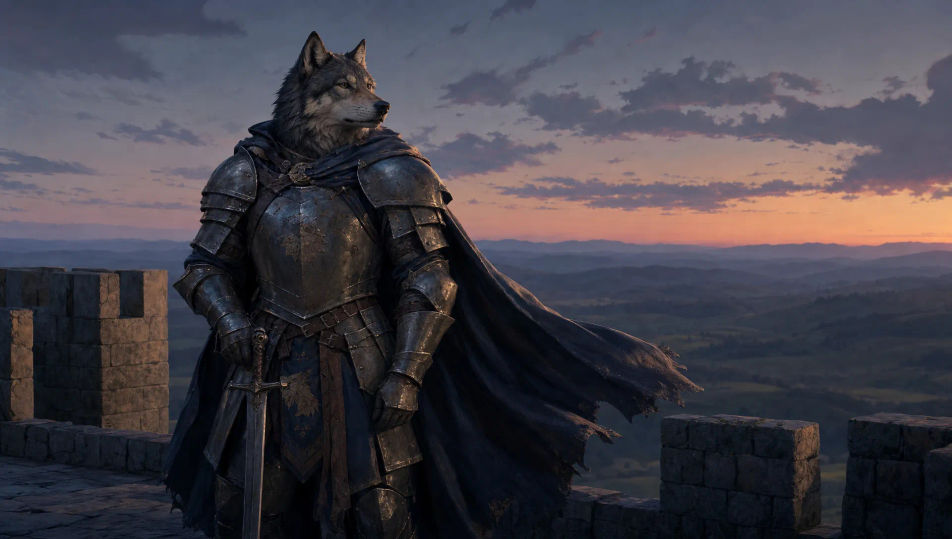
Describe the Anthropomorphic Animal you want, in plain words.
Morphic generates a clean, ready-to-publish image on your canvas in seconds.
Tweak the prompt, regenerate variations, then download or share the frame.

Take any character image and generate 6 distinct facial expressions on a single reference sheet.

Share a scene description with character references. Get a full storyboard with shot angles and mood.

Turn any photo or description into an animated chibi sprite. Dance, jump, wave, attack, and more.

All your characters on a single lineup image, side by side with height comparison.

Professional 7-panel location reference sheet from a single photo.
Restyle any video in a completely new visual style. Every frame transforms, all motion stays intact.
Mascot Character AI Images
Create AI Mascot Character images with Morphic. Generate Mascot Character portraits, designs, and character art for any project in seconds.
Cartoon Illustration AI art
Create cartoon illustrations with Morphic. Original characters, expressive scenes, and stylized panel art from a single prompt.
Original Character AI Images
Create AI Original Character images with Morphic. Generate Original Character portraits, designs, and character art for any project in seconds.
Robot Character AI Images
Create AI robot character images on Morphic. Retro bots, sleek androids, battle droids, companion bots, and sci-fi scenes from plain-language prompts.
Get started for free today, with the option to upgrade or cancel anytime.
Basic
2400 monthly credits
1 user only
All models
Workflows
Standard
3625 monthly credits
1 user only
All models
Workflows
Pro
6350 shared monthly credits
1 user
All models
Workflows
Max
24650 shared monthly credits
1 user
All models
Workflows
Enterprise
For higher limits
Custom
pricing and billing terms

Free
For playing around
$0
forever free