Sunday-funnies neighbourhood street
A Sunday-funnies neighbourhood: pastel clapboard houses with hand-drawn picket fences, a single mailbox at the curb, a tree drawn in three lollipop layers, flat candy-colour sky.
Edit prompt
Design Cartoon art in your browser with Morphic's Cartoon AI image generator. Create a noodle-limbed adventurer mid-leap or a wide-eyed sidekick pet, lock the bold black outlines with Character Lineup, then animate any still with Image to Video.
A Sunday-funnies neighbourhood: pastel clapboard houses with hand-drawn picket fences, a single mailbox at the curb, a tree drawn in three lollipop layers, flat candy-colour sky.
Edit promptA bright cartoon kitchen mid-disaster: pots boiling over with overspill steam squiggles, a wide-eyed character holding a spoon, flour cloud puff in the air, chequered floor in flat fills.
Edit prompt
A lopsided backyard treehouse with a rope ladder dangling, two characters peering out of the window, a hand-painted "NO ADULTS" sign nailed to the trunk, soft daylight and flat candy-green grass.
Edit prompt
A classic banana-peel chase: a character sliding off-frame with motion lines and dust puff, a second character in pursuit, a single banana peel comically large in the foreground.
Edit prompt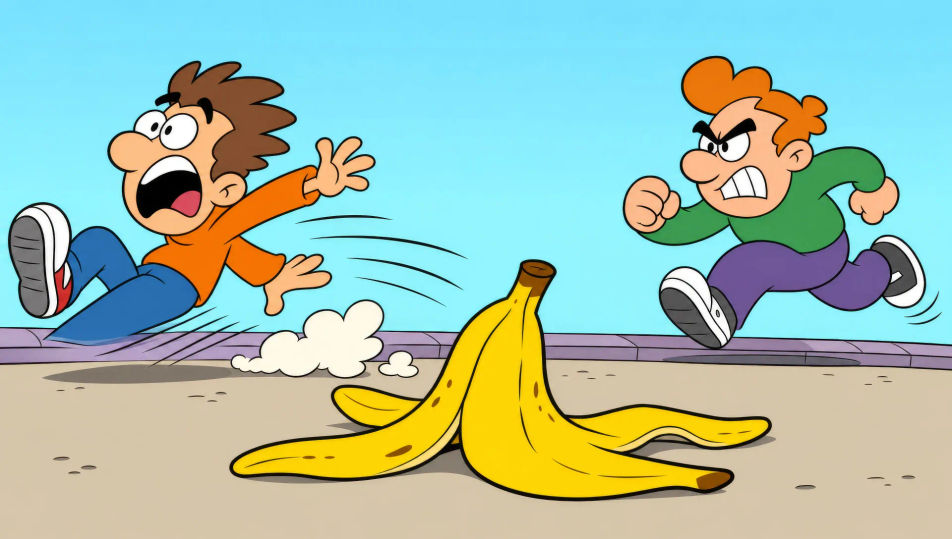
Describe the Cartoon you want, in plain words.
Morphic generates a clean, ready-to-publish image on your canvas in seconds.
Tweak the prompt, regenerate variations, then download or share the frame.
Pick a reference image, apply its visual style to your own photo or artwork.
Convert any image to a new aspect ratio. Smart crop or extend the edges to fit.

Pick any anime illustration as your style guide. Apply its look to any image.

Turn any sketch or drawing into a finished render.
Provide first frame and last frame and generate a video from uploaded keyframes.
Restyle any video in a completely new visual style. Every frame transforms, all motion stays intact.
Comic book AI Images
Create comic book panels, character designs, and full pages with Morphic. Splash pages, action sequences, decompressed beats, and indie-comic styles from a single prompt.
Comic strip AI generator
Make comic strips from a single prompt. Clean linework, expressive characters, 3-4 panel gag rhythm, printable HD downloads.
Graphic novel art AI generator
Create graphic novel art with Morphic. Painterly ink-and-colour panels, cinematic framing, moody palettes, and on-model characters from a single prompt.
Pop art AI art
Create pop art with Morphic. Ben-Day dot portraits, Warhol-style silkscreen repetitions, comic-book thought bubbles, and primary-colour panels from a single prompt.
Get started for free today, with the option to upgrade or cancel anytime.
Basic
2400 monthly credits
1 user only
All models
Workflows
Standard
3625 monthly credits
1 user only
All models
Workflows
Pro
6350 shared monthly credits
1 user
All models
Workflows
Max
24650 shared monthly credits
1 user
All models
Workflows
Enterprise
For higher limits
Custom
pricing and billing terms

Free
For playing around
$0
forever free