Gemini 4 Argon
by Google DeepMind
Google's reasoning model, now in Morphic Copilot.
It plans shots, then calls the models.
Key features
Technical specifications
Reasoning
A thinking model that plans and directs; it makes no media itself
5 types
Text, images, video, audio, and PDF
Text
Plans, scripts, prompts, and tool calls
1M tokens
Input and output share one 1,048,576-token budget
Sep 2026
Announced by Google on September 30, 2026
Copilot
Pick it as the model behind any new Copilot chat
Basic and up
In the Copilot model picker on every paid plan
MCP
Reach Morphic from an MCP app such as Gemini CLI
Use cases

AI microdramas
Turn a premise into a 10-episode outline with hooks and cliffhangers, then generate the opening shots with a fixed cast.
3D-style characters
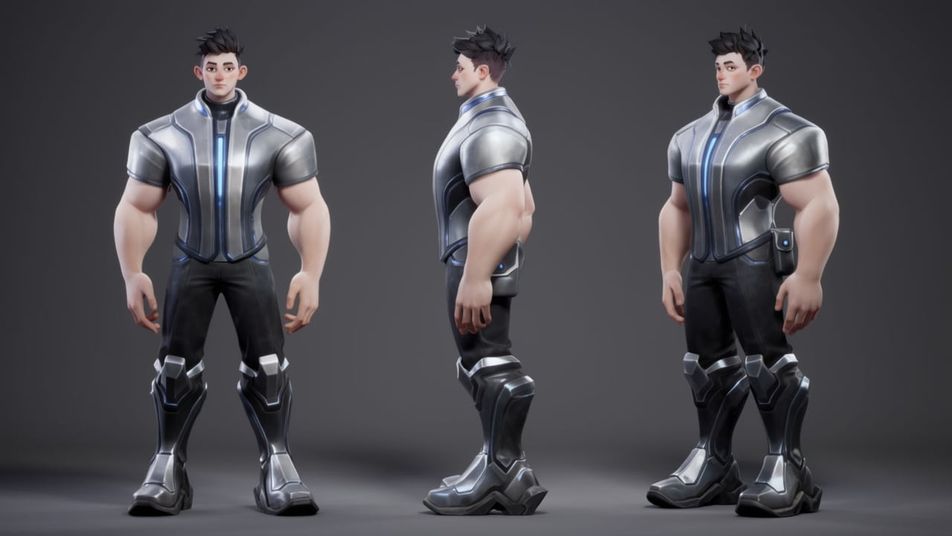
Define materials, silhouette and lighting, then get a front, side and three-quarter reference sheet for one character.
Cinematic short films
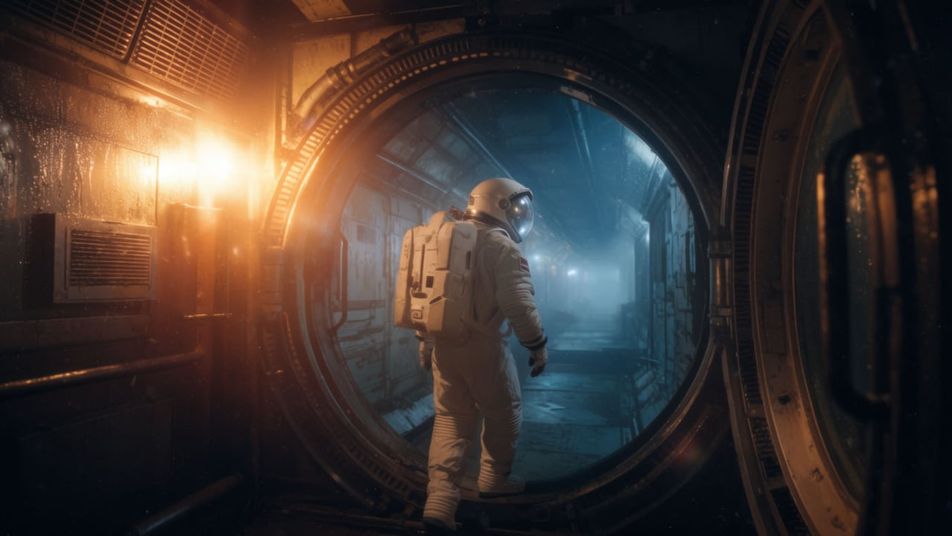
Hand it a script and get the shot list, camera moves and first shots, with the lead looking the same from shot to shot.

Product ads
Write three ad angles for one product, from mysterious to energetic, and generate the visuals for each from a single brief.

Anime series
Outline the story arc and cast, build character references, and plan the opening sequence of an anime-style series.

Music videos
Map scene changes to the track, generate the clips and music, and get a cut order for the edit.
Prompt examples
Microdrama series
Plan a 10-episode thriller with cliffhangers, then shoot the Episode 1 opener
Edit promptAd variants
Write three 15-second perfume ads, mysterious, minimal, energetic, with visuals
Edit promptAnime opening
Create three anime-style leads in a future city and plan a 20-second opening
Edit promptGemini 4 Argon overview
Gemini 4 Argon is Google's reasoning model for work that takes many steps. It writes no pixels. What it adds to a creative project is planning: it turns a premise into a script, the script into scenes, and the scenes into prompts, references and a cut order. On Morphic that plan runs straight away, because Copilot gives Argon the image, video and audio models to call.
How to use Gemini 4 Argon in Morphic Copilot
- Open a project and start a new Copilot chat.
- Choose Gemini 4 Argon in the model picker at the bottom right of the prompt bar.
- Attach what you already have: a script, a brief, reference images or a clip.
- Describe the whole project, then let it plan. Switch the chat to Plan only if you want the plan before anything renders.
- Approve the plan and generate. Results land in the project, ready for review and the edit.
Gemini 4 Argon over Morphic MCP
Working in Gemini CLI or another MCP app that runs Argon? Add the Morphic MCP server (https://mcp.morphic.com/mcp), approve the connection, and it can generate into your projects from there. The Gemini 4 Argon guide walks through the setup and six project workflows step by step.
Gemini 4 Argon limits to plan around
Argon plans and reviews; the media models render. Consistency still comes from references, so give each recurring character a character sheet and check episodes before they ship. A still styled as a 3D render is not an exportable 3D model. And treat its video review as a second pair of eyes, with the final approval yours.
Simple pricing
Get started for free today, with the option to upgrade or cancel anytime.
Basic
2400 monthly credits
1 user only
All models
Workflows
Standard
3625 monthly credits
1 user only
All models
Workflows
Pro
6350 shared monthly credits
1 user
All models
Workflows
Max
24650 shared monthly credits
1 user
All models
Workflows
Enterprise
For higher limits
Custom
pricing and billing terms

Free
For playing around
$0
forever free
FAQs
More about Gemini 4 Argon
Guides, prompts, and comparisons for Gemini 4 Argon.
Other models
Explore the rest of the Morphic model catalog.
FLUX Video Upscale
Black Forest Labs
Black Forest Labs' video upscaler. Up to 4K, with fine detail rebuilt and the sound kept.
FLUX 3 Max
fal.ai
fal's post-trained FLUX 3. Tuned to follow the script, built for speed.
Krea 3
Krea AI
Krea's fast image editing model. Combine up to 4 images in one edit.
OmniHuman 2.0
ByteDance
ByteDance's audio-driven human video model. One photo, one track, five minutes in one take.