Cross cutting
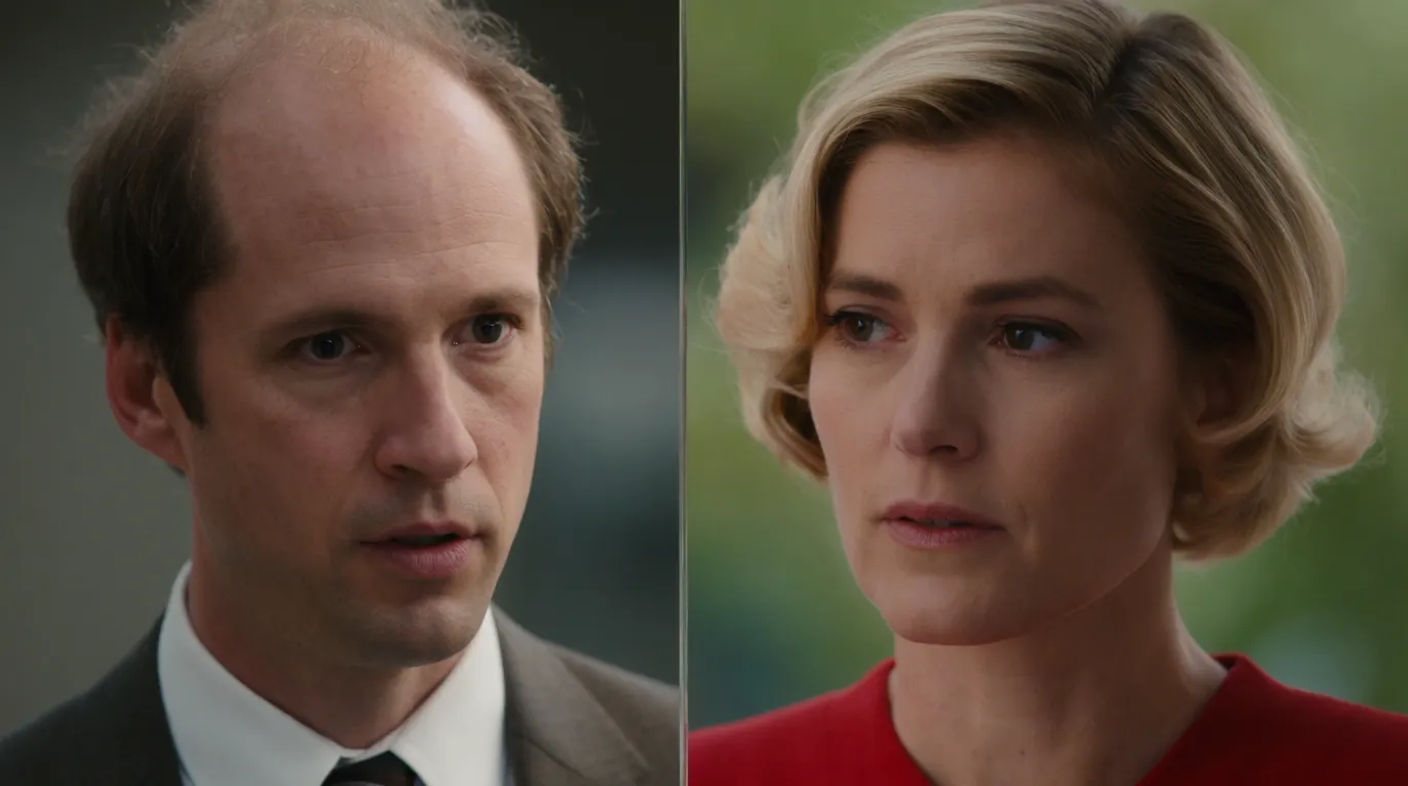
Cross cutting intercuts between two or more actions happening in different places at the same time, building suspense as the audience waits for them to collide. It is the engine of the chase and the rescue. Generate the paired frames in Morphic, then animate them with Image to Video.
Cross cuts you can generate






When to use cross cutting
Building suspense
Cutting between a threat and its target makes the audience race ahead of the film, dreading the moment they meet.
Showing simultaneity
Intercutting two places tells the viewer these things are happening at once, without a word of explanation.
Chases and rescues
The pursuer and the pursued, the bomb and the hero: cross cutting is the grammar of the ticking clock.
Drawing a parallel
Cutting between two scenes invites the audience to compare them, letting one comment on the other.
Related cinematic techniques
Make Cross cutting in three steps
- 01
Describe your image
Describe the Cross cutting you want, in plain words.
- 02
Generate the image
Morphic generates a clean, ready-to-publish image on your canvas in seconds.
- 03
Refine and share
Tweak the prompt, regenerate variations, then download or share the frame.
Cinematic scene
One image to a 9-scene cinematic video.

Cinematic storyboard
Share a scene description with character references. Get a full storyboard with shot angles and mood.

3x3 storyboard
Feed in a single image. Get 9 cinematic beats laid out as a 3x3 storyboard grid.
Next scene in sequence
Continues your scene sequence with perfect character consistency across frames.

Messages to cinematic scene
Dramatize any text conversation into a cinematic multi-shot video.
Time-freeze effect
Cinematic time-freeze short film for any scene
You might also like
Tracking shot
A tracking shot follows a subject through space to build momentum. See how it differs from a dolly, when to use it, and animate one in Morphic.
Establishing shot
An establishing shot opens a scene by showing the location first. See how it differs from a wide shot and generate one from a prompt in Morphic.
Match cut
A match cut bridges two shots through a shared shape or action. See how it differs from a jump cut, when to use it, and generate the paired frames in Morphic.
Money shot
A money shot is the standout, defining image a project is built around. See what makes one work, when to use it, and generate a money shot in Morphic.
Simple pricing
Get started for free today, with the option to upgrade or cancel anytime.
Basic
2400 monthly credits
1 user only
All models
Workflows
Standard
3625 monthly credits
1 user only
All models
Workflows
Pro
6350 shared monthly credits
1 user
All models
Workflows
Max
24650 shared monthly credits
1 user
All models
Workflows
Enterprise
For higher limits
Custom
pricing and billing terms

Free
For playing around
$0
forever free