Overhead shot
An overhead shot points the camera straight down at the subject, flattening the scene into a clean graphic plane. It is the look of flat-lay food, product, and process videos. Generate the top-down frame in Morphic, then animate it with Image to Video.
Overhead shots you can generate
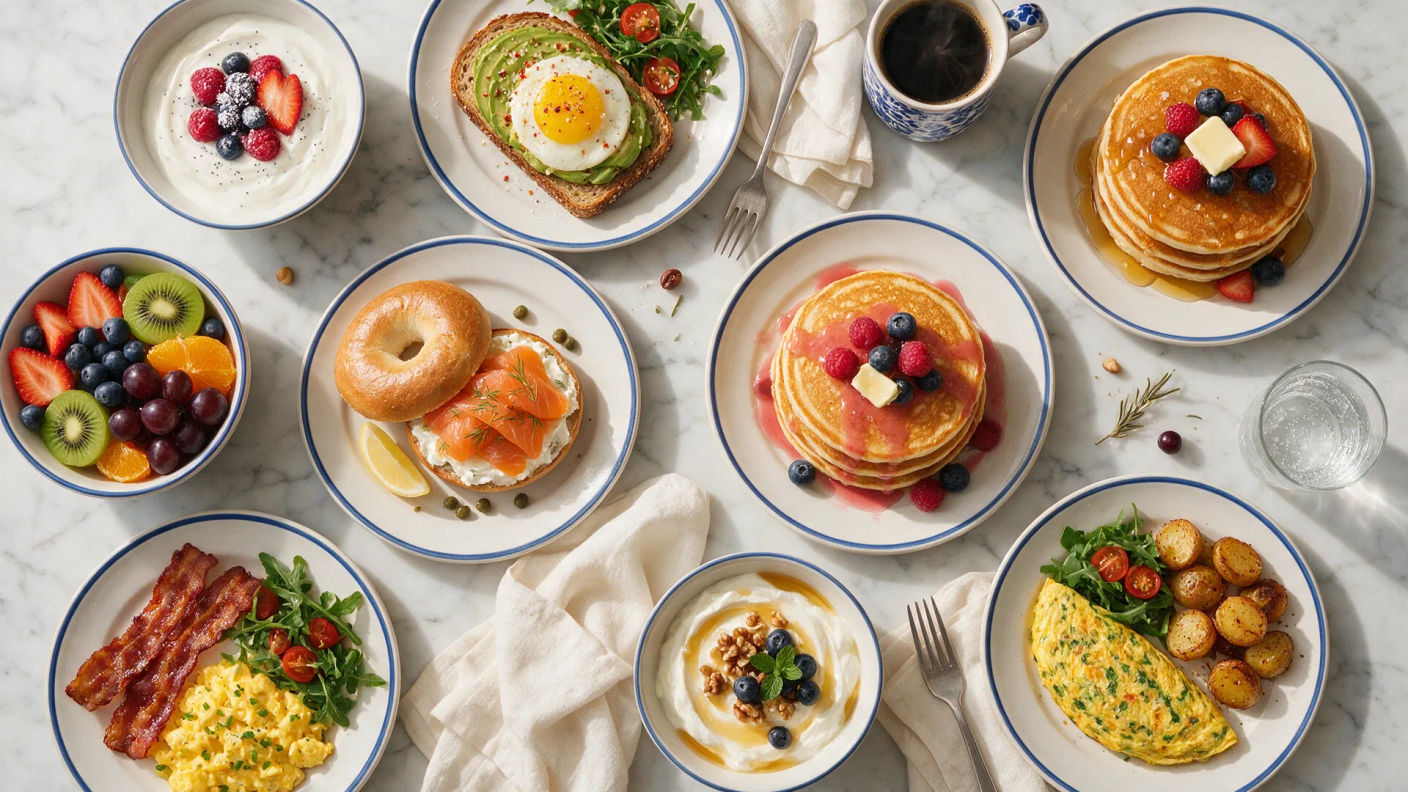

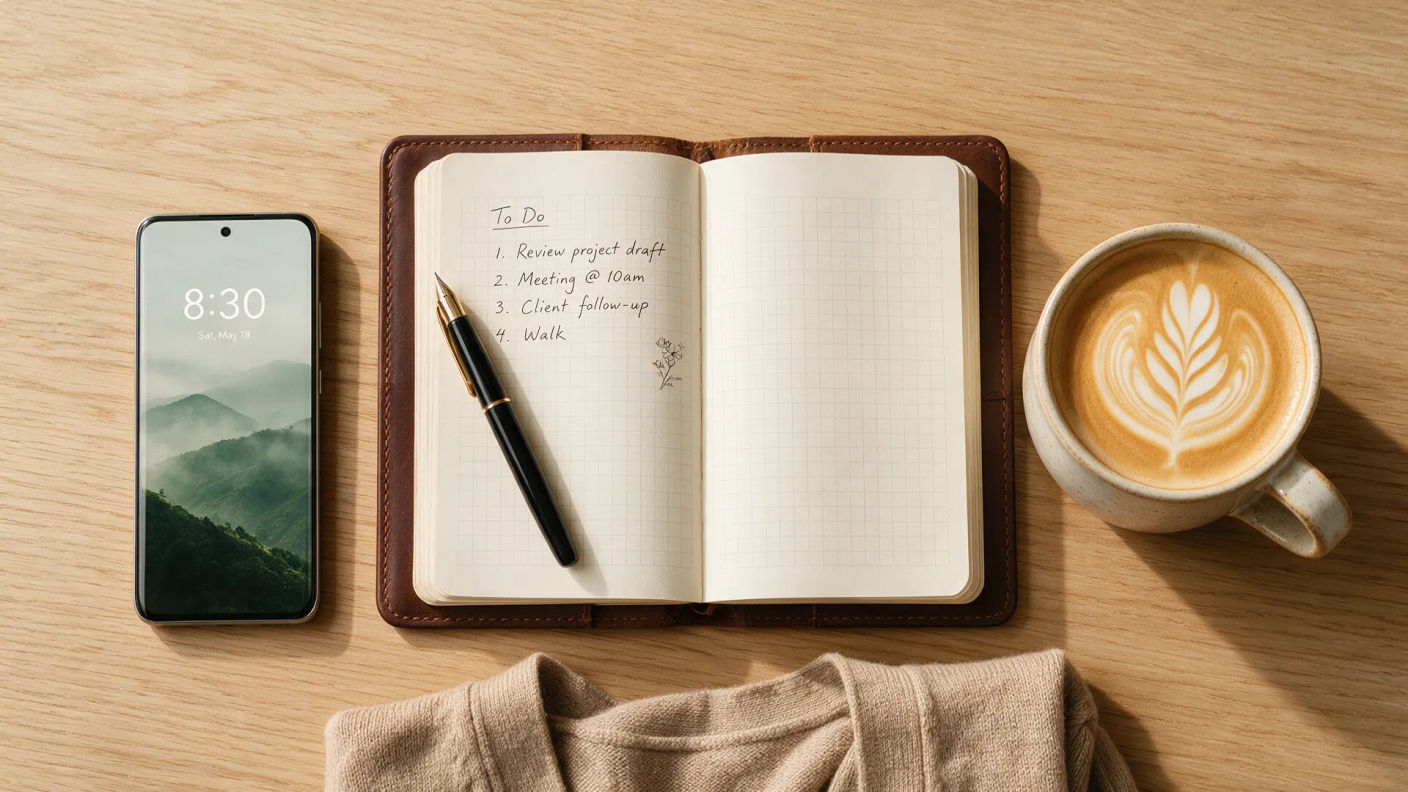



When to use an overhead shot
Food and flat-lay
The default angle for recipes and product flat-lays, where a straight-down view turns the table into a clean composition.
Showing a process
Point straight down at a pair of hands so every step of a build or a recipe reads without anything blocking the view.
Turning a scene graphic
Overhead framing flattens depth, so a crowd, a grid of objects, or a pattern reads as shape and color first.
Scale from the air
A straight-down drone view over a pool, field, or street turns real space into a map-like graphic of lines and blocks.
Related cinematic techniques
Make Overhead shot in three steps
- 01
Describe your image
Describe the Overhead shot you want, in plain words.
- 02
Generate the image
Morphic generates a clean, ready-to-publish image on your canvas in seconds.
- 03
Refine and share
Tweak the prompt, regenerate variations, then download or share the frame.

Cinematic storyboard
Share a scene description with character references. Get a full storyboard with shot angles and mood.

3x3 storyboard
Feed in a single image. Get 9 cinematic beats laid out as a 3x3 storyboard grid.
Cinematic scene
One image to a 9-scene cinematic video.

Messages to cinematic scene
Dramatize any text conversation into a cinematic multi-shot video.
Time-freeze effect
Cinematic time-freeze short film for any scene
Put yourself in a movie
Drop in a photo of yourself. Get a 12-second cinematic movie with animation and a matched soundtrack.
You might also like
Drone shot
A drone shot flies the camera for a sweeping aerial view. See when to use one, the classic moves, and generate aerial footage in Morphic.
High angle shot
A high angle shot looks down to make a subject feel small or exposed. See how it contrasts with a low angle and generate one in Morphic.
Time-lapse shot
A time-lapse shot speeds hours into seconds so slow change reads at a glance. See when to use it and generate AI time-lapse footage in Morphic.
B-roll shot
B-roll is the supporting footage that covers cuts and adds texture. See what counts as B-roll, when to use it, and generate it in Morphic.
Simple pricing
Get started for free today, with the option to upgrade or cancel anytime.
Basic
2400 monthly credits
1 user only
All models
Workflows
Standard
3625 monthly credits
1 user only
All models
Workflows
Pro
6350 shared monthly credits
1 user
All models
Workflows
Max
24650 shared monthly credits
1 user
All models
Workflows
Enterprise
For higher limits
Custom
pricing and billing terms

Free
For playing around
$0
forever free