Mark a hushed moment with one faint tick
A single pen tick on the cut gives a tense pause weight, in a thriller, a game stealth beat or a still animated frame.
Edit prompt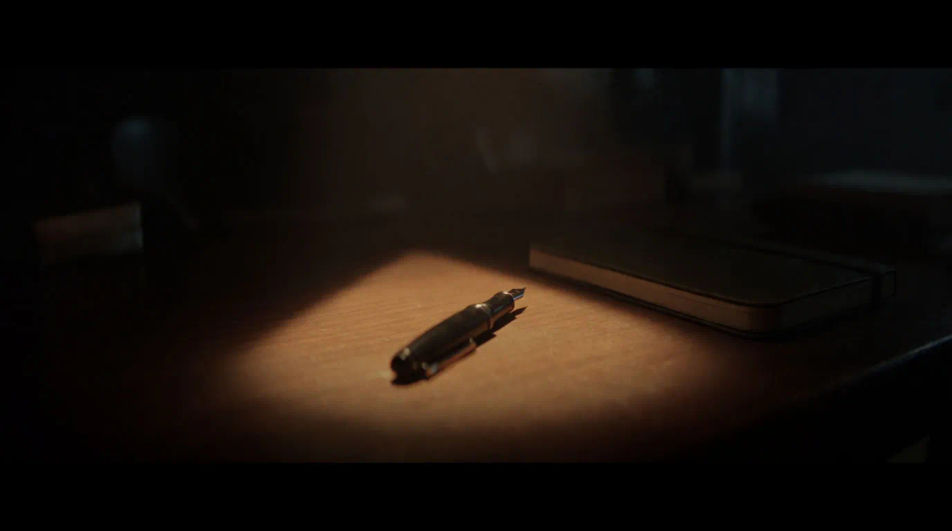
A pen tapping a desk, a page turning, socked footsteps on boards and a cup settling on its saucer, all of them faint and close. Describe the small sound your scene needs and Morphic generates it clean.


One faint dry tick of a pen on wood with a tiny tail, the smallest possible mark on a silent scene.

A soft paper rustle and a faint settle as one sheet lies flat, for a reader, a study scene or a quiet office.

Five slow footsteps in socks with one soft creak, for someone crossing a floor trying not to be heard.

One delicate ceramic clink and a soft settle, for a careful sip, a tea scene or a hushed kitchen.

A faint fabric rub and one tiny leather creak, then stillness, for a listener who shifts and goes quiet.

One soft plastic click and a faint electrical tick, for a switch pressed gently so nobody wakes.
Pick a starting point, edit anything you like, then generate it in Morphic.
A single pen tick on the cut gives a tense pause weight, in a thriller, a game stealth beat or a still animated frame.
Edit promptA paper rustle keeps a stretch with no dialogue alive without music, in a study scene, a documentary pause or a visual novel.
Edit prompt
Sock steps and a soft switch click set up a family sleeping upstairs, in a film, an animated short or a game level.
Edit prompt
A faint chair shift behind the wall tells the viewer another person is listening, with no cutaway needed.
Edit prompt
Work sound effects
Generate work sound effects with AI on Morphic. Describe the sound, pick a variation, and download MP3 or WAV for your video, game or podcast.
Write sound effects
Generate write sound effects with AI on Morphic. Describe the sound, pick a variation, and download MP3 or WAV for your video, game or podcast.
Writing sound effects
Generate writing sound effects with AI on Morphic. Describe the sound, pick a variation, and download MP3 or WAV for your video, game or podcast.
Air sound effects
Generate air sound effects with AI on Morphic. Describe the sound, pick a variation, and download MP3 or WAV for your video, game or podcast.
Get started for free today, with the option to upgrade or cancel anytime.
Basic
2400 monthly credits
1 user only
All models
Workflows
Standard
3625 monthly credits
1 user only
All models
Workflows
Pro
6350 shared monthly credits
1 user
All models
Workflows
Max
24650 shared monthly credits
1 user
All models
Workflows
Enterprise
For higher limits
Custom
pricing and billing terms

Free
For playing around
$0
forever free