Every image model
Made with image models on Morphic
Key features
Multi-turn edits, no drift
Each edit changes only what you asked for, so the tenth pass looks as clean as the first, with no creeping color shift.
Untouched pixels stay exact
Precise edit copies every pixel the change does not touch straight from your image, so faces, labels, and textures hold.
Edit a crop, stitch it back
Cut a detail out of a very large photo, edit it, and paste it back. The edges line up, so the seam never shows, even in print.
Text edits and translation
Change the words on a sign, label, or poster, or translate them, while the lettering keeps its style, size, and place.
Masks and 4 references
Paint a mask to fence the edit into one area, and add up to 4 reference images to steer a color, pattern, or product.
Native 2K output
Results render at native 2K across four quality levels, from a fast, low-cost draft to the highest-quality final.
Edit an image with Ideogram 4.5 in three steps
- 01
Upload your image
Drop a photo, render, or scan onto the Canvas. Large files work too, so print-size originals keep their detail.
- 02
Name one change
Say what to change, then what must stay. Add a mask or a reference image when the edit needs a fence or a guide.
- 03
Keep going
Edit the result again: new color, new light, new text. Compare each round side by side and keep the best.
What the Ideogram 4.5 editor changes
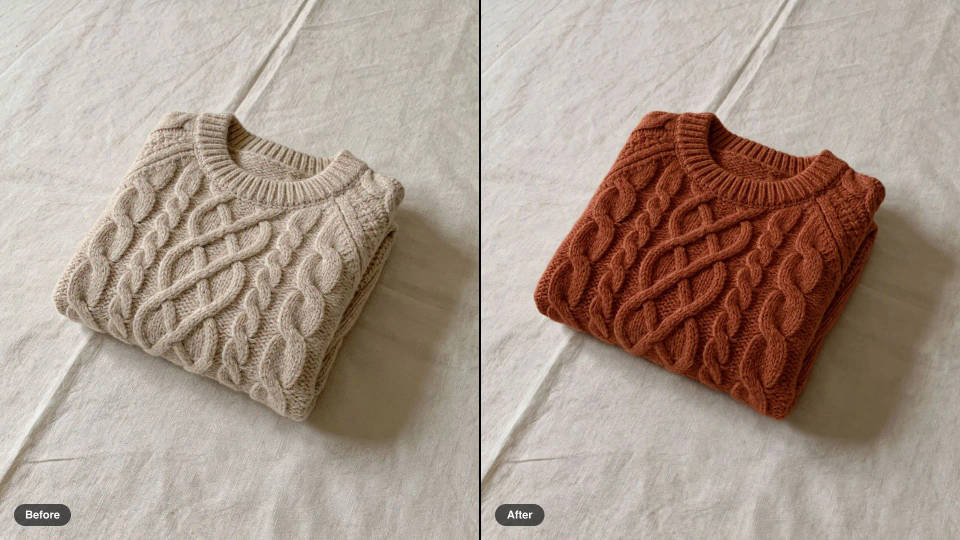
Colorways from one product shot
Recolor a sweater, a mug, or a sofa into every option in the range. The knit, the folds, and the light stay as shot, so the set reads as one photo session.
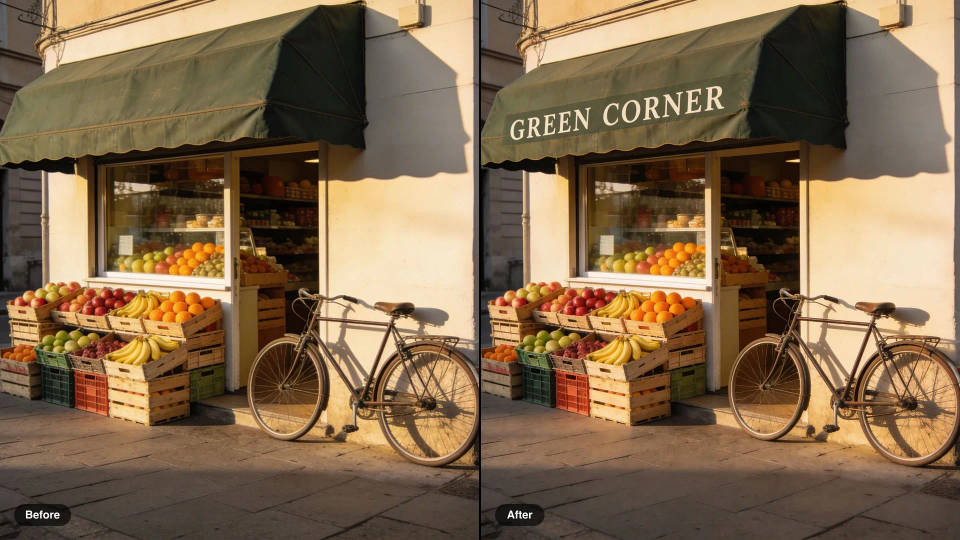
Lettering added in place
Paint a shop name onto a plain awning or update the words on a label. The type sits in the scene's light and perspective instead of floating on top.
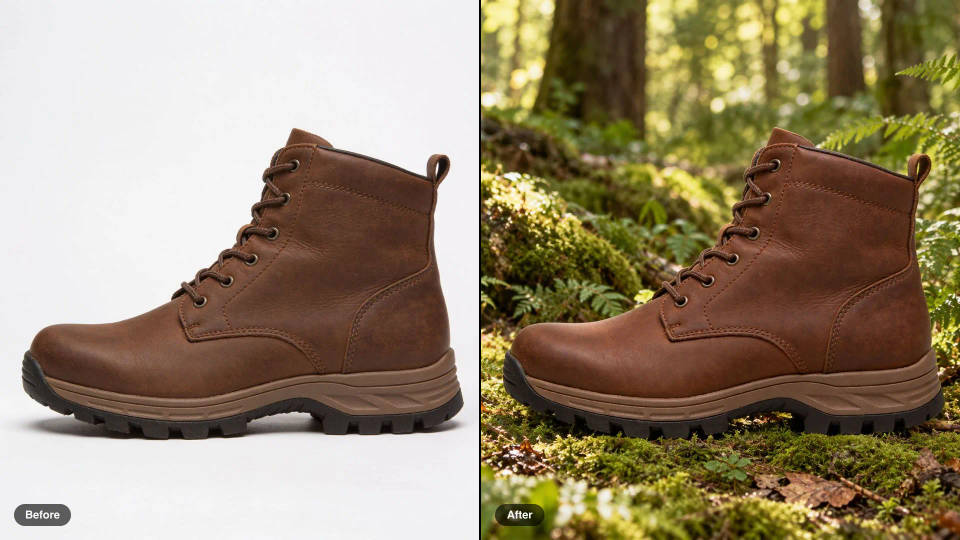
New scene, same product
Move a product from a white studio sweep to a forest floor or a kitchen counter. The product itself, its stitching and its angle, comes through untouched.
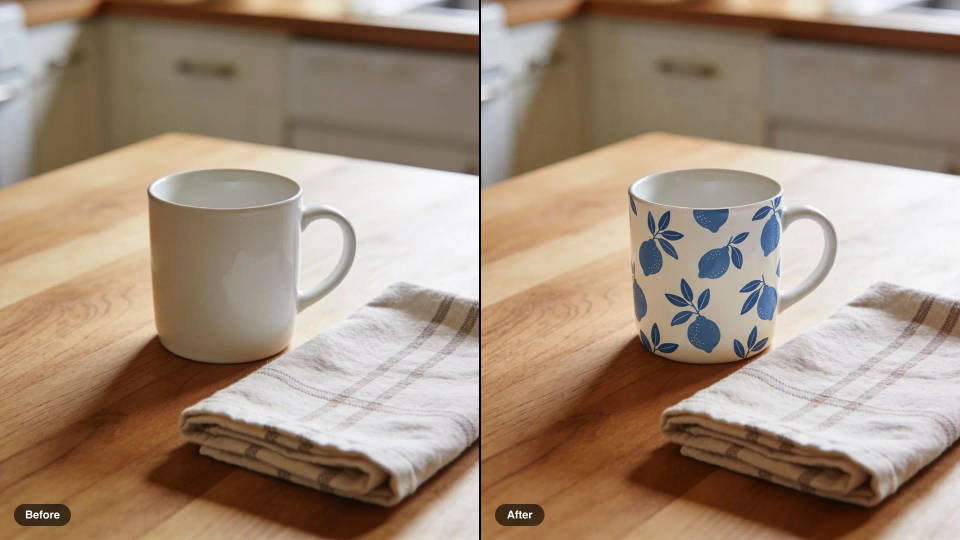
Edits steered by a reference
Add up to 4 reference images to carry a pattern, color, or material into the edit, so the result matches the swatch rather than a guess.
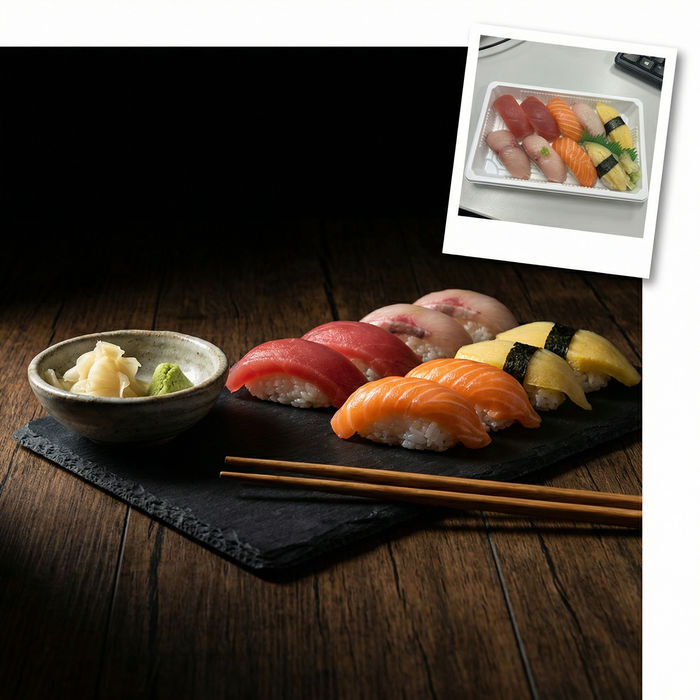
Food photo studio
Turn any dish photo or description into a styled, editorial-quality food photograph.
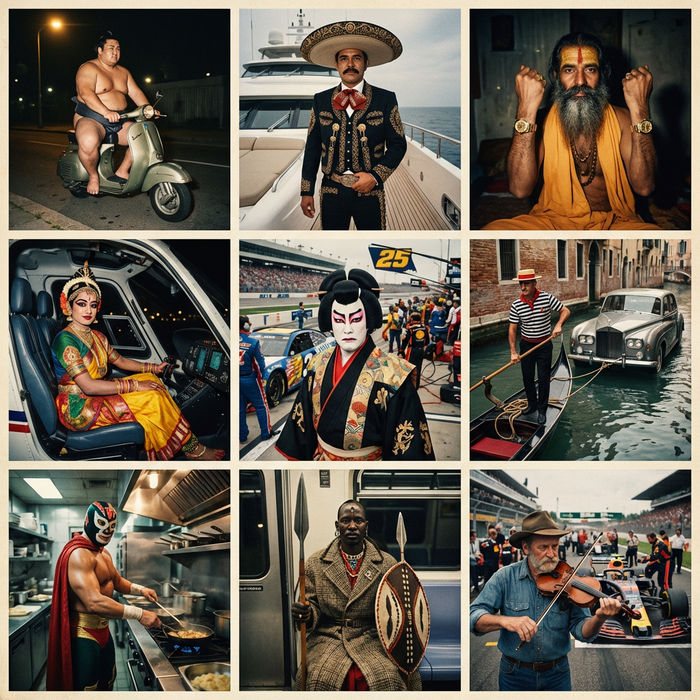
Paradox frames
Flash paradox photographs — any collision, any country

Jewelry campaign
One product shot becomes a full campaign pack with hero shots, angles, and format variations.

Image reverse engineer
Get a detailed prompt extracted from a reference image, and then a fresh recreation.
Perspective studio
Choose your viewing angles and get precise perspective shifts of any image with full camera control.
Turn yourself into a model
Full model photoshoot from one photo of you
Ideogram 4.5, all on Morphic
Models
Ideogram 4.5, Seedream 5.0 Pro, Nano Banana 2, and GPT Image 2.5, side by side on one Canvas.
Image editing
Upload a frame and change it with a sentence. Restyle, swap elements, or relight it with image-to-image.
Image to video
Animate the finished edit into a short clip, so the restyled product shot becomes the ad that sells it.
Workflows
Turn an editing sequence into a one-click Workflow. Rerun it on the next product, share it, or favorite it.
