The skyline reveal
A city skyline at dusk as a colossal silhouette rises slowly behind the towers, lights winking out across the grid, a low horn sounding, the camera tilting up to take in the scale, slow and vast.
Edit prompt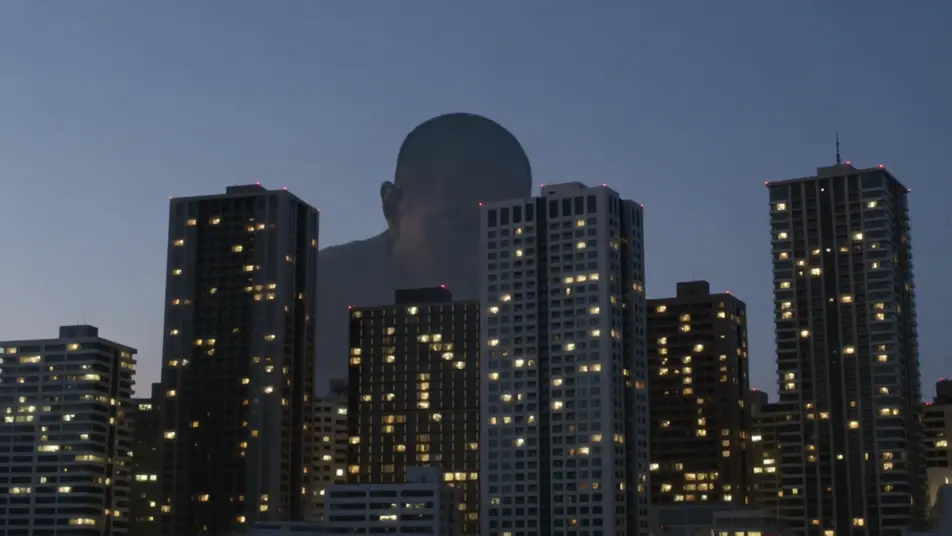
Direct city-crushing spectacle in your browser with Morphic's giant monster AI video generator. Generate a colossal silhouette behind a skyline, a vast foot crushing a crosswalk, or fighter jets banking around a towering beast. Add the broadcast voices and score with Speech and Music.
A city skyline at dusk as a colossal silhouette rises slowly behind the towers, lights winking out across the grid, a low horn sounding, the camera tilting up to take in the scale, slow and vast.
Edit promptA pedestrian-level view down a canyon of buildings as a vast foot crashes through a crosswalk, cars tossed and dust blasting toward camera, people scattering, low chaotic handheld.
Edit prompt
Fighter jets banking and firing around the towering beast amid skyscrapers, tracer streaks and missile smoke, the monster swatting through them, sweeping aerial camera, epic scale.
Edit prompt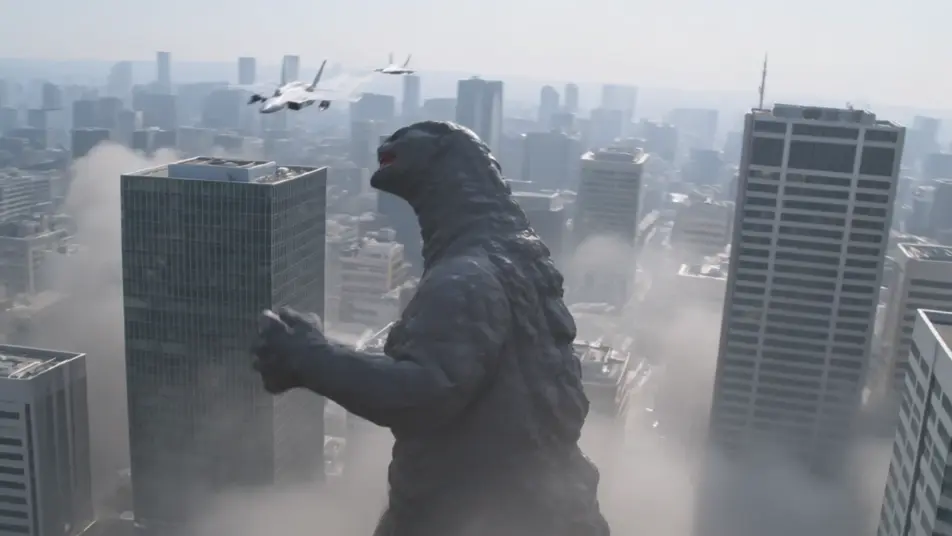
A ruined city at first light, skyscrapers sheared and smoking, a vast drag-trail through the rubble leading to the sea, tiny rescue figures picking through the wreckage, slow mournful crane up.
Edit prompt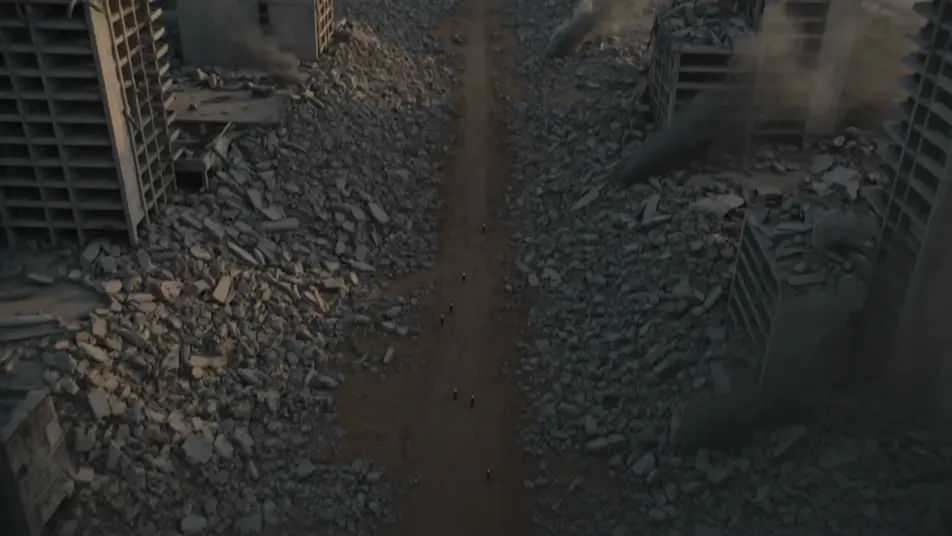
Write the giant monster scene you want, in plain words.
Morphic generates a cinematic, frame-ready clip on your canvas in seconds.
Tweak the prompt, regenerate variations, then download or share the shot.
Cinematic time-freeze short film for any scene

Dramatize any text conversation into a cinematic multi-shot video.
One image to a 9-scene cinematic video.
Drop in a photo of yourself. Get a 12-second cinematic movie with animation and a matched soundtrack.

Share a scene description with character references. Get a full storyboard with shot angles and mood.

Feed in a single image. Get 9 cinematic beats laid out as a 3x3 storyboard grid.
Kaiju AI Videos
Generate kaiju videos with Morphic. City-scale apex creatures, suitmation slow-mo destruction, JSDF reaction shots, and IP-safe original creature design.
Creature Feature AI Videos
Generate creature feature AI videos with Morphic. Lurking beasts, slow monster reveals, and confined-setting scene prompts you can direct in the browser.
Monster AI videos
Generate monster videos on Morphic. Original creatures, fog-bound beasts, lake monsters, and lurking-threat scenes from plain-language prompts.
Disaster AI Videos
Create powerful AI Disaster videos with our Disaster video generator. Find unique, cinematic Disaster scenes for any project in seconds.
Get started for free today, with the option to upgrade or cancel anytime.
Basic
2400 monthly credits
1 user only
All models
Workflows
Standard
3625 monthly credits
1 user only
All models
Workflows
Pro
6350 shared monthly credits
1 user
All models
Workflows
Max
24650 shared monthly credits
1 user
All models
Workflows
Enterprise
For higher limits
Custom
pricing and billing terms

Free
For playing around
$0
forever free