Video-Fokusmodus
Der Video-Fokusmodus in Morphic ermöglicht es Ihnen, promptbasierte Änderungen an jedem Video mithilfe von KI vorzunehmen. Beschreiben Sie die gewünschte Änderung, und Morphic wendet sie konsistent auf alle Frames an.
Hier ist eine kurze Anleitung, wie du den Video-Fokusmodus in Morphic verwendest:
- Lade ein Video auf der Canvas hoch oder generiere eines
- Wähle das Video aus, das du bearbeiten möchtest
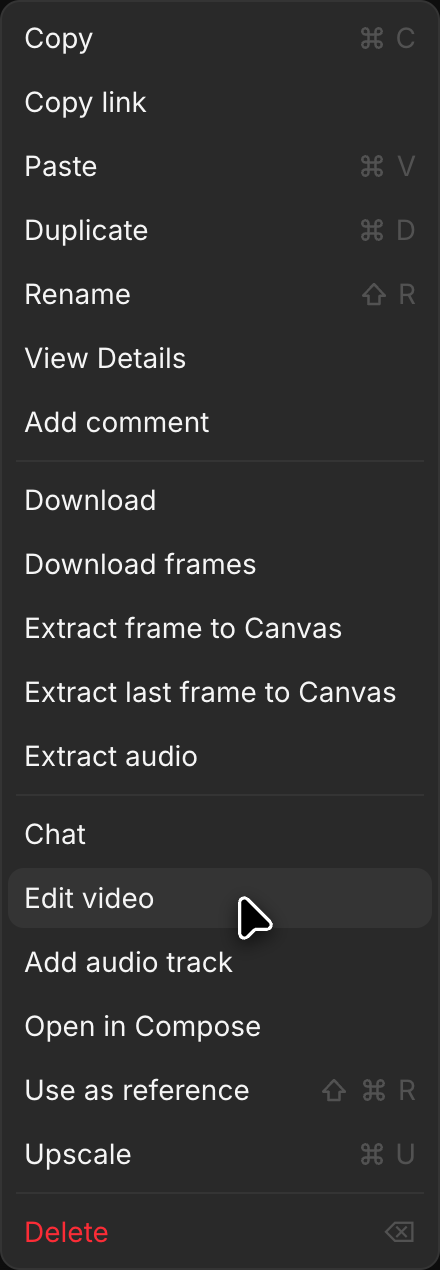
- Klicke auf „Video bearbeiten“, in der rechten Seitenleiste unter „Details“ > „Tools“ oder im Rechtsklickmenü des Videos. Das Video wird zu „Referenzen“ über der Eingabeleiste hinzugefügt
- Klicke auf die Modusauswahl unten links in der Eingabeleiste und wähle „Text/Bild zu Video“
- Klicke auf die Modellauswahl, die auf einem anderen Modell stehen kann, und wähle ein Modell, das Videos bearbeitet. Ein Modell mit mehreren Versionen öffnet eine kurze Liste, wenn du mit der Maus darauf zeigst. Zeige auf „Morphic“ und wähle „Morphic Edit“ für schnelle Änderungen direkt im Clip, die seine Länge beibehalten. Zeige auf „Kling“ und wähle „Kling 4.0“, um Clips bis zu 30 Sekunden zu bearbeiten und ihre Schnitte und Bewegungen beizubehalten
- Schreibe einen Prompt, der die gewünschte Änderung beschreibt (z. B. „Ändere die Farbe des Pferdes zu Weiß“ oder „Ändere den Hintergrund zu einer verschneiten Winterszene“)
- Klicken Sie auf den blauen Button in der Eingabeleiste
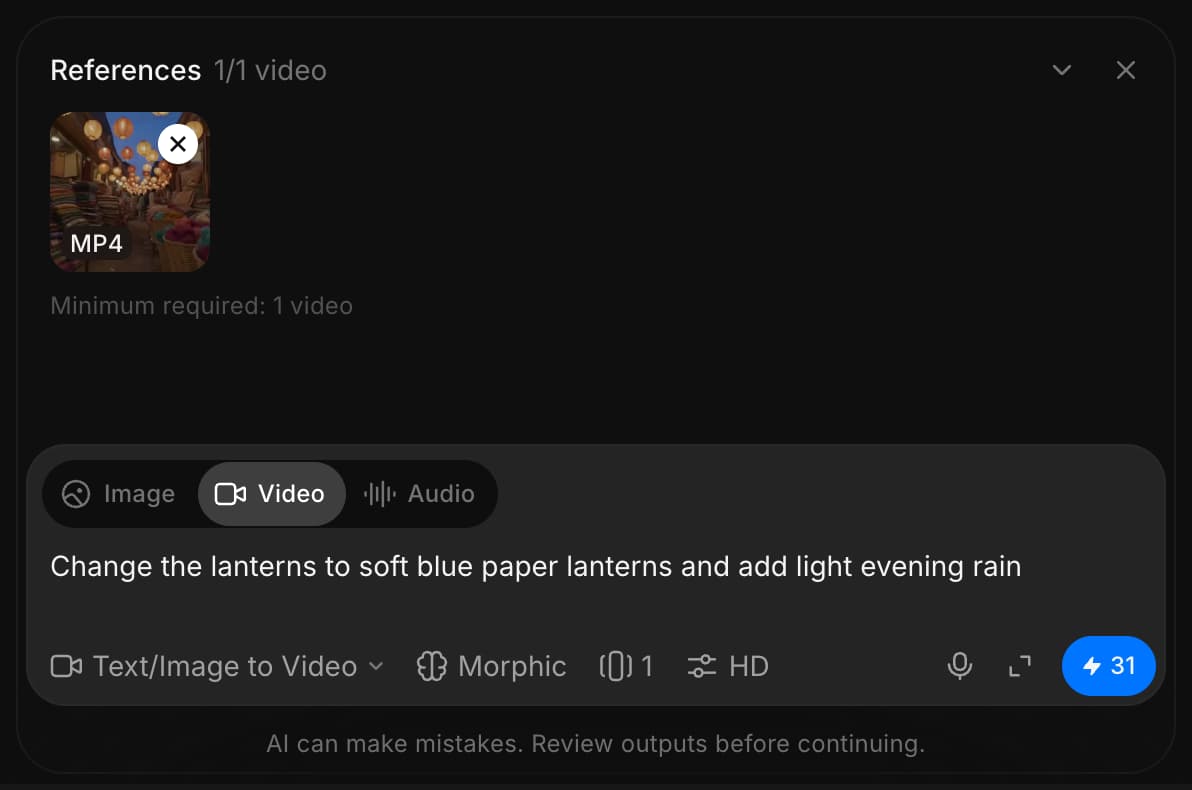
Morphic verändert das Video auf Grundlage deines Prompts und wendet die Änderung konsistent auf alle Einzelbilder an.
So verwendest du den Video-Fokusmodus in Morphic. Es ist eine schnelle Möglichkeit, KI-gestützte Bearbeitungen wie das Ersetzen von Figuren, das Ändern von Umgebungen, das Anpassen der Beleuchtung oder das Entfernen unerwünschter Elemente vorzunehmen.
Wenn Sie Probleme haben oder Fragen haben, können Sie sich gerne an uns wenden. Wir helfen Ihnen gerne. Schreiben Sie uns an support@morphic.com.
Soundeffekte für Video
So fügst du einem vorhandenen Video in Morphic synchrone Soundeffekte und Foley hinzu und behältst dabei seinen Dialog.
Audio
Erzeugen Sie Sprache, Musik und Effekte, wandeln Sie eine Stimme in eine andere um, synchronisieren Sie in andere Sprachen, teilen Sie Tracks in Stems auf und transkribieren Sie das Vorhandene.