Rask AI alternatives at a glance
| Tool | Best for | Lip sync | Standout capability | Pricing model |
|---|---|---|---|---|
| Morphic | Films, episodes and scenes with several speakers | On the speakers' close-ups | Morphic Dub keeps every speaker in their own voice and keeps the original music and sound effects. The cut, subtitles and new shots stay in the same project | Subscriptions with credits |
| HeyGen | Talking-head marketing and training video | Two lip-sync modes, or audio only | Proofread the translated script before the lip-synced render | Plans with shared credits |
| Synthesia | Training video in many reviewed languages | Optional, at a higher credit rate | Clones every speaker and checks the transcript before credits are spent | Free plan, then credit tiers |
| ElevenLabs | Podcasts and voice-led video | Not part of Dubbing | Carries the original delivery and emotion into each language | Plans with credits, per minute per language |
| Kapwing | Social teams dubbing and re-cutting clips | Pro plan and above | Dub, lip sync and subtitles in one shared browser editor | Plans with monthly minutes |
Morphic: best for films, episodes and scenes with several speakers
Morphic is an all-in-one AI creative suite for image, video, voice and music generation, with an agent, a shared Canvas and a timeline editor in one workspace. Its dubbing model, Morphic Dub, takes a finished video into another language with each person still sounding like themselves.
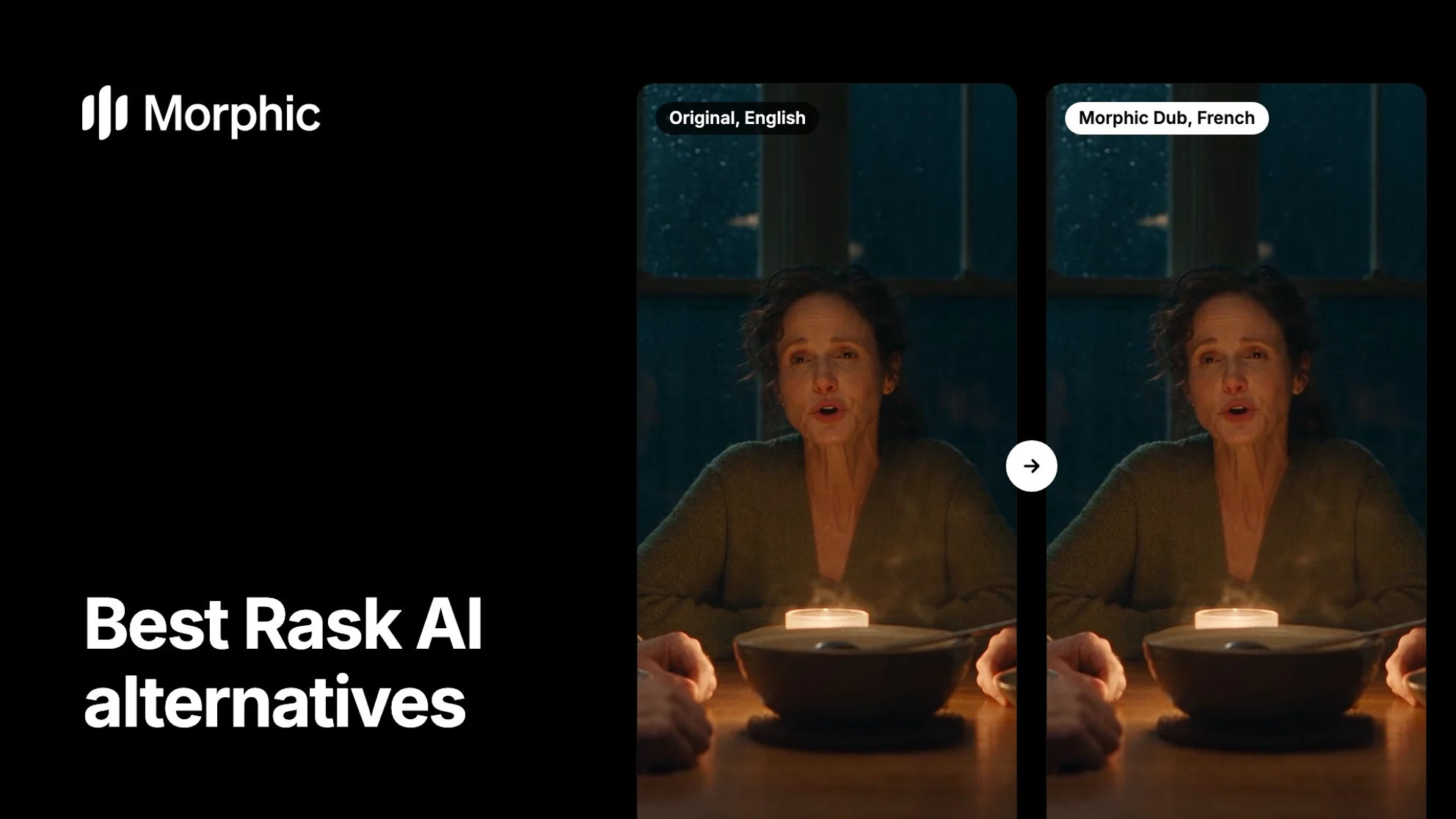
The scene below was made for this page. Three people sit at a dinner table on a rainy night, with a piano and cello score under them. Morphic Dub took it into French and into Japanese. Switch each clip between the original and the dub: three voices change language, and the score keeps its timing and level.
Rainy night dinner, in French
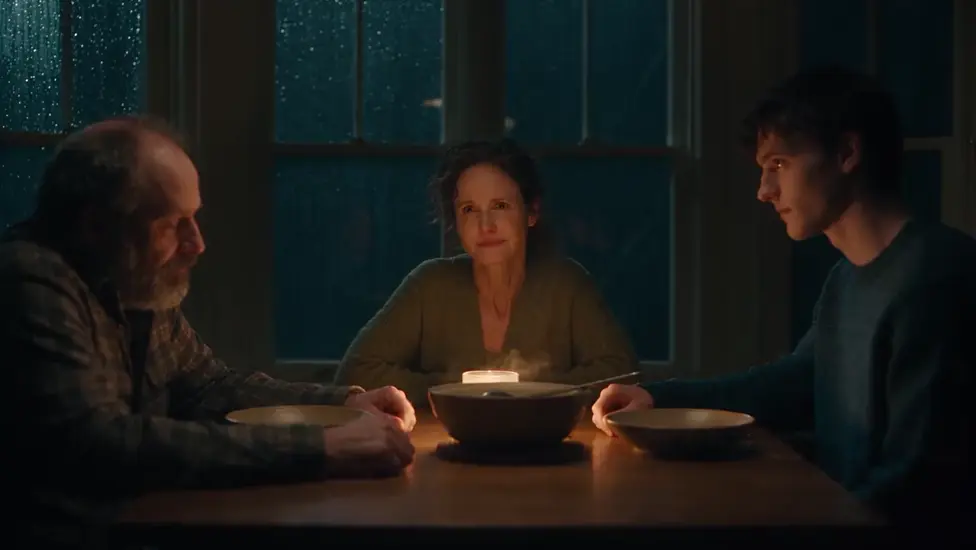
All three speakers keep their own voice in French, and the piano keeps playing underneath.
Rainy night dinner, in Japanese
The same scene in Japanese: three distinct voices, and the same score under them.
Key capabilities
- Every speaker, own voiceOne voice per person, held across the whole clip
- Lips on close-upsThe speaker's lips redrawn to the new words
- The mix staysOriginal music and sound effects under the new voices
- A voice per characterCast a catalog voice and reuse it every episode
- Finish in one projectRejoin, subtitle and export on the Compose timeline
Open the Morphic Dub tool, add the video and pick the language, or ask for the dub in a Copilot chat. The spoken language is detected, or you name it. In a chat you can also list the names and places that must stay as they are. Lines spoken off screen, like narration, are re-voiced too, with no lips to sync. Each dub covers one video with speech, up to 10 minutes, into one language. Morphic Dub is the careful dub. A run takes longer than the video itself, and Morphic tells you the expected wait before it starts. A dub is charged on the source video's length, and a failed run is refunded.
Around the core, Morphic covers the rest of production.
Localize
- Subtitle filesSpeech becomes a timed subtitle file, language detected.
- Translated subtitlesTranslate the transcript for a second market.
- Burned-in captionsStyled captions on the picture, for Latin-script languages.
- Catalog voicesGive each character a voice from Morphic's catalog.
- Audio dubbingDub an audio file into a new voice track.
- Speech to speechRe-speak a line in a different voice.
Create
- Video generationMake a missing insert or a new shot for a market.
- Image generationKey art, posters and stills for each version.
- VoiceoverText to speech for narration and promos.
- Music and sound effectsScore a trailer or add effects in the same project.
- Morphic RecastSwap the people in a clip, keep the motion and sound.
- Reference sheetsKeep a character the same from shot to shot.
Finish and review
- Compose timelineRejoin dubbed parts, then trim, grade and mix.
- CopilotAsk for the dub, the subtitles and the cut in one chat.
- Timeline commentsNote a frame or a range, and resolve it when fixed.
- Live on the CanvasWork in one project together, Pro plan and above.
- One file per languageExport each language version as its own file.
- Clear billingCharged on source length; failed runs refunded.
Where Morphic fits
Morphic fits post-production leads and localization managers taking a finished film or series into new markets, at studios, distributors and agencies. It also fits creators whose videos carry more than one voice.
A studio dub books voice actors, a booth and a mix for each language, so every new market adds sessions to the budget and the calendar. With Morphic Dub, each language is one more run on the same locked master. The actors keep their own voices, the original mix stays, and the charge follows the master's length. A line that needs fixing means re-dubbing its scene, with no pickup session to book. In a Copilot chat set to 'Ask before generating', nothing is charged until you approve the run.
The whole job stays in one project. The locked cut sits on the Canvas and Copilot dubs it part by part. The dubbed parts go back onto the Compose timeline in order. Subtitles come from the same project, and so does any shot a market needs that the original did not have. The AI video dubbing page shows more examples, and how to translate a video walks through the steps.
Consider Morphic if
You want each speaker's voice and the original mix kept, and the finishing done in the same place. Rask AI's line editor re-dubs a single line, and it translates text inside the frame on its higher plans. Morphic Dub re-dubs a scene at a time, returns the picture as shot, and keeps no regional accents.
Pricing model: subscription plans that include credits. Morphic Dub is on every paid plan and is charged on the source video's length. See pricing for the plans.
Why do teams look for a Rask AI alternative?
Teams look for a Rask AI alternative when the dub is one step in a bigger job. Rask AI is a video localization tool: it translates, dubs and lip-syncs existing video, with a line editor before export. These are the jobs that come next.
- Every voice in a scene. Several people talking, each kept in their own voice across the clip.
- Lips that match. The person speaking on a close-up mouths the new words.
- The mix left alone. Score and effects under the new dialogue, so nothing is rebuilt.
- A clear charge per dub. A charge tied to the video's length, with failed runs refunded.
- A series that sounds the same. One voice per character, the same in every episode.
- The edit in the same place. Parts rejoined, subtitled and exported without moving files.
- Review as a team. Versions checked together before they ship.
- Approval before spend. A check before credits move on a long film.
HeyGen: best for talking-head marketing and training video
HeyGen is an AI video platform whose video translation re-voices a speaker in their own voice and can sync their lips.
Key capabilities
- A choice of audio only or two lip-sync engines, one tuned for harder shots.
- Proofread the translated script and fix pronunciation before the final render.
- A brand glossary for forced translations and protected terms.
- Translated captions, delivered burned in and clean.
Where it fits
Marketing and training teams translating presenter video into many languages.
Consider if
You present to camera. As of November 2026, HeyGen's help says background music stays but sound effects are removed from the translated audio.
Pricing model
A free plan, then monthly or yearly plans with a shared credit pool, as of November 2026.
Synthesia: best for training video in many reviewed languages
Synthesia is a business video platform whose dubbing clones each speaker and adds subtitles to every version.
Key capabilities
- Detects each speaker and clones every voice separately.
- A free transcript review before any credits are spent.
- Correct a line after dubbing and regenerate it.
- A custom glossary for brand and product names.
Where it fits
Learning and internal-comms teams shipping many reviewed language versions.
Consider if
Review comes first. As of November 2026, Synthesia's help says dubbing translates speech only, and lip sync uses twice the credits.
Pricing model
A free plan, then monthly or yearly credit tiers, as of November 2026.
ElevenLabs: best for podcasts and voice-led video
ElevenLabs is a voice AI company whose dubbing clones each speaker and carries their delivery into the new language.
Key capabilities
- Detects each speaker and clones their voice automatically.
- A similarity setting for how closely the dub follows the original voice.
- Edit the transcript or translation and regenerate one segment.
- Dubs audio as well as video, from a file or a link.
Where it fits
Podcasters, interviewers and voice-led video, where the voice matters more than the mouth.
Consider if
The voice is the job. As of November 2026, ElevenLabs' docs say Dubbing does not include lip sync.
Pricing model
A free plan, then monthly plans with credits, charged per minute for each language, as of November 2026.
Kapwing: best for social teams dubbing and re-cutting clips
Kapwing is a browser video editor with AI dubbing, lip sync and translated subtitles built in.
Key capabilities
- Clone the original voices or pick a stock voice per speaker.
- Edit the translated transcript and regenerate only that voiceover.
- Saved translation rules for names, acronyms and product terms.
- Comments and real-time co-editing in a shared workspace.
Where it fits
Social and marketing teams that dub, caption and re-cut clips together.
Consider if
Clips are the job. As of November 2026, lip-sync minutes start on the Pro plan, and keeping the original music is not documented.
Pricing model
A free plan, then Pro and Business plans with monthly minutes, as of November 2026.
How we evaluated Rask AI alternatives
For Morphic's Rask AI alternatives comparison, November 2026, the team compared five tools against the same six criteria. The sources were each product's own website, pricing page and help docs.
- Voices: whether each speaker keeps their own voice, and how many speakers a scene can carry.
- Lip sync: whether the mouth follows the new words, and on which plans.
- The mix: whether the original music and sound effects survive the dub.
- Control: line fixes, names kept as written, and subtitles.
- Finishing and team work: editing the cut and reviewing versions together.
- Pricing model: how each tool is billed.
The comparison table uses three values:
- Yes: the product's own pages describe the feature, and it is available to use.
- Partial: available in a narrower form, such as one part of a feature or a reduced version.
- Not documented: not found on the product's own pages as of November 2026.
Rask AI alternatives compared
Morphic is the only tool here whose own pages say the dub keeps both the original music and the sound effects. It also keeps the edit in the same project.
| Capability | Morphic | HeyGen | Synthesia | ElevenLabs | Kapwing |
|---|---|---|---|---|---|
| Dub a finished video | Yes | Yes | Yes | Yes | Yes |
| Each speaker in their own voice | Yes | Yes | Yes | Yes | Yes |
| Lip sync | Yes, on close-ups | Yes | Yes | Not in Dubbing | Yes |
| Original music and sound effects kept | Yes | Partial | Not documented | Not documented | Not documented |
| Fix a single line and re-dub it | Partial | Yes | Yes | Yes | Yes |
| Subtitles in the new language | Yes | Yes | Yes | Partial | Yes |
| Names and terms kept as written | Yes | Yes | Yes | Not documented | Yes |
| Timeline editing of the finished cut | Yes | Yes | Yes | Yes | Yes |
| Team review | Yes | Yes | Yes | Not documented | Yes |
| Pricing model | Subscriptions, credits | Plans, credits | Plans, credits | Plans, credits | Plans, minutes |
Partial: Morphic Dub re-dubs a scene, not a single line. HeyGen keeps background music but removes sound effects. ElevenLabs Dubbing returns a subtitle file only from its older Dubbing Studio. Not in Dubbing: ElevenLabs' docs say its Dubbing has no lip sync.
Competitor details as of November 2026, from each product's own site, pricing page and help docs
Which Rask AI alternative should you choose?
- Choose Morphic if your video is a scene with several speakers and the mix and the edit have to come through the dub.
- Choose HeyGen if you translate presenter video and want to proofread the script before the lip-synced render.
- Choose Synthesia if you ship training video in many languages, each one reviewed.
- Choose ElevenLabs if the voice matters more than the picture, as in podcasts and interviews.
- Choose Kapwing if your team dubs, captions and re-cuts short clips together in a browser.
Verdict
Morphic keeps the dub and the film in one chain. Morphic Dub re-voices every speaker in their own voice and syncs the lips on close-ups. The score and the effects stay where they were. The dubbed parts go back onto the Compose timeline, and the subtitles come from the same project. A shot a market needs can be generated beside them. Nothing leaves the project between the locked cut and the delivered version.
Dubbing a film, a series or a whole slate? Let's plan it with you.
For post-production leads, localization managers and distributors. Tell us your runtime, languages and delivery dates, and we will walk you through a dubbing workflow on Morphic, with every speaker kept in their own voice.
What creators say about Morphic

This is a 100% AI-made film. But so well done!
This is how AI filmmaking should be done.
Very realistic and professionally written and directed by the @morphic team on their platform and without using Seedance 2.0

Morphic has been my first choice for image generation for more than 9 months now.
But it's also a great all-in-one platform that can fully support your entire creative workflow.
Highly recommend trying Morphic.

On Morphic Canvas, you can easily group and sort your files, making it a breeze to pick what you need or just grab everything at once. @morphic
Current obsession: GPT Image 2 on Morphic.
FAQs
Morphic is the strongest Rask AI alternative for films, episodes and scenes with several speakers. Morphic Dub keeps every speaker in their own voice, syncs the lips on close-ups and keeps the original music and sound effects. The cut and subtitles stay in the same project. HeyGen suits talking-head video, and Synthesia suits training video in many languages.
Morphic Dub dubs into a wide range of languages, including Spanish, French, German, Italian, Portuguese, Japanese, Korean, Hindi, Tamil and Arabic. Each dub is one target language, so five markets are five dubs. It dubs the plain language without regional accents: a Brazilian Portuguese request comes back in Portuguese.
Yes. Every speaker is re-voiced in their own voice, one voice per person across the clip. That voice stays inside the dub and is not saved as a reusable clone. For a series, cast a catalog voice per character instead. Dub only videos you have the rights to, with the consent of the people whose voices you dub.
Yes. The original music and sound effects stay under the new voices at their original timing, as the dinner scene on this page shows. Listen to one scene with a full mix under the dialogue before you dub a whole film, as you would with any dubbing tool.
Morphic, HeyGen, Synthesia and Kapwing all sync the lips to the new words. Morphic Dub does it on the speakers' close-ups, and HeyGen offers two lip-sync engines. Synthesia makes it optional at a higher credit rate, and Kapwing starts it on the Pro plan. ElevenLabs' docs say its Dubbing does not include lip sync.
Morphic Dub works a scene at a time, not a line at a time. Re-dub the scene the line sits in, naming any word that must stay as it is. Then drop the new version into the cut in Compose. If you fix single lines often, a line editor like Rask AI's suits that habit better.
Yes. Keep Rask AI for videos where text inside the frame has to change, or for line-by-line fixes. Bring scenes with several speakers and a full mix to Morphic. Finish every version on the Compose timeline, where subtitles, new shots and the export sit in one project.
Morphic, when the team makes the film as well as the dub. Members work in one project, with live collaboration on the Canvas from the Pro plan and comments on the Compose timeline. A chat set to 'Ask before generating' holds every charge until it is approved. Kapwing adds real-time co-editing for short clips, and HeyGen and Synthesia offer review and proofreading seats for translation work.
Related
AI video dubbing
Dub a scene in every speaker's own voice, with more examples.
How to translate a video
Four steps from an uploaded video to a dubbed, subtitled version.
AI film dubbing
How studios take trailers, episodes and features into new markets.
AI video translator
Translate a video into another language, voice and subtitles included.
Simple pricing
Get started for free today, with the option to upgrade or cancel anytime.
Basic
2400 monthly credits
1 user only
All models
Workflows
Standard
3625 monthly credits
1 user only
All models
Workflows
Pro
6350 shared monthly credits
1 user
All models
Workflows
Max
24650 shared monthly credits
1 user
All models
Workflows
Enterprise
For higher limits
Custom
pricing and billing terms

Free
For playing around
$0
forever free