Slides you can generate
Generate slides in three steps
- 01
Open Morphic
Sign up and start on a free-flowing, infinite visual canvas.
- 02
Describe your deck
Name your topic and the slides you need, from a title cover to a closing call to action.
- 03
Generate and drop them in
Get finished slide visuals to place straight into Google Slides, Keynote, or PowerPoint.
Use cases
Build a pitch deck cover set
Generate a title slide, section dividers, and a closing slide in one look, so a pitch reads as a single visual system. Change the topic and rerun to get the next deck in the same style.

Design webinar and talk slides
Turn a talk outline into agenda, quote, and stat slides that match. Speakers get clean visuals to present from without waiting on a designer or wrestling with a template.

Make an internal all-hands deck
Generate section dividers and callout slides for an all-hands or team update in your company colors. Keep every meeting on-brand without rebuilding the same slides each month.

Turn slides into a social carousel
Generate the same idea as square or vertical slides and post them as a carousel. One brief becomes both the deck and the social version, sharing one consistent look.

Slide prompts to start from

Title slide
Clean title slide, bold headline centered, generous whitespace, soft gradient background in brand blue, modern sans-serif, subtle abstract shape in the corner
Edit prompt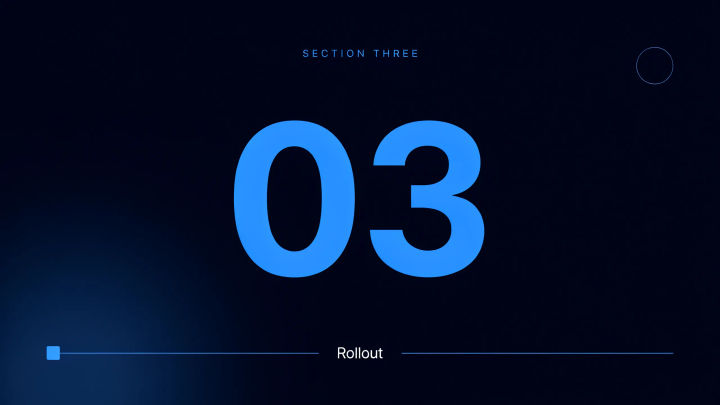
Section divider
Section divider slide, large section number, short label, muted background, thin accent line, calm minimal layout, plenty of breathing room
Edit prompt
Stat callout
Stat callout slide, one big number, short supporting line beneath, high contrast, single accent color, clean grid, confident and readable from the back of the room
Edit prompt
Quote slide
Quote slide, short pull quote in large type, attribution beneath, soft neutral background, elegant serif accent, calm and premium mood
Edit prompt
Comparison layout
Comparison slide, two clear columns side by side, simple headers, short bullet lines, balanced spacing, one accent color to mark the winning column
Edit prompt
Closing slide
Closing slide, short call to action headline, contact line beneath, brand gradient background, centered layout, warm confident finish
Edit prompt
Cinematic storyboard
Share a scene description with character references. Get a full storyboard with shot angles and mood.

Messages to cinematic scene
Dramatize any text conversation into a cinematic multi-shot video.

Title sequence
Generate a professional film title card from scratch, with optional cinematic animation.

Expressions
Take any character image and generate 6 distinct facial expressions on a single reference sheet.

3x3 storyboard
Feed in a single image. Get 9 cinematic beats laid out as a 3x3 storyboard grid.

Chibi sprite animation
Turn any photo or description into an animated chibi sprite. Dance, jump, wave, attack, and more.
All on Morphic
Text rendered on the slide
Ask for a headline, stat, or label and Morphic renders it into the slide. The words and design come from one brief.
One on-brand look
Set the color, type, and layout once and generate every slide to match, so the whole deck reads as one system.
Models
Nano Banana 2, Flux 2 Pro, ChatGPT Images 2.0, Ideogram 4, and more. Pick the model that renders text best, and swap mid-deck.
Workflows
Save a slide style as a Workflow and rerun it for the next deck. Share the link so every deck starts on-brand.
