Every video model
Product videos you can generate
Make a product video in three steps
- 01
Open Morphic
Sign up and start creating on a free-flowing, infinite visual canvas.
- 02
Upload your product photo
One clear shot of the real item. A phone photo on a table is enough.
- 03
Describe the motion
Name the camera move, the setting, and the light. Render, refine, and export in HD.
Use cases
Listing loops that answer questions
A short loop on the product page shows the scale, the finish, and the sides a still frame hides. Shoppers stop guessing from one angle, and you ship the clip the same day the product photo lands.
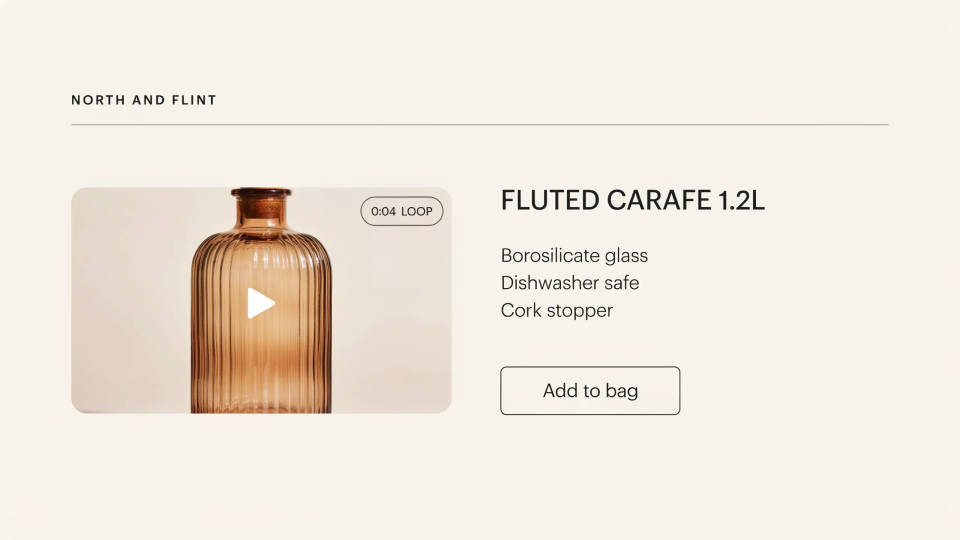
360 spins for the catalogue
Turn every item on its own axis with the same rotation, light, and backdrop. One recipe run across the range gives the catalogue a single look, without booking a turntable rig for each SKU.
Feature demos in close-up
Push in on the hinge, the seal, the stitching, the button that actually sells the thing. Direct the move on the detail your copy already promises, so the video proves the claim instead of restating it.
Lifestyle scenes for social
Put your product in a sunlit kitchen, a gym bag, or a rain-flecked window and let the scene move around it. Render vertical for Reels and TikTok from the same photo you used for the listing cut.
UGC product pitch
Multi-shot product pitch video from a still, a person, and a script.

Product explosion ad
Dramatic 5-second product reveal video with audio.
UGC ads
Product photo plus a format. Get a realistic UGC-style ad with someone naturally using your product.
Seamless video loop
Stitch 2-10 frames into a perfectly looping video with smooth cinematic transitions between each one.
Professional ads
Share your brand references. Get on-brand ad creatives for any product or campaign, ready to publish.
Product photography
Drop in a product image. Get a designer storyboard grid, cropped into 9 panels with optional upscale.
All on Morphic
Models
Kling 3.0, Seedance 2.0, Veo 3.1, Hailuo 2.3, and more. Swap models mid-project any time.
Start from a real product
Image-to-video animates your own photo, so the shape, label, and color stay recognizable in every shot.
Need the still first?
Generate clean-background and lifestyle product photos, then bring the best frame here and set it moving.
Running paid media?
Build hooks, voiceover, and platform cutdowns for a campaign with the video ad generator instead.
