Seedream 5.5 is on the way
Seedream 5.5 is the expected next model in ByteDance's Seedream image line, built around grounded, region-precise editing and splitting a result into editable layers. While it is on the way, the editor here runs the current Seedream model and the rest of Morphic's image line, so you can edit now and move to 5.5 when it ships. For what to expect, see the Seedream 5.5 guide and the model page.
Key features
Deeper layer decomposition
Expected to split an image into many more editable layers than the Seedream line reaches today, each one export-ready.
Grounded region editing
Lock onto one target by point, box, arrow, or sketch and change just that part, leaving the rest of the frame untouched.
Native multilingual text
Render in-image text directly in multiple languages, with correct letterforms and local typography rather than pasted-on words.
High-density infographics
Charts, flowcharts, and diagrams in one pass, with small labels that stay legible.
Design reasoning
Plans a dense layout with multi-step reasoning before it renders, so a complex brief holds together.
Next in the Seedream line
The anticipated next model in ByteDance's Seedream image family.
Every image model
One workspaceMade with the Seedream line
Edit an image in three steps

Image reverse engineer
Get a detailed prompt extracted from a reference image, and then a fresh recreation.

Jewelry campaign
One product shot becomes a full campaign pack with hero shots, angles, and format variations.
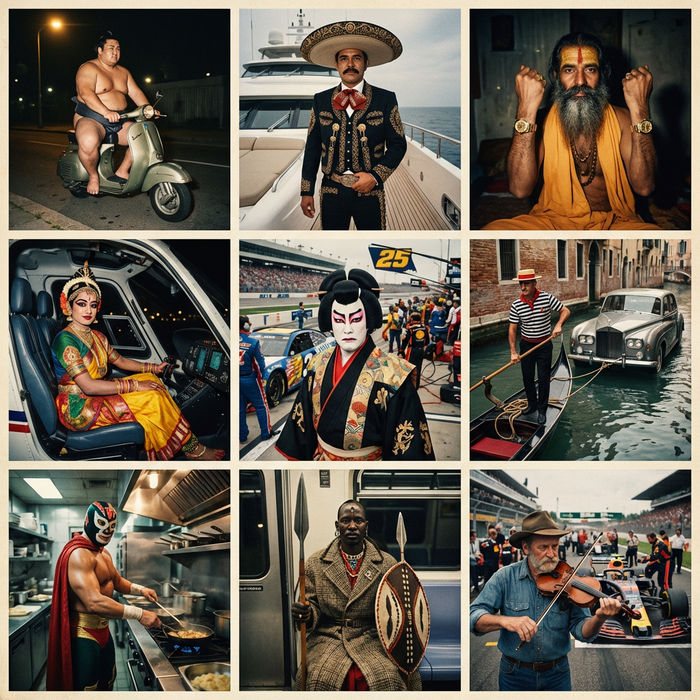
Paradox frames
Flash paradox photographs — any collision, any country

Character age progression
Upload a photo of a person or character and get a single grid image showing them at different life stages, from baby to elderly.
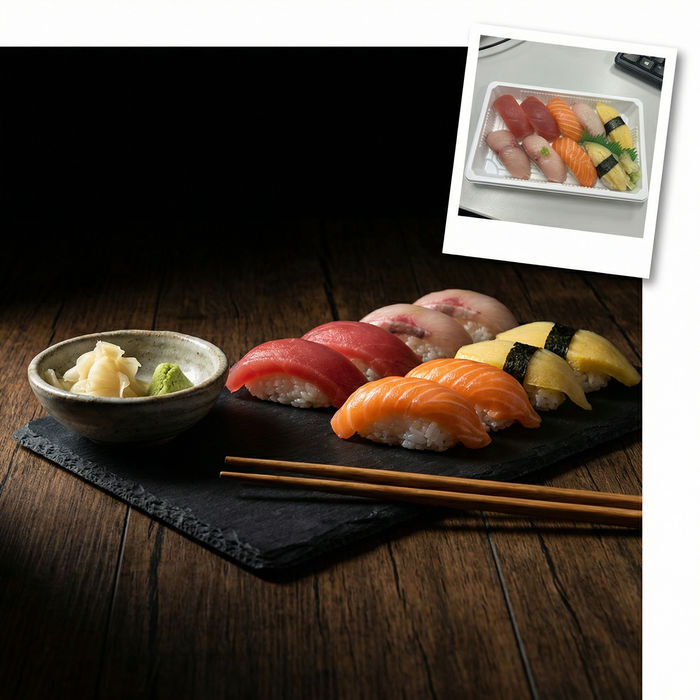
Food photo studio
Turn any dish photo or description into a styled, editorial-quality food photograph.

Anime style transfer
Pick any anime illustration as your style guide. Apply its look to any image.
All on Morphic
Your complete image stackGrounded editing
Mark one target by point, box, arrow, or sketch and change just that part. The rest of the frame stays put.
Layer decomposition
Split a finished image into separate, editable layers you can move and scale on their own, like a design file.
Multilingual text
Render in-image text directly in many languages, with correct letterforms and local typography.
Every image model
Edit and generate across the image line in one workspace, and compare on the same image.
Free to start
A free tier to edit right away, with paid plans for higher volume and commercial use.
In the browser
No install. Works from any laptop, including machines with no GPU, with results on your Canvas.
