> For the complete documentation index, see [llms.txt](https://morphic.com/docs/llms.txt). Markdown versions of documentation pages are available by appending `.md` to page URLs; this page is available as [Markdown](https://morphic.com/docs/es/video/text-to-video.md).

# Texto a video

Aquí tienes un breve tutorial sobre cómo usar Texto a video en Morphic:

{% embed url="<https://youtu.be/5ftd_mO9Qu0>" %}

1. Ve al lienzo en Morphic
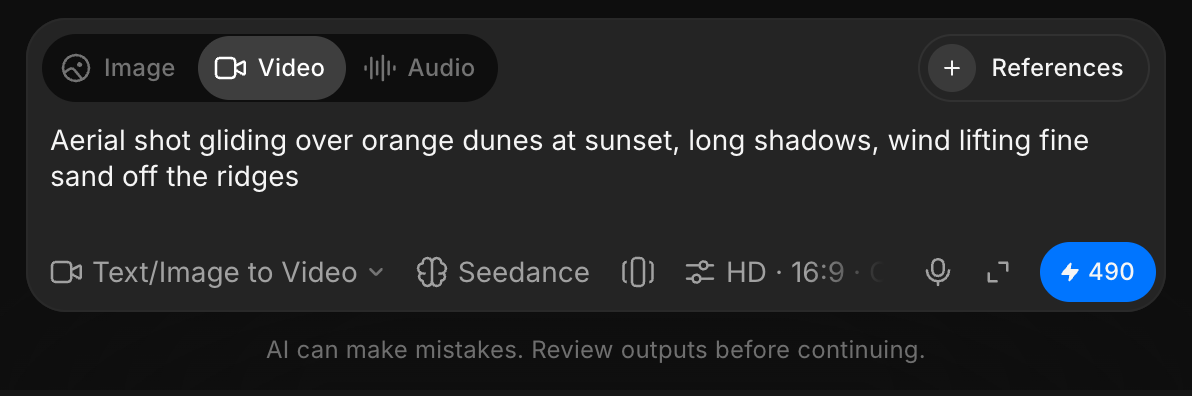
2. Ve a la barra de indicaciones en la parte inferior de tu pantalla
3. Cambia de «Imagen» a «Video»
4. Escribe una indicación que describa el video que quieres crear
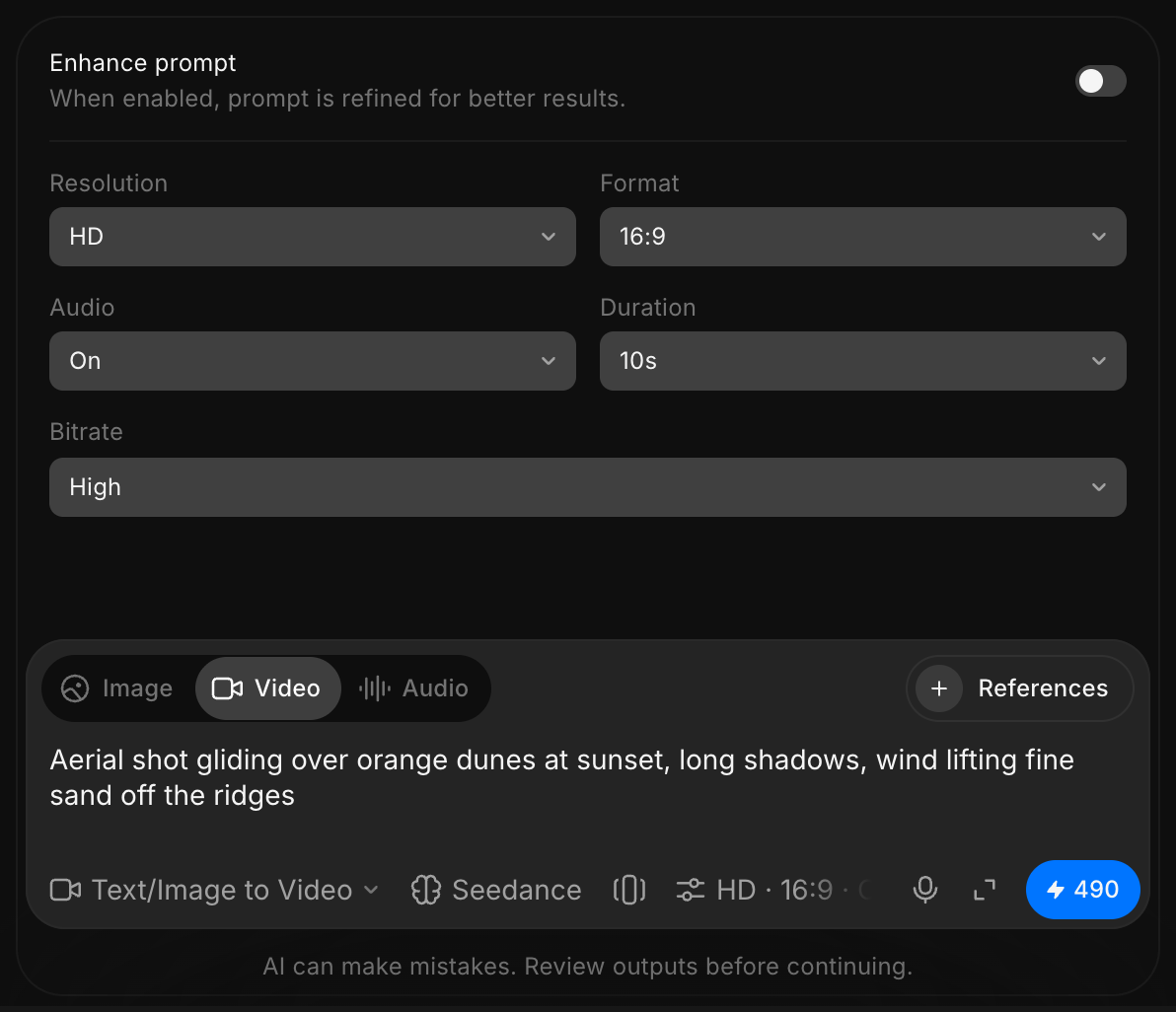
5. Opcionalmente, ajusta la resolución o elige un modelo diferente. Algunos modelos ofrecen resoluciones más altas que otros
6. Pulsa Generar

Así es como usas la función Texto a video en Morphic. Es una forma sencilla de convertir tus ideas en video usando solo una indicación.

***

Si tienes algún problema o alguna pregunta, no dudes en ponerte en contacto. Estaremos encantados de ayudarte. Escríbenos a [**support@morphic.com**](mailto:support@morphic.com)**.**


---

# Agent Instructions
This documentation is published with GitBook. GitBook is the documentation platform designed so that both humans and AI agents can read, navigate, and reason over technical content effectively. Learn more at gitbook.com.

## Querying This Documentation
If you need additional information that is not directly available in this page, you can query the documentation dynamically by asking a question.

Perform an HTTP GET request on the current page URL with the `ask` query parameter, and the optional `goal` query parameter:

```
GET https://morphic.com/docs/es/video/text-to-video.md?ask=<question>&goal=<endgoal>
```

`ask` is the immediate question: it should be specific, self-contained, and written in natural language.
`goal` is optional and describes the broader end goal you are ultimately trying to accomplish on behalf of the user. GitBook uses it to tailor the answer towards what is most useful for that goal.

The response will contain a direct answer to the question and relevant excerpts and sources from the documentation.

Use this mechanism when the answer is not explicitly present in the current page, you need clarification or additional context, or you want to retrieve related documentation sections.