Modo de enfoque de video
El modo enfoque de vídeo en Morphic te permite hacer ediciones basadas en prompts a cualquier vídeo usando IA. Describe el cambio que quieres y Morphic lo aplica de forma coherente en todos los fotogramas.
Aquí tienes un breve tutorial sobre cómo usar el modo de enfoque de video en Morphic:
- Sube o genera un video en el lienzo
- Selecciona el video que quieres modificar
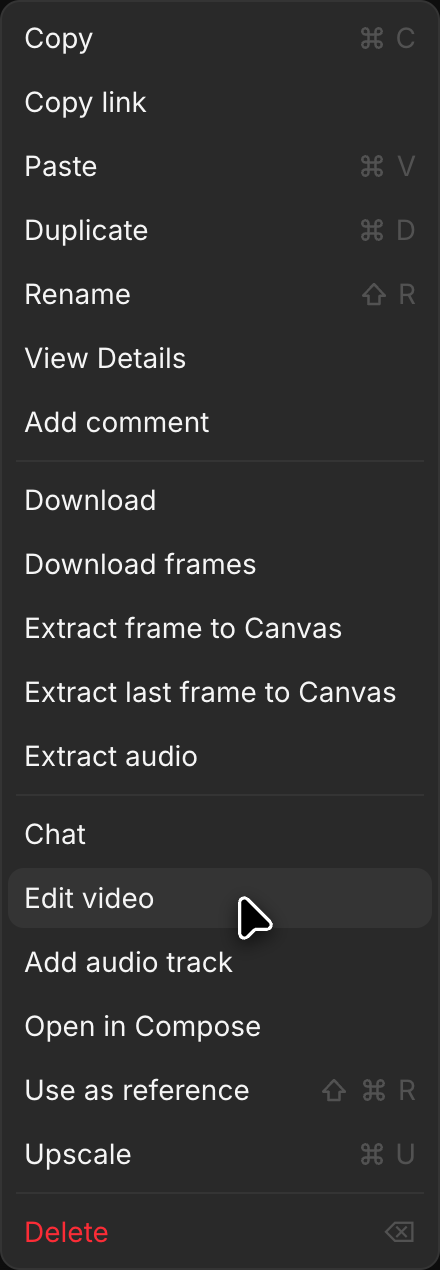
- Haz clic en 'Editar video', en 'Detalles' > 'Herramientas' en la barra lateral derecha o en el menú de clic derecho del video. El video se añade a 'Referencias' encima de la barra de indicaciones
- Haz clic en el selector de modo en la parte inferior izquierda de la barra de indicaciones y elige 'Texto/imagen a video'
- Haz clic en el selector de modelo, que puede abrirse con otro modelo elegido, y elige un modelo que edite video. Un modelo con varias versiones abre una lista corta al pasar el puntero por encima. Pasa el puntero por 'Morphic' y elige 'Morphic Edit' para ediciones rápidas en el mismo clip que conservan su duración. Pasa el puntero por 'Kling' y elige 'Kling 4.0' para editar clips de hasta 30 segundos conservando sus cortes y su movimiento
- Escribe un prompt que describa el cambio que quieres hacer (por ejemplo, "cambia el color del caballo a blanco" o "cambia el fondo a una escena invernal nevada")
- Haz clic en el botón azul de la barra de indicaciones
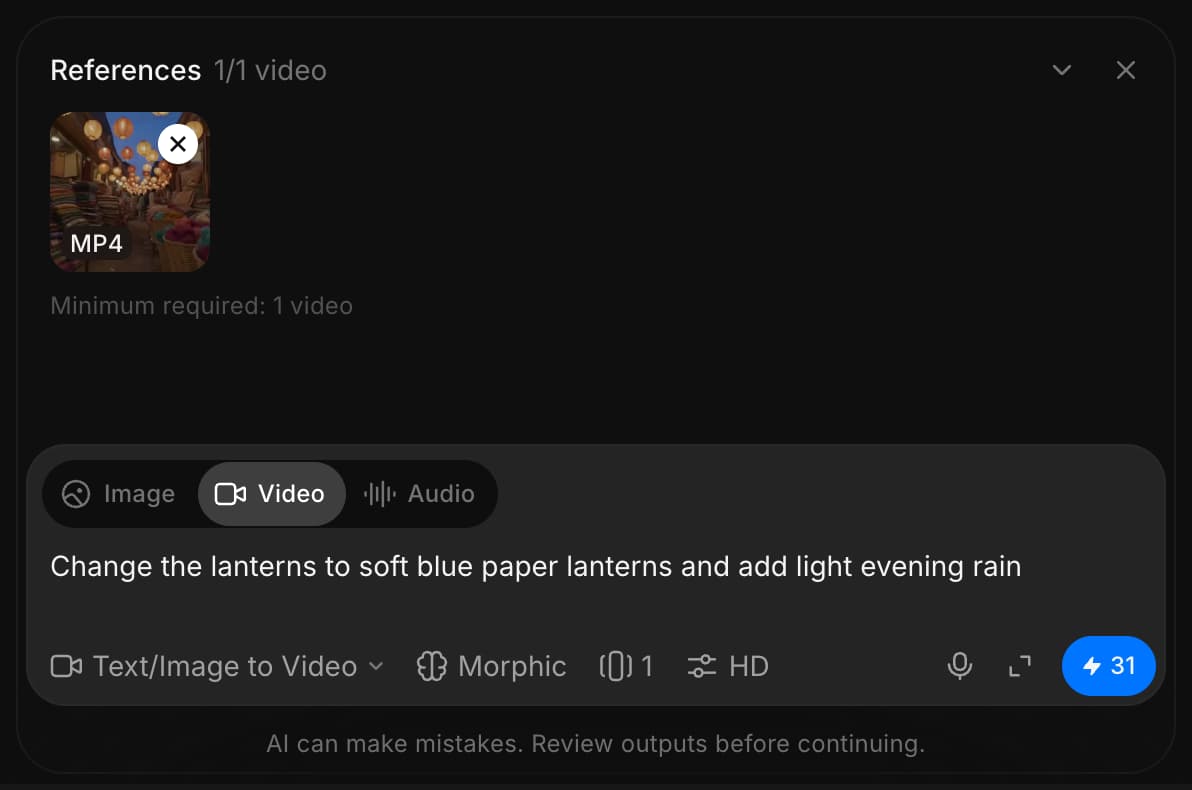
Morphic transforma el video según tu prompt y aplica el cambio de forma consistente en todos los fotogramas.
Así es como usas el modo de enfoque de video en Morphic. Es una forma rápida de hacer ediciones impulsadas por IA, como reemplazar personajes, cambiar entornos, ajustar la iluminación o eliminar elementos no deseados.
Si tiene algún problema o alguna pregunta, no dude en ponerse en contacto con nosotros. Estaremos encantados de ayudarle. Escríbanos a support@morphic.com.