> For the complete documentation index, see [llms.txt](https://morphic.com/docs/llms.txt). Markdown versions of documentation pages are available by appending `.md` to page URLs; this page is available as [Markdown](https://morphic.com/docs/jp/account-and-billing/settings/profile.md).

# プロフィール

名前、メール、写真を更新する方法と、アカウントを削除したときに何が起こるか。

設定の「プロフィール」セクションで個人アカウントの詳細を更新できます。

### プロフィール設定へのアクセス

1. 左上隅のMorphicロゴをクリックして、組織/アカウントのドロップダウンを開きます。
2. 「設定」を選択します。
3. 左側のサイドバーから「プロフィール」をクリックします。
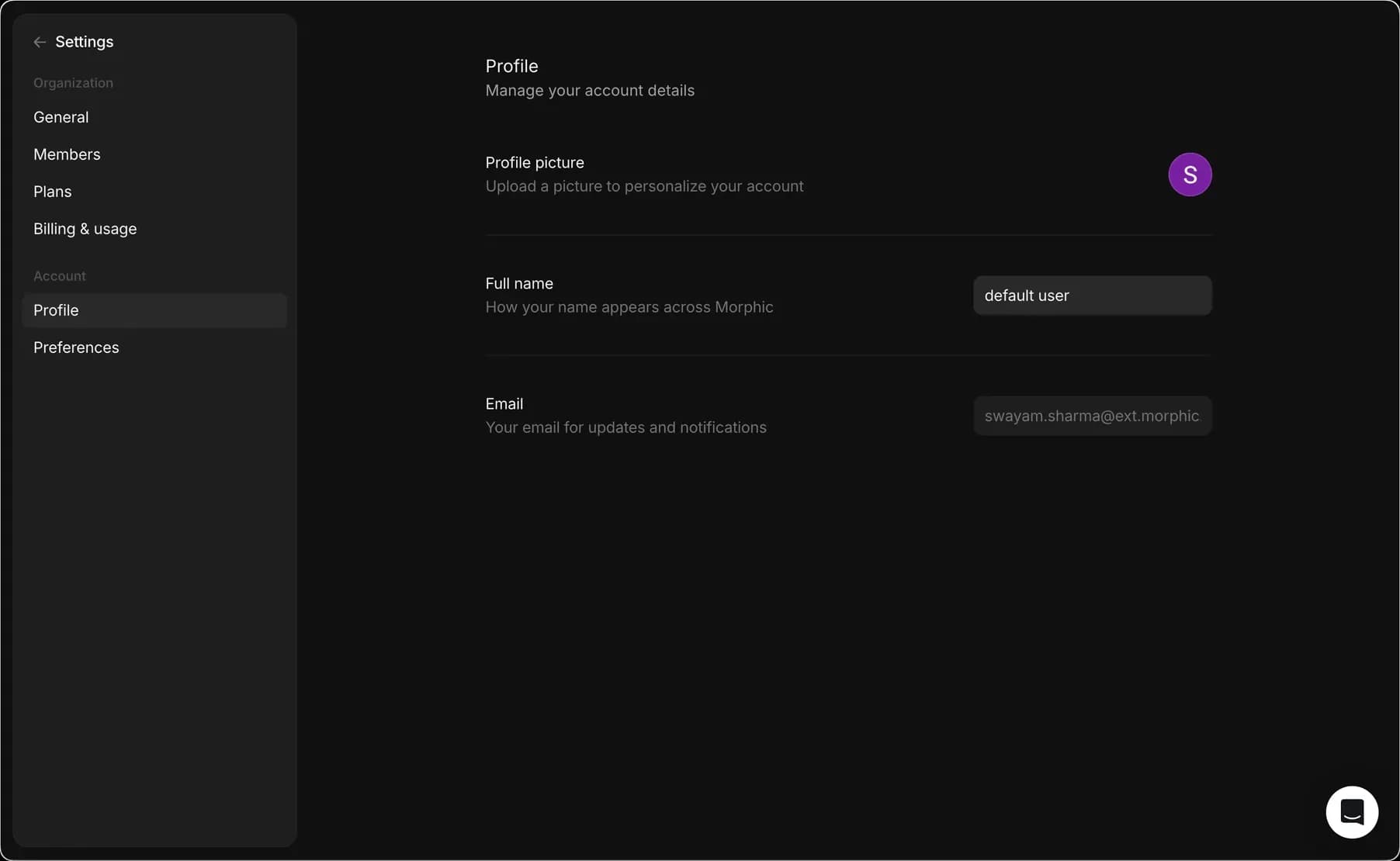
4. 名前、メールアドレス、プロフィール画像を含む個人情報を管理できます。

あるいは、直接こちらへ： [studio.morphic.com/settings/profile](https://studio.morphic.com/settings/profile)

### プロフィール管理

アカウントをカスタマイズするには、プロフィールの詳細を更新できます：

* プロフィール画像: アカウントを表す画像をアップロードします。
* 氏名: Morphic全体で表示される名前を更新します。
* メール: 通知や更新を受け取れるよう、メールアドレスが正しいことを確認してください。
* 友達を招待: 招待リンクをコピーして友達と共有し、友達が登録するとクレジットを獲得できます。

<figure><img src="https://2982589234-files.gitbook.io/~/files/v0/b/gitbook-x-prod.appspot.com/o/spaces%2FoPhHCbNZdzW70rakoLhf%2Fuploads%2FPnEvQ667CfvblR6Oas6d%2Fprofile.gif?alt=media&amp;token=e2af0497-14eb-44bc-899b-9412d7e4a264" alt=""><figcaption><p>プロフィール設定の管理</p></figcaption></figure>

<figure><img src="https://2982589234-files.gitbook.io/~/files/v0/b/gitbook-x-prod.appspot.com/o/spaces%2FoPhHCbNZdzW70rakoLhf%2Fuploads%2Fgit-blob-eb32f90cc7d295ab723cd76f7cedda02f60bc516%2FCleanShot_2025-09-11_at_16.33.172x.png?alt=media" alt="Profile settings page"><figcaption><p>プロフィール管理インターフェース</p></figcaption></figure>

### アカウント削除

プロフィールセクションから、Morphicアカウントと関連データをすべて完全に削除できます。削除はメールで確認され、一度完了すると元に戻せません。

1. ダッシュボードから、左上隅のアカウントのドロップダウンを開きます
2. 「設定」を選択します。
3. クリック [プロフィール](https://studio.morphic.com/settings/profile) アカウントセクションの下にある
4. ページ下部の「アカウントを削除」オプションを見つけます
5. 「アカウントを削除」をクリック
6. 確認ダイアログが表示されます。続行するには「リンクをメールで送信」をクリックします
7. Morphicからの確認メールを開き、リンクに従って削除を完了します。

<figure><img src="https://2982589234-files.gitbook.io/~/files/v0/b/gitbook-x-prod.appspot.com/o/spaces%2FoPhHCbNZdzW70rakoLhf%2Fuploads%2FxeY46ZieV0N11mdTLQfI%2Faccount%20delete%20(1).gif?alt=media&amp;token=65afc9e9-f844-4660-ba49-84a880b027af" alt=""><figcaption></figcaption></figure>

これでMorphicでのプロフィール管理は完了です。そこには個人情報が保存されており、必要になったときにはアカウントを削除するオプションもあります。

***

ご不明な点やお困りのことがあれば、お気軽にご連絡ください。喜んでお手伝いします。以下までご連絡ください [**support@morphic.com**](mailto:support@morphic.com)**.**


---

# Agent Instructions
This documentation is published with GitBook. GitBook is the documentation platform designed so that both humans and AI agents can read, navigate, and reason over technical content effectively. Learn more at gitbook.com.

## Querying This Documentation
If you need additional information that is not directly available in this page, you can query the documentation dynamically by asking a question.

Perform an HTTP GET request on the current page URL with the `ask` query parameter, and the optional `goal` query parameter:

```
GET https://morphic.com/docs/jp/account-and-billing/settings/profile.md?ask=<question>&goal=<endgoal>
```

`ask` is the immediate question: it should be specific, self-contained, and written in natural language.
`goal` is optional and describes the broader end goal you are ultimately trying to accomplish on behalf of the user. GitBook uses it to tailor the answer towards what is most useful for that goal.

The response will contain a direct answer to the question and relevant excerpts and sources from the documentation.

Use this mechanism when the answer is not explicitly present in the current page, you need clarification or additional context, or you want to retrieve related documentation sections.