> For the complete documentation index, see [llms.txt](https://morphic.com/docs/llms.txt). Markdown versions of documentation pages are available by appending `.md` to page URLs; this page is available as [Markdown](https://morphic.com/docs/jp/account-and-billing/settings/security.md).

# セキュリティ

パスワードを入力せずにMorphicへサインインできるよう、パスキーを追加する方法。

Morphic のセキュリティでは、サインイン方法やアカウントへのアクセスを管理できます。

こちらは、Morphic でセキュリティを管理する方法の簡単なチュートリアルです:

### セキュリティへのアクセス

1. ダッシュボード表示で、左上隅にある組織のロゴをクリックします。
2. ドロップダウンから「設定」を選択します。
3. 左側のサイドバーの「アカウント」で、「セキュリティ」をクリックします。

または、直接こちらへアクセスしてください: [studio.morphic.com/settings/security](https://studio.morphic.com/settings/security)

### パスキー

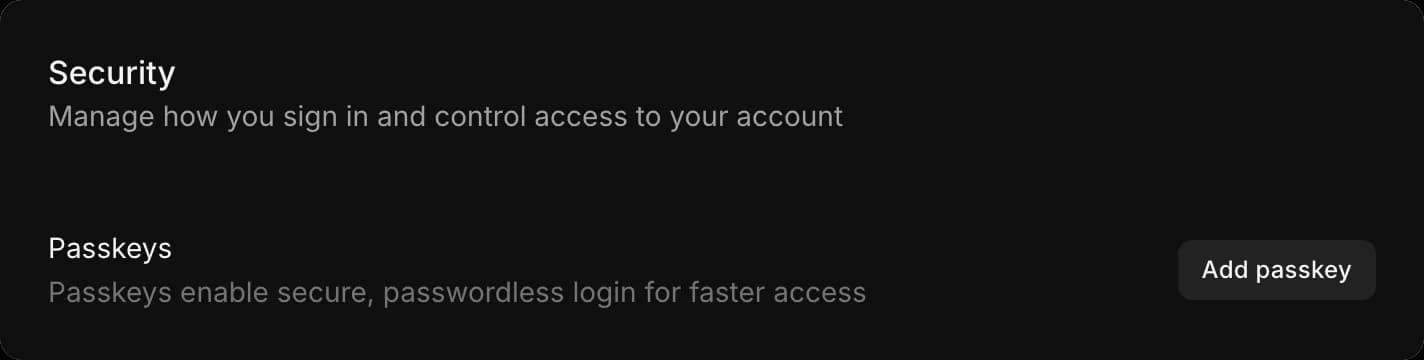
パスキーを使うと、パスワードなしでサインインできます。指紋、顔認証、デバイスのPINなど、すでにデバイスのロック解除に使っているものを利用します。パスワードを入力するより速く、推測されたり使い回されたりするパスワードもありません。

1. 「セキュリティ」を開く
2. 「パスキーを追加」をクリックします
3. ブラウザまたはデバイスの案内に従って確認します

### 知っておくとよいこと

* パスキーはデバイスに保存されるため、定期的にサインインする各デバイスで追加してください。
* パスキーは、そのデバイスのロック解除にすでに使われている方法に紐づいているため、推測されたり、使い回されたり、フィッシングで盗まれたりするパスワードはありません。

これが、Morphic でセキュリティを管理する方法です。パスキーを追加すると、より速くサインインでき、アカウントもより安全になります。

***

ご不明な点やお困りのことがあれば、お気軽にご連絡ください。喜んでお手伝いします。以下までご連絡ください [**support@morphic.com**](mailto:support@morphic.com)**.**


---

# Agent Instructions
This documentation is published with GitBook. GitBook is the documentation platform designed so that both humans and AI agents can read, navigate, and reason over technical content effectively. Learn more at gitbook.com.

## Querying This Documentation
If you need additional information that is not directly available in this page, you can query the documentation dynamically by asking a question.

Perform an HTTP GET request on the current page URL with the `ask` query parameter, and the optional `goal` query parameter:

```
GET https://morphic.com/docs/jp/account-and-billing/settings/security.md?ask=<question>&goal=<endgoal>
```

`ask` is the immediate question: it should be specific, self-contained, and written in natural language.
`goal` is optional and describes the broader end goal you are ultimately trying to accomplish on behalf of the user. GitBook uses it to tailor the answer towards what is most useful for that goal.

The response will contain a direct answer to the question and relevant excerpts and sources from the documentation.

Use this mechanism when the answer is not explicitly present in the current page, you need clarification or additional context, or you want to retrieve related documentation sections.