Every video model
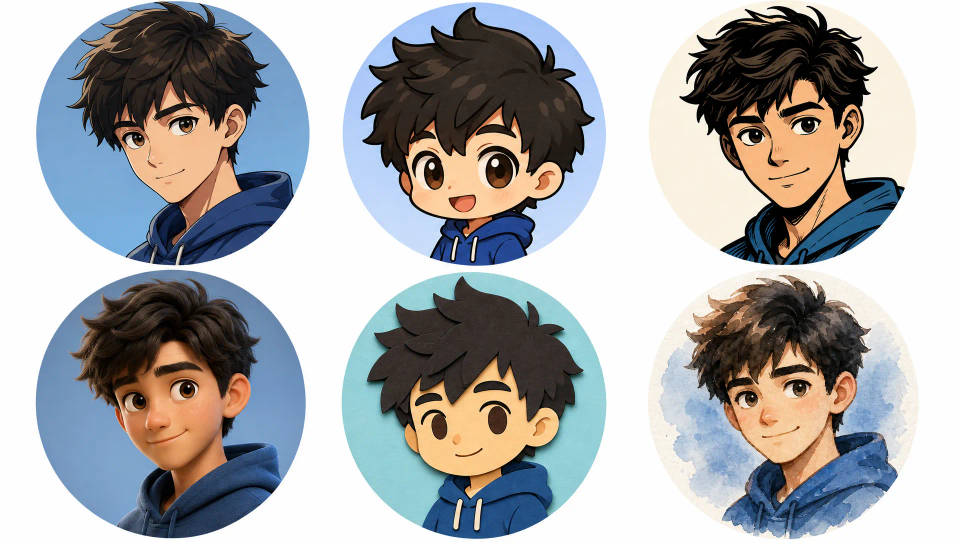
Cartoon styles you can create
Make a cartoon in three steps
- 01
Open Morphic
Sign up and start creating on an infinite canvas.
- 02
Add a photo or prompt
Drop in a photo or describe the character. Name the toon style.
- 03
Generate, then animate
Render the cartoon, then bring it to life as a clip. Compare looks on the Canvas.
Use cases
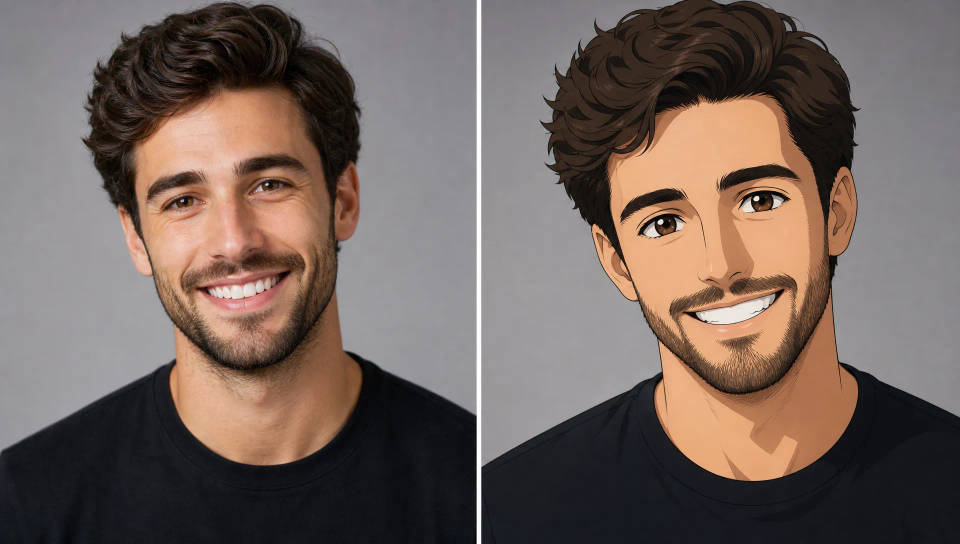
Turn a photo of yourself into a cartoon
Upload one photo and get a cartoon that still reads as you. Keep the face, hair, and expression recognizable, then choose the look, from clean 3D to inked comic. Make it blink, smile, and wave in a clip you can post, not just a flat still.
Cartoon avatars and profile characters
Build a signature toon avatar for your profile, stream, or brand. Generate the character once, then spin new expressions, poses, and outfits from the same face without starting over. Keep one recognizable look across every platform you post on.
Animated cartoon clips for social
Turn a cartoon into a short animated post made for TikTok, Reels, and Shorts. Render it vertical, keep the loop tight, and lead with an action or reaction that lands in the first second. A moving toon in minutes, not frame-by-frame animation.
A consistent character across a series
Keep one cartoon character on-model across every episode. Reuse a locked reference or save the steps as a Workflow so the same face, outfit, and proportions carry scene to scene. Build a recognizable series without redrawing the character each time.
Frames to video
Provide first frame and last frame and generate a video from uploaded keyframes.

Anime style transfer
Pick any anime illustration as your style guide. Apply its look to any image.
Art style transfer
Pick a reference image, apply its visual style to your own photo or artwork.
Dance your character
Upload a character image and make it dance in any style.
Cinematic scene
One image to a 9-scene cinematic video.
Anime to photorealism
Reimagine any anime character as a photorealistic, high-fashion live-action portrait.
All on Morphic
Models
Kling 3.0, Hailuo 2.3, LTX 2.3, Seedance 2.0, Veo 3.1, Vidu Q3, and more. Swap mid-project to match the toon look.
Image to video
Take a finished cartoon still and describe the motion. Your character or mascot becomes an animated clip.
Change style
Re-skin one cartoon into any other look with image-to-image. Anime to comic ink, 3D to flat cutout, no redrawing.
Workflows
Save your character's steps as a one-click Workflow. Rerun it for the next scene, share, or favorite for reuse.
