Every image model
One workspaceThings you can erase
Remove an object in three steps
- 01
Open Morphic
Sign up and start creating on a free-flowing, infinite visual canvas.
- 02
Mark what to remove
Upload a photo and point at the person, object, or clutter you want gone.
- 03
Generate and export
The background fills in naturally by inpainting. Rerun until it is clean, then export.
Use cases
Clear people out of the frame
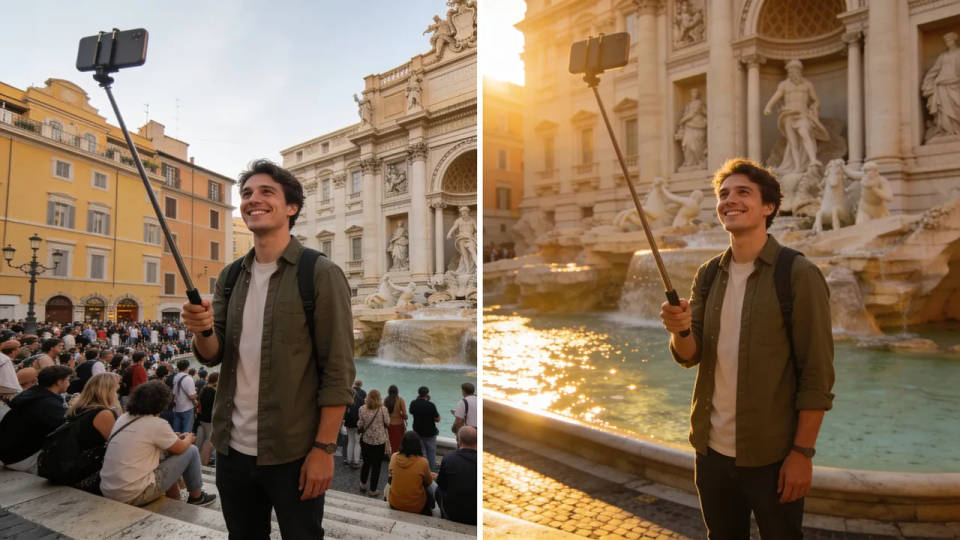
Take a photobomber out of a portrait or empty the crowd behind a landmark. The model rebuilds the wall, path, or sky where they stood, so the shot reads as if no one else was there. It is the quickest way to salvage a photo you cannot reshoot.
Clean product and listing photos
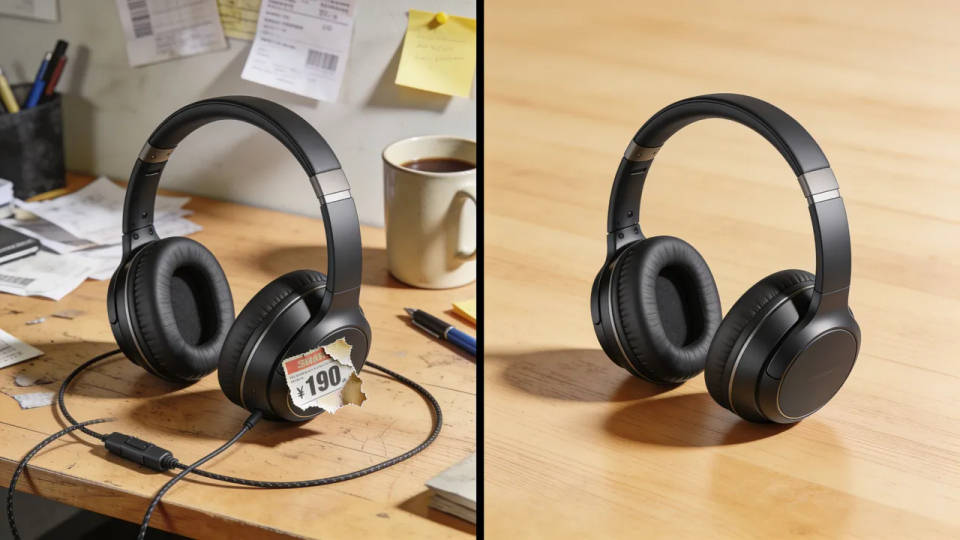
Remove props, cables, price stickers, and background clutter from a product shot so the item sits on a clean, distraction-free surface. A tidy frame reads as more professional on a store page or marketplace listing, without a studio reshoot.
Erase wires, poles, and signs
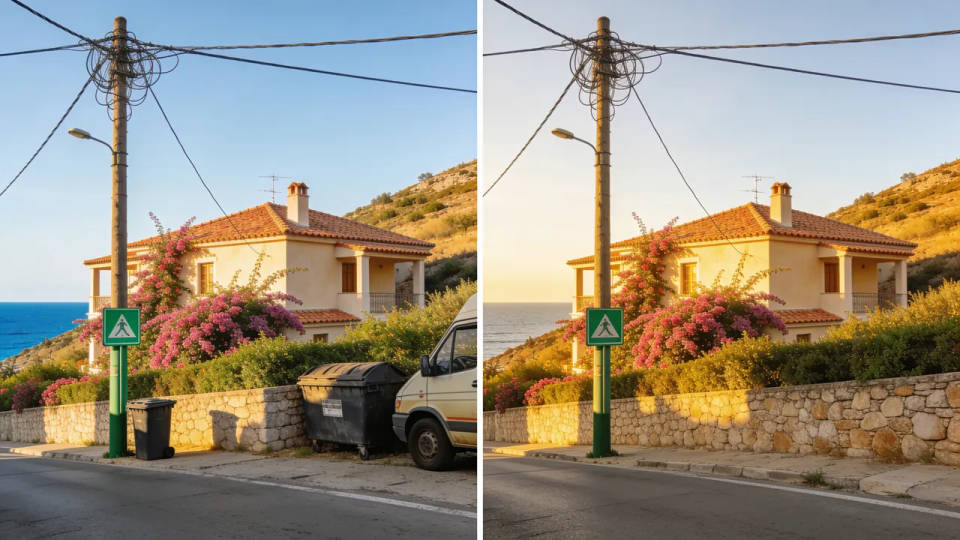
Power lines, traffic signs, bins, and parked cars pull the eye away from the subject. Mark them and the space rebuilds as open sky, wall, or road. Real estate and travel photos in particular gain a lot from a clear, uncluttered backdrop.
Remove watermarks from your own images
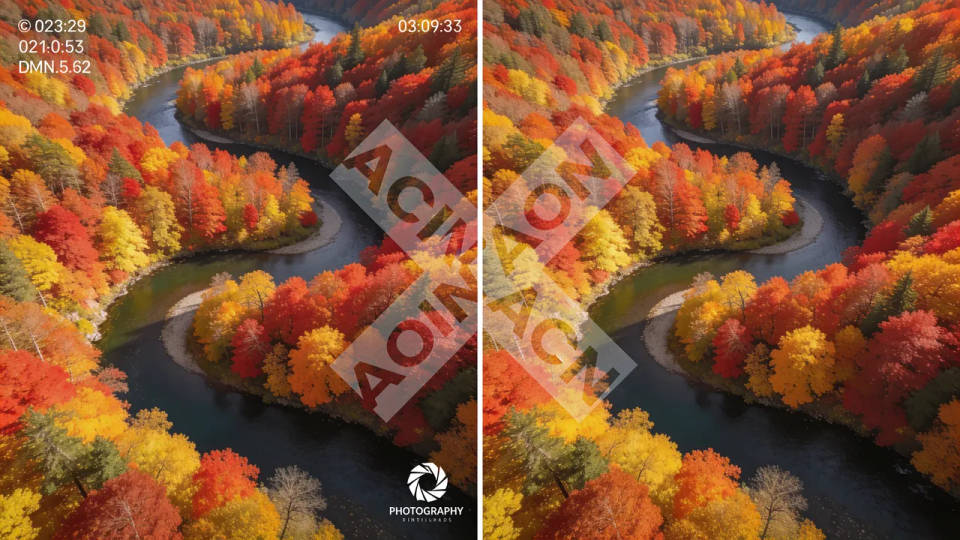
Take a stray logo, timestamp, or watermark off an image you have the rights to, and the model fills the covered area from what surrounds it. Handy for reclaiming a clean version of your own artwork or a licensed asset you are allowed to edit.
Prompt examples
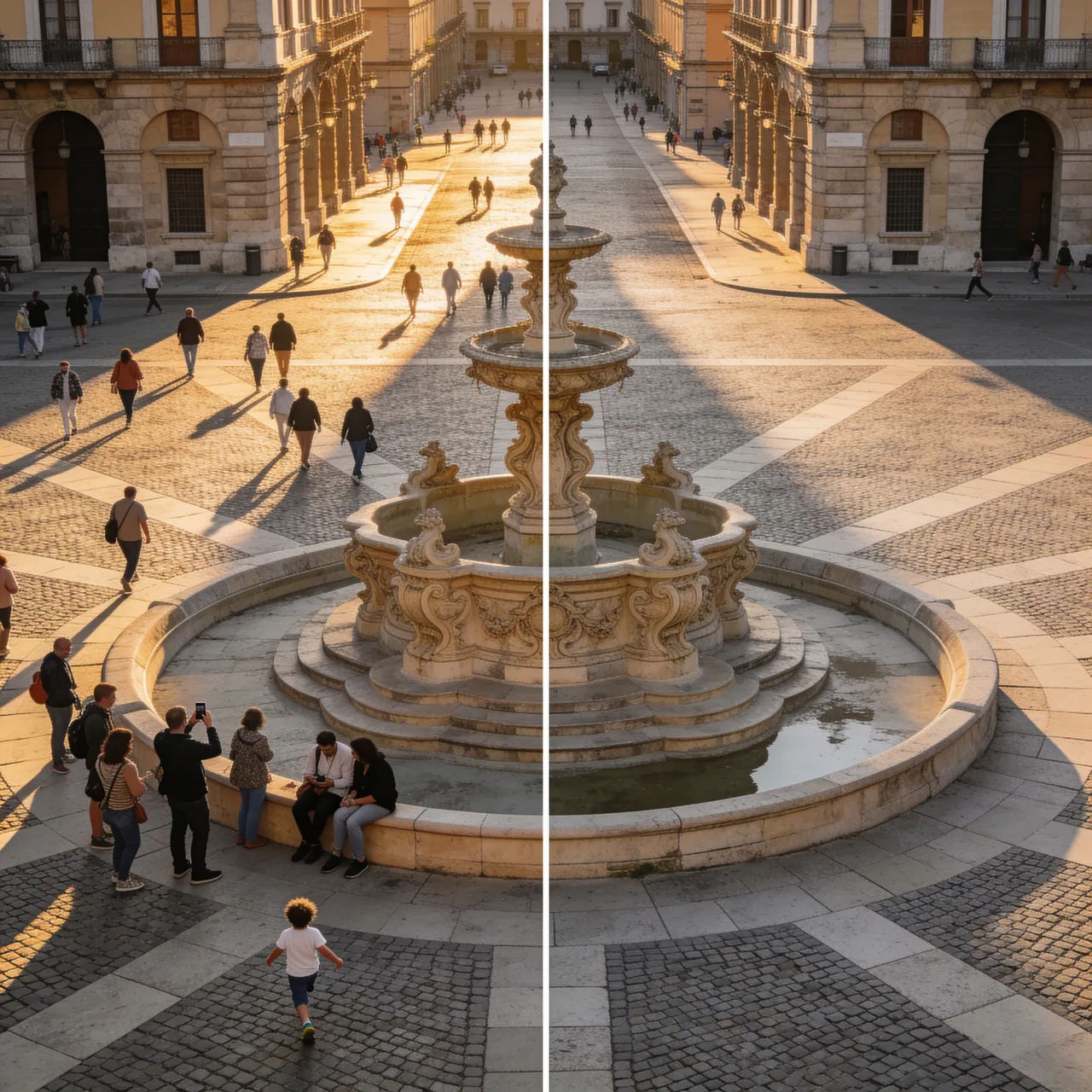
Empty the background
Remove all the people in the background and fill the plaza with matching stone paving
Edit prompt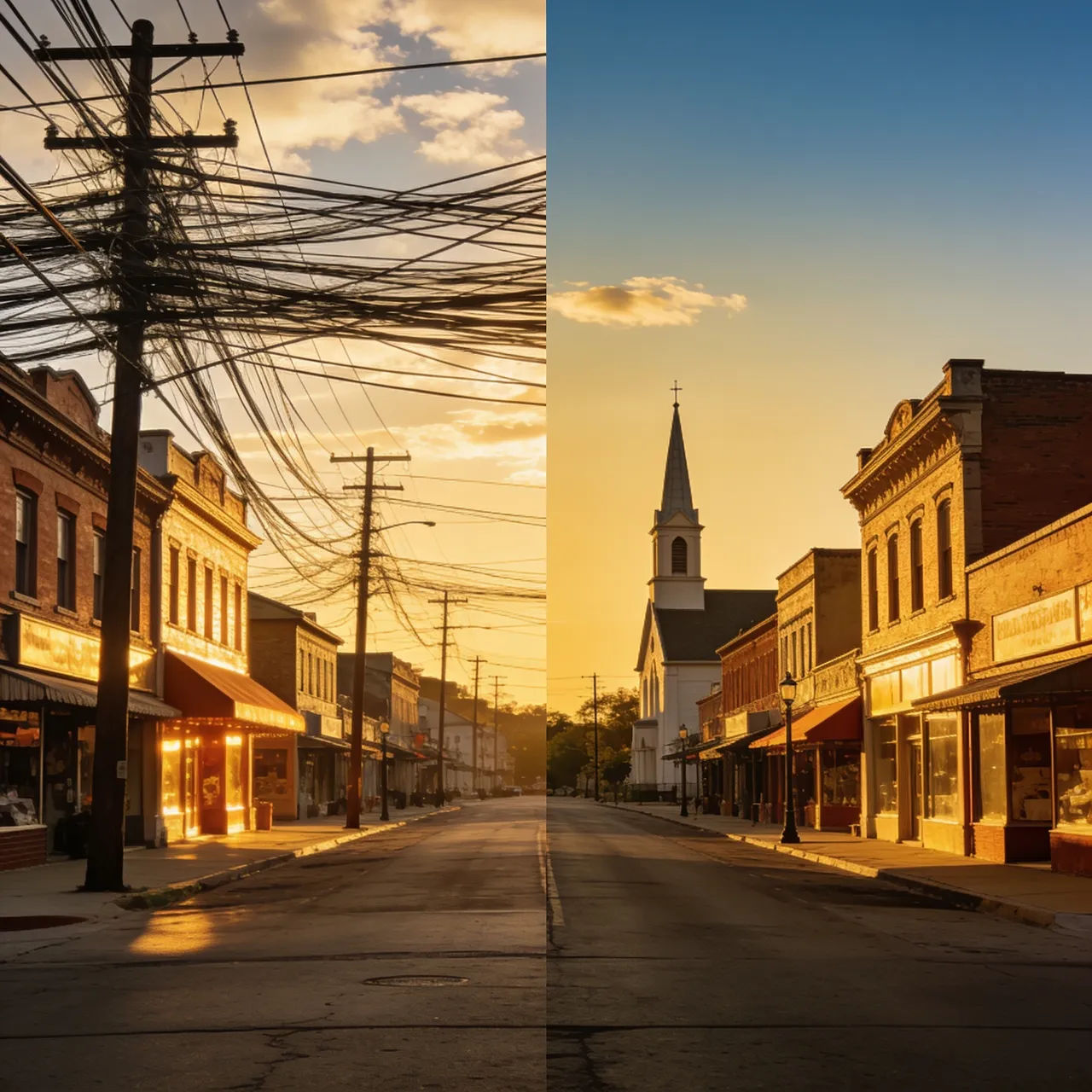
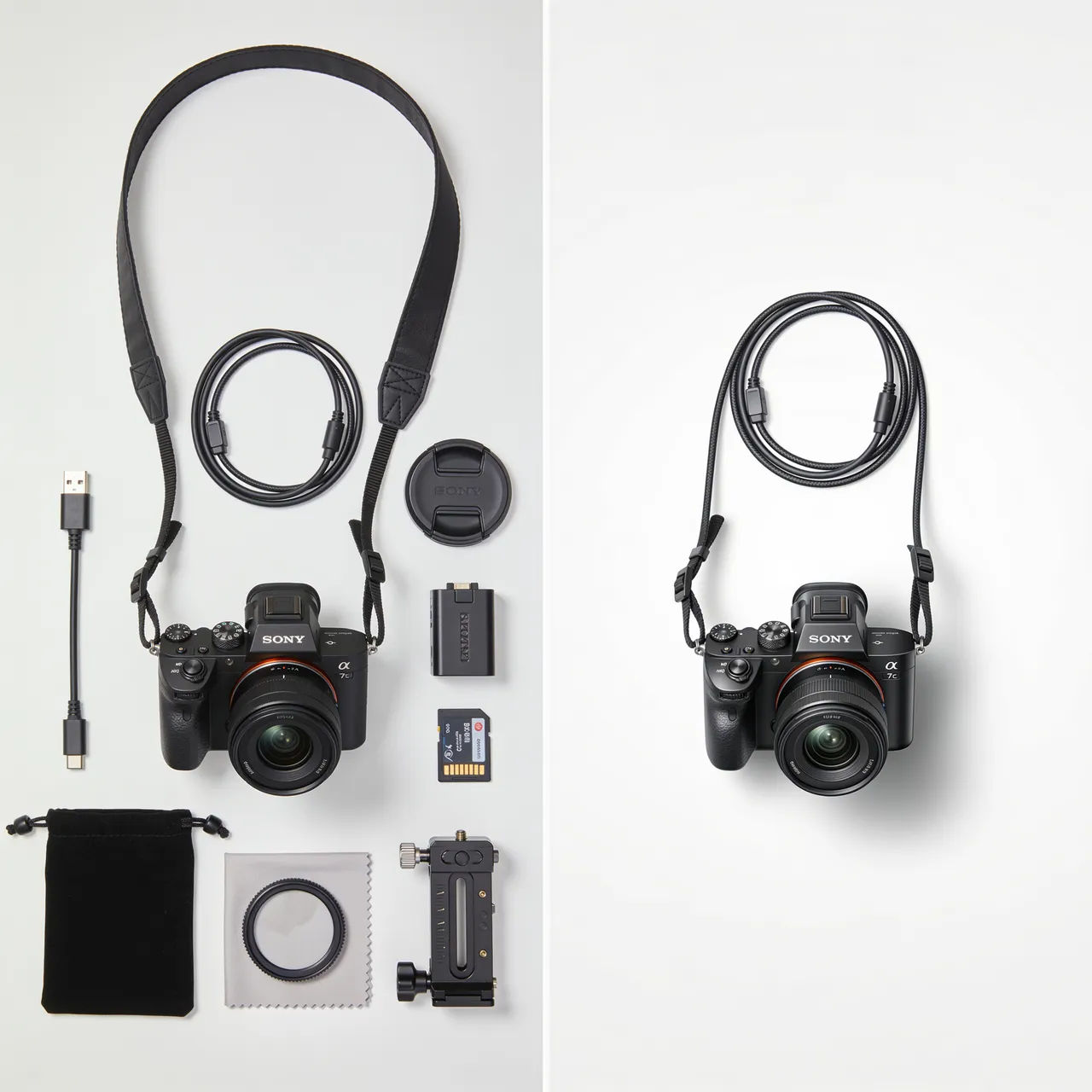
Clean the product
Remove the cables and props around the camera, leave it on a clean white surface
Edit prompt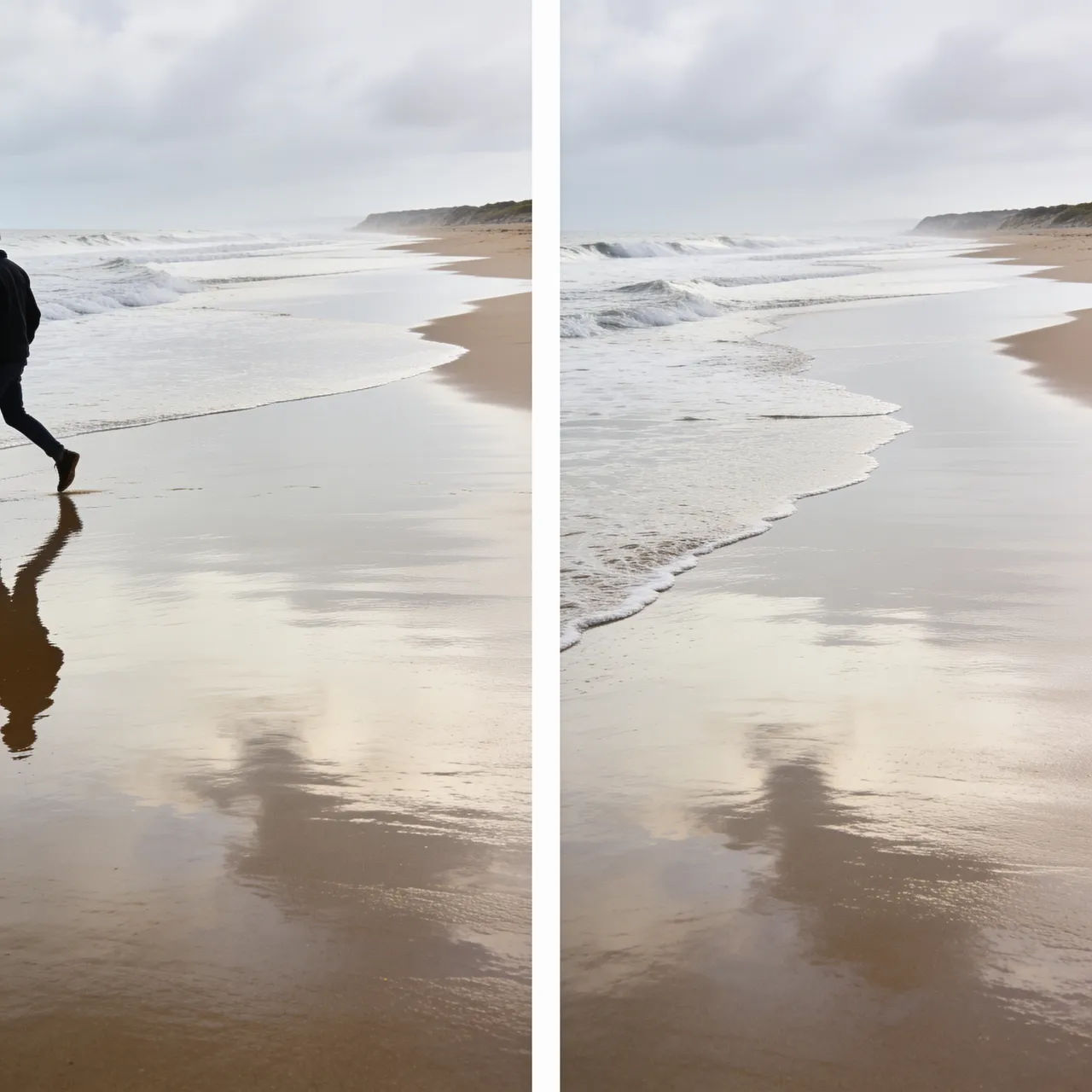
Remove a photobomber
Erase the person walking through on the right and continue the beach behind them
Edit prompt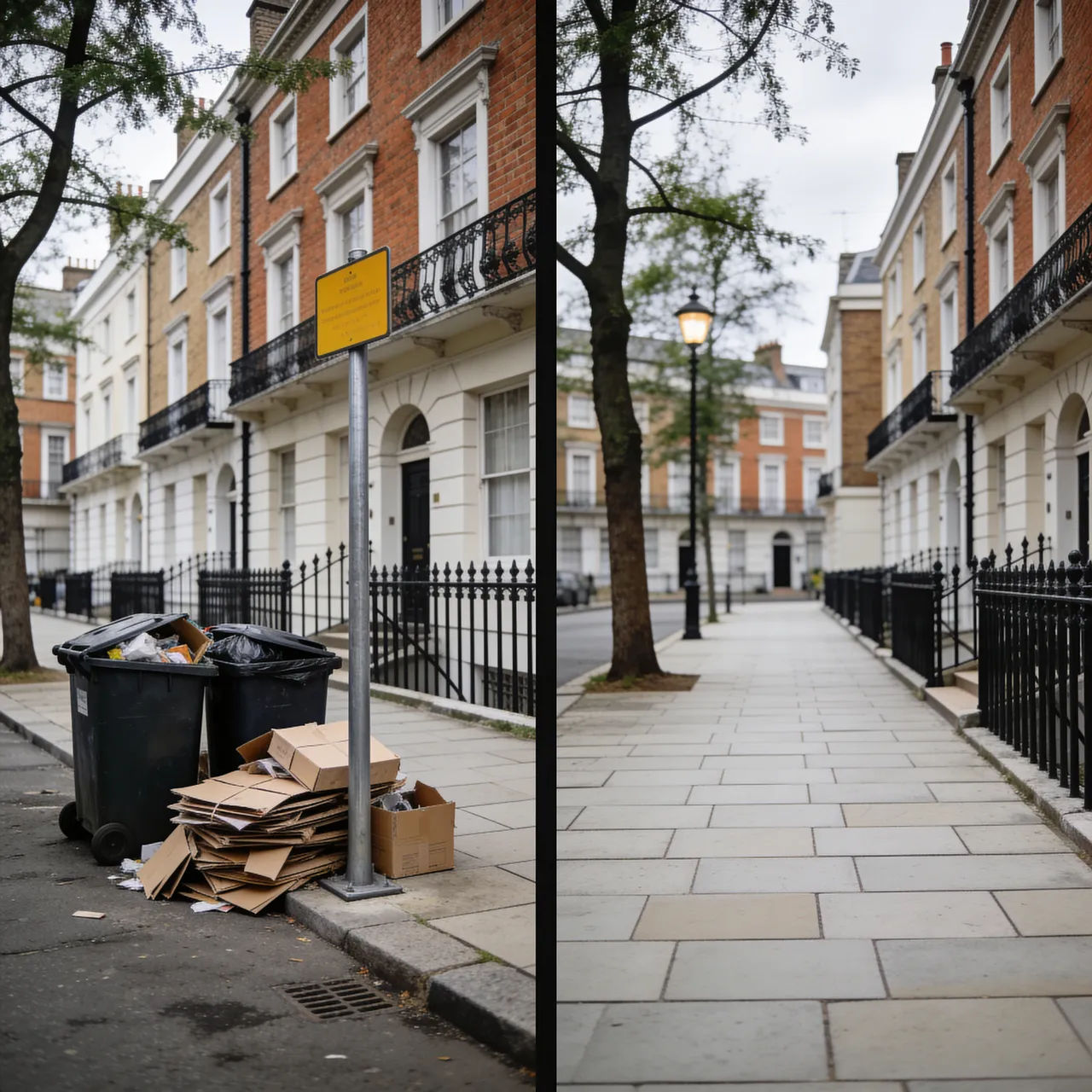
Clear the clutter
Remove the bins, boxes, and street sign from the pavement, rebuild the sidewalk
Edit prompt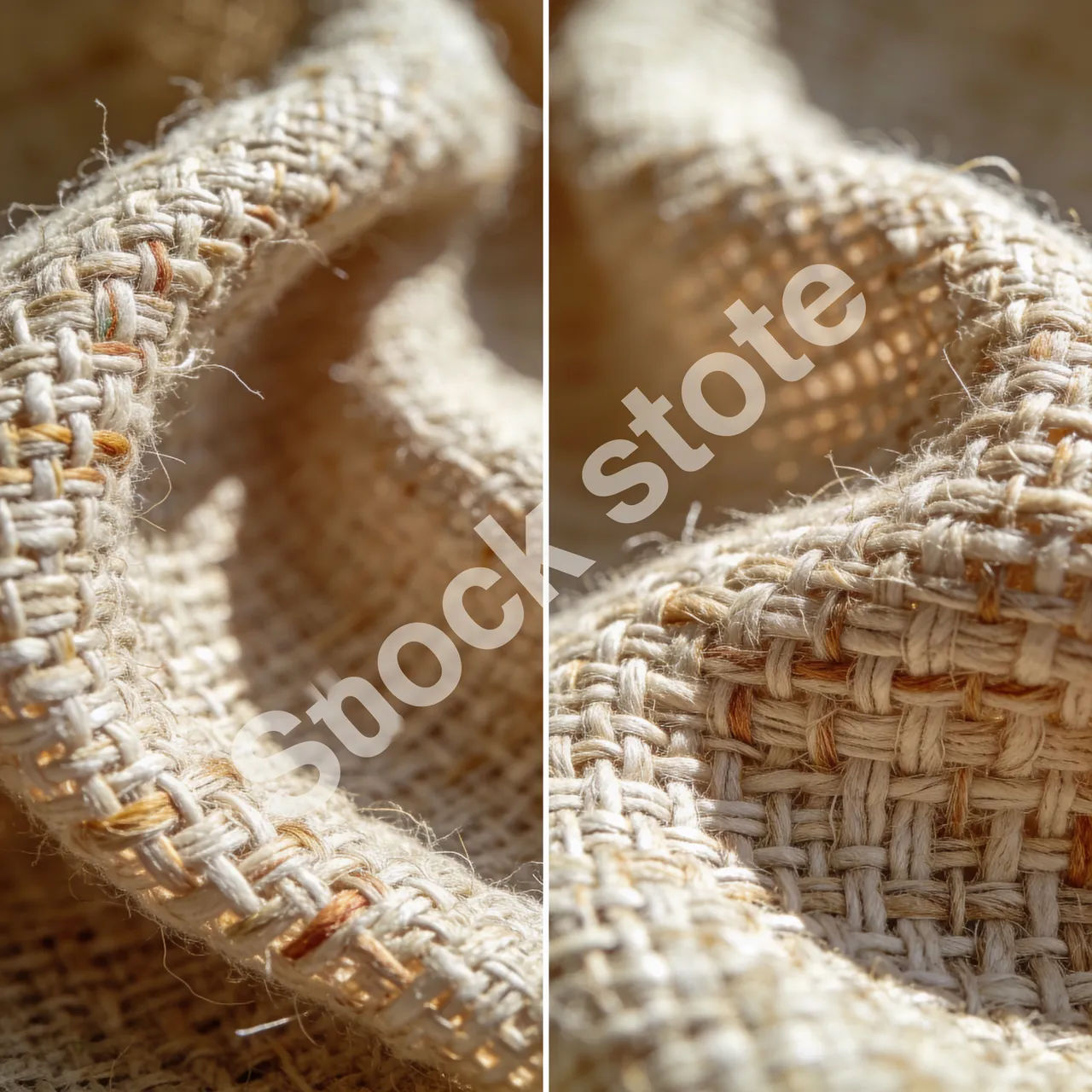
Take off the watermark
Remove the watermark across the middle of the image and fill it from the surrounding texture
Edit prompt
Cinematic storyboard
Share a scene description with character references. Get a full storyboard with shot angles and mood.

Messages to cinematic scene
Dramatize any text conversation into a cinematic multi-shot video.

Title sequence
Generate a professional film title card from scratch, with optional cinematic animation.

3x3 storyboard
Feed in a single image. Get 9 cinematic beats laid out as a 3x3 storyboard grid.

Chibi sprite animation
Turn any photo or description into an animated chibi sprite. Dance, jump, wave, attack, and more.

Expressions
Take any character image and generate 6 distinct facial expressions on a single reference sheet.
All on Morphic
Your complete photo cleanup stackModels
Nano Banana 2, Flux 2 Pro, ChatGPT Images, Grok Imagine, Recraft, Seedream, and more. Swap models when a background needs a cleaner fill.
Background remover
Cut the subject away from its background entirely, instead of erasing one object inside the frame.
Generative fill
Extend a photo past its edges or paint new elements into empty space, the flip side of removing them.
Image to image
Restyle, edit, and rebuild any photo by inpainting, the same method that powers clean object removal.
