Frames para vídeo
Frames para Vídeo no Morphic permite interpolar keyframes em vídeo usando IA. Adicione seus quadros, descreva o movimento entre eles e gere a transição.
Aqui está um tutorial rápido sobre como usar Quadros para vídeo no Morphic:
- Envie ou gere suas imagens no Canvas
- Altere o modo de ‘Imagem’ para ‘Vídeo’ na barra de prompt na parte inferior
- Selecione as imagens do Canvas, importe dos ativos
- Escolha seus frames. A maioria dos modelos usa exatamente dois, um primeiro e um último; o Morphic Edit usa até dez, e os frames extras ficam entre eles
- Escreva um prompt descrevendo o movimento ou a transformação entre os frames
- (Opcional) Use o Controle de Tempo para ajustar o tempo entre os frames
- Clique no botão azul na barra de prompt
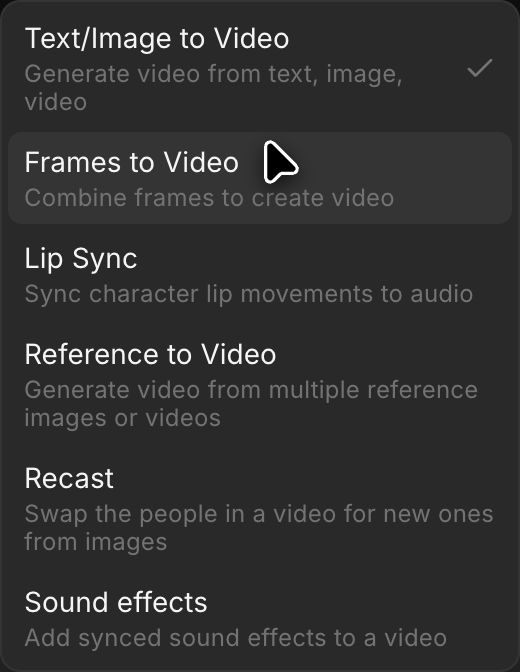
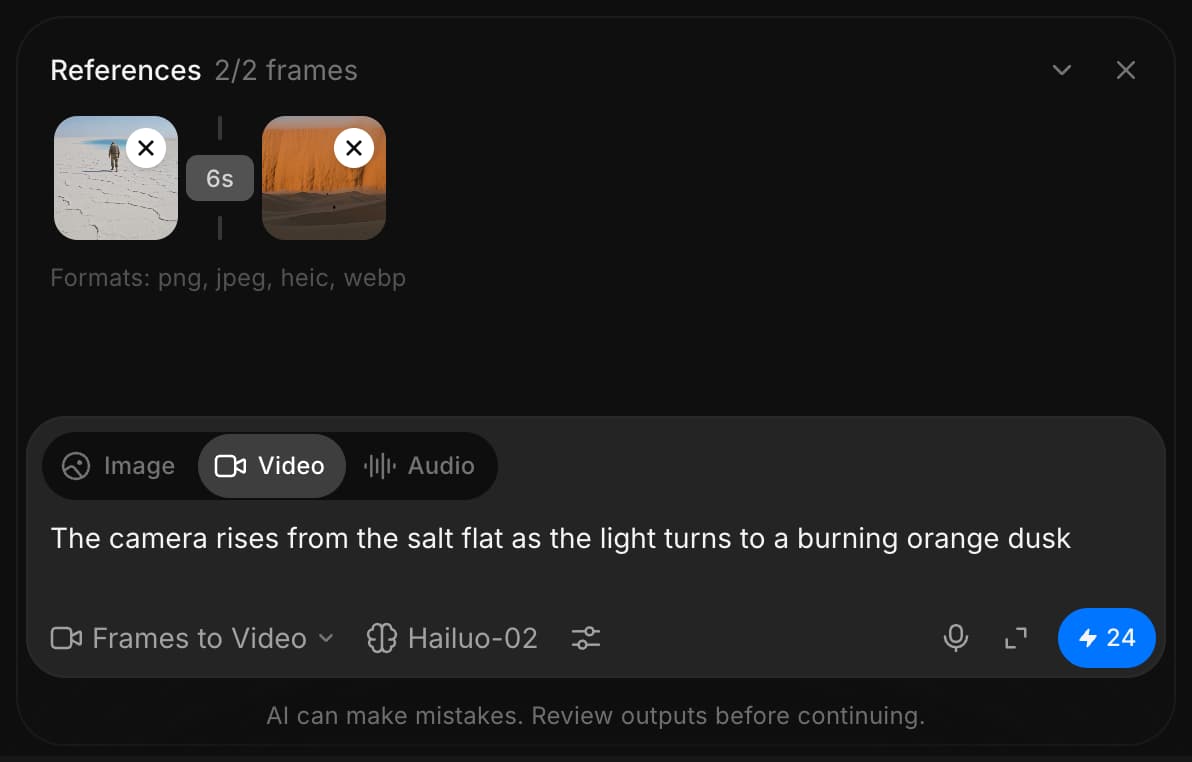
É assim que você usa o recurso Quadros para vídeo no Morphic. É uma forma rápida de transformar frames estáticos em vídeos suaves e fluidos com IA.
Se você tiver algum problema ou alguma dúvida, entre em contato. Teremos prazer em ajudar. Escreva para nós em support@morphic.com.
Imagem para Vídeo
A funcionalidade de imagem para vídeo no Morphic permite transformar uma única imagem em um vídeo curto gerado por IA usando um prompt.
Referência para vídeo
Referência para Vídeo no Morphic gera um clipe a partir de imagens, vídeos e áudio que você anexa como referências, guiado pelo seu prompt.