> For the complete documentation index, see [llms.txt](https://morphic.com/docs/llms.txt). Markdown versions of documentation pages are available by appending `.md` to page URLs; this page is available as [Markdown](https://morphic.com/docs/br/video/image-to-video.md).

# Imagem para vídeo

Aqui está um tutorial rápido sobre como usar Imagem para Vídeo no Morphic:

{% embed url="<https://youtu.be/Q_MWq9FBDts>" %}

1. Envie ou gere sua imagem na Canvas
2. Selecione a imagem com a qual você quer trabalhar
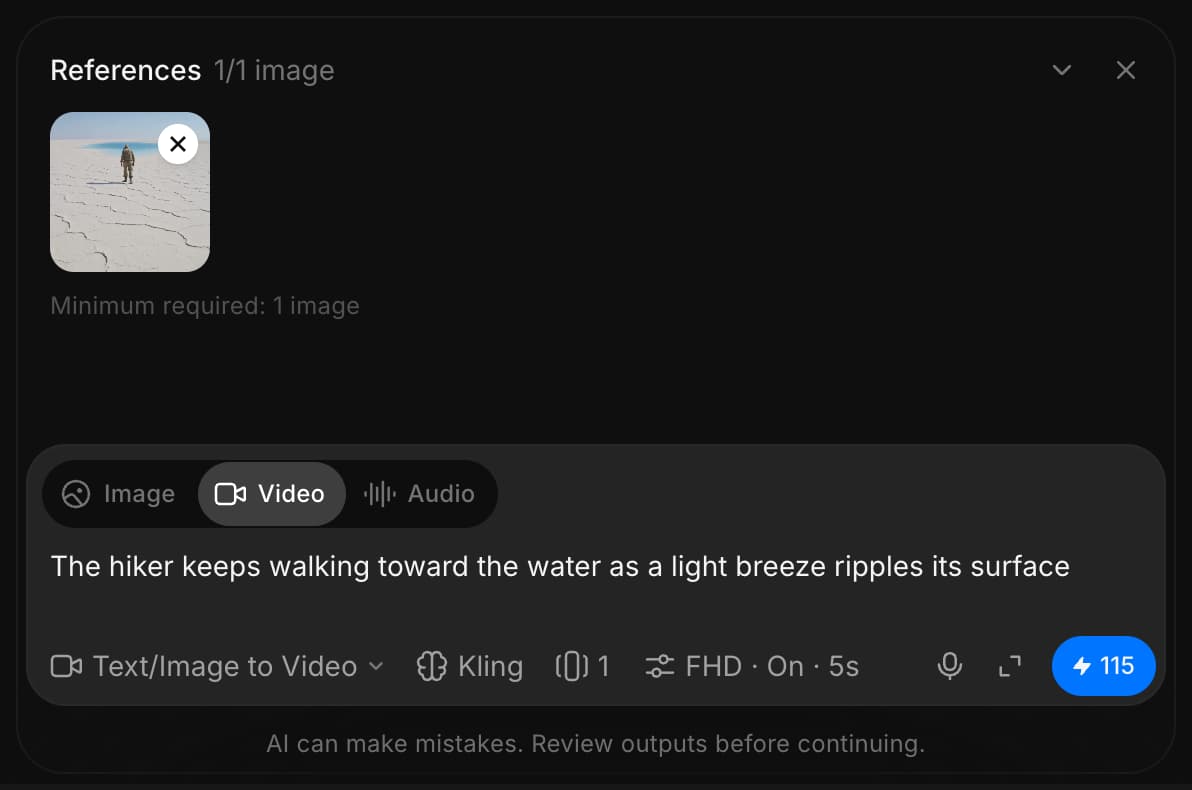
3. Na barra de prompt que aparece abaixo da imagem, defina o tipo de saída como 'Vídeo' e ajuste as configurações ou deixe-as como padrão
4. Escreva um prompt descrevendo o vídeo desejado
5. Clique em Gerar

O Morphic transformará sua imagem em um vídeo dinâmico gerado por IA.

É assim que você usa o recurso Imagem para Vídeo no Morphic. É uma maneira rápida de dar vida a visuais estáticos.

***

Se você tiver algum problema ou alguma dúvida, entre em contato. Teremos prazer em ajudar. Escreva para nós em [**support@morphic.com**](mailto:support@morphic.com)**.**


---

# Agent Instructions
This documentation is published with GitBook. GitBook is the documentation platform designed so that both humans and AI agents can read, navigate, and reason over technical content effectively. Learn more at gitbook.com.

## Querying This Documentation
If you need additional information that is not directly available in this page, you can query the documentation dynamically by asking a question.

Perform an HTTP GET request on the current page URL with the `ask` query parameter, and the optional `goal` query parameter:

```
GET https://morphic.com/docs/br/video/image-to-video.md?ask=<question>&goal=<endgoal>
```

`ask` is the immediate question: it should be specific, self-contained, and written in natural language.
`goal` is optional and describes the broader end goal you are ultimately trying to accomplish on behalf of the user. GitBook uses it to tailor the answer towards what is most useful for that goal.

The response will contain a direct answer to the question and relevant excerpts and sources from the documentation.

Use this mechanism when the answer is not explicitly present in the current page, you need clarification or additional context, or you want to retrieve related documentation sections.