> For the complete documentation index, see [llms.txt](https://morphic.com/docs/llms.txt). Markdown versions of documentation pages are available by appending `.md` to page URLs; this page is available as [Markdown](https://morphic.com/docs/jp/getting-started/navigating-the-canvas/sidebars.md).

# サイドバー

キャンバス上の左側と右側のサイドバーに何があるか、そこからレイヤー、チャット、アセットにどうアクセスするか。

Canvas には各側にサイドバーがあります。左側にはファイル内の内容が表示され、右側には選択したものに対してできることが表示されます。

### 左サイドバー

上部には 3 つのタブがあります: 「Layers」「Chats」「Assets」。それぞれに検索ボックス、「All」「Favorites」フィルター、タグで絞り込むための「Filters」ドロップダウンがあります。

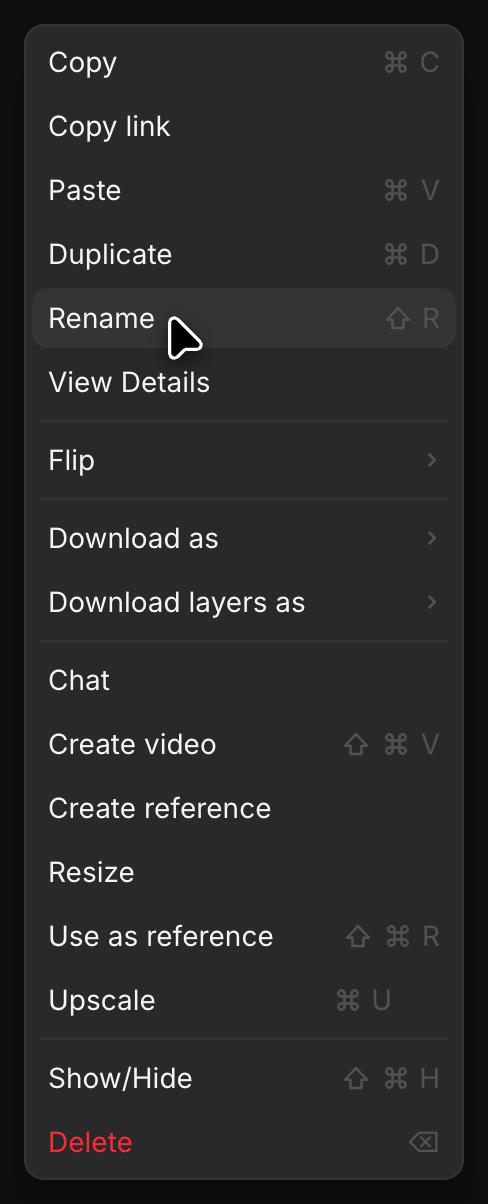
* Layers: キャンバス上のすべてのオブジェクトです。クリックして選択するか、右クリックして「Rename」「Duplicate」「Download as」「Use as reference」などを実行できます
* Chats: このファイル内の Copilot の会話です。1 つ開くとキャンバスの横のパネルに表示されるので、結果をそこから直接ドラッグできます。参照 [Copilot から Canvas へドラッグ＆ドロップ](/docs/jp/getting-started/copilot/copilot-to-canvas.md)
* Assets: ここにアップロードまたは生成されたすべてのものです。各カードには種類が表示され、動画と音声については長さも表示されます。Cmdキーを押しながらクリック、または Shiftキーを押しながらクリックすると複数選択できます。右クリックすると「Add tag」「Add to favorites」「Move to folder」「Download」「Delete」を実行できます。下部の「Upload assets」から自分のファイルを取り込めます。参照 [アセットをアップロード](/docs/jp/getting-started/assets/upload-assets.md)

もっとスペースが必要なときは、右上隅のアイコンでパネルを折りたたんでください。

### 右サイドバー

キャンバス上で何かを選択すると、右サイドバーが「Details」で開きます。

* Tools: 選択内容に対して実行できるものです。たとえば「Regenerate」「Create video」「Create model」「Use as reference」「Relight」「Camera angle」「Resize」などがあります。項目が多いときは検索してください
* Properties: それを作成したプロンプト、その種類、モデル、アスペクト比、寸法、サイズ、使用クレジット、作成日時
* Upscale: 解像度を上げる
* Download: 形式を選んで保存するか、「Copy link」で共有します
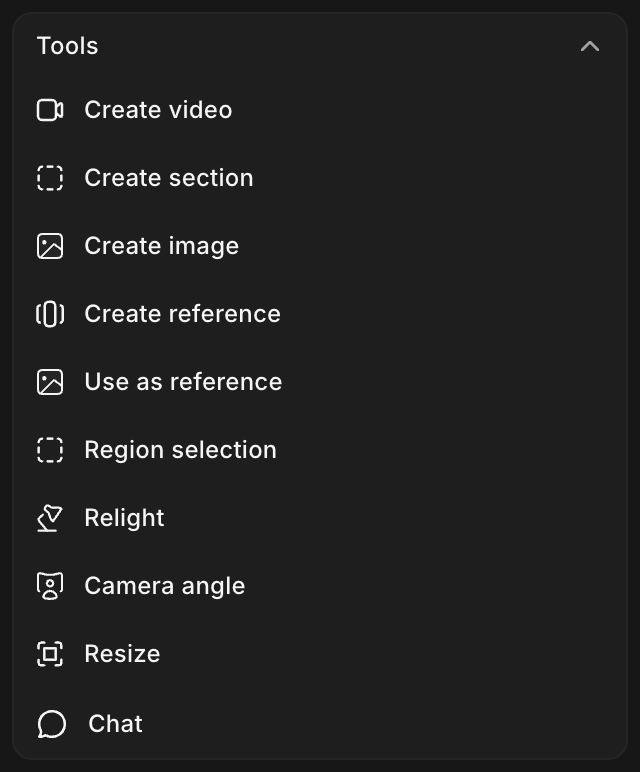
このパネルはコンテキストに応じて変わるため、画像、動画、スケッチではそれぞれ該当するツールだけが表示されます。

これが Morphic におけるサイドバーの使い方です。左側で探し、右側で操作します。

***

ご不明な点やお困りのことがあれば、お気軽にご連絡ください。喜んでお手伝いします。以下までご連絡ください [**support@morphic.com**](mailto:support@morphic.com)**.**


---

# Agent Instructions
This documentation is published with GitBook. GitBook is the documentation platform designed so that both humans and AI agents can read, navigate, and reason over technical content effectively. Learn more at gitbook.com.

## Querying This Documentation
If you need additional information that is not directly available in this page, you can query the documentation dynamically by asking a question.

Perform an HTTP GET request on the current page URL with the `ask` query parameter, and the optional `goal` query parameter:

```
GET https://morphic.com/docs/jp/getting-started/navigating-the-canvas/sidebars.md?ask=<question>&goal=<endgoal>
```

`ask` is the immediate question: it should be specific, self-contained, and written in natural language.
`goal` is optional and describes the broader end goal you are ultimately trying to accomplish on behalf of the user. GitBook uses it to tailor the answer towards what is most useful for that goal.

The response will contain a direct answer to the question and relevant excerpts and sources from the documentation.

Use this mechanism when the answer is not explicitly present in the current page, you need clarification or additional context, or you want to retrieve related documentation sections.