Every video model
TikTok videos you can generate
Make a TikTok video in three steps
- 01
Open Morphic
Sign up and start creating on a free-flowing, infinite visual canvas.
- 02
Describe the post
The subject, the setting, the camera move. Or upload a photo to animate.
- 03
Generate and post
Render vertical in minutes, refine any scene, and export in HD ready to post.
Use cases
A content series you can actually sustain
Most accounts stall because filming every episode is the bottleneck. Lock the look once, change one variable per post, and generate a week of episodes in a sitting. The format stays recognizable while your feed keeps its cadence.
Ideas that were never filmable
A whale drifting through a city street, a paper town folding itself open. The posts that stop a scroll are often the ones no camera could capture. Describe the impossible shot and get it back as vertical footage in minutes.
Storytelling across a multi-part post
Generate the hook, the turn, and the payoff as separate shots, then assemble them on Compose so the cut lands on the beat. Multi-part narratives keep watch time high and give a follower a reason to come back for part two.
Riding a trend before it cools
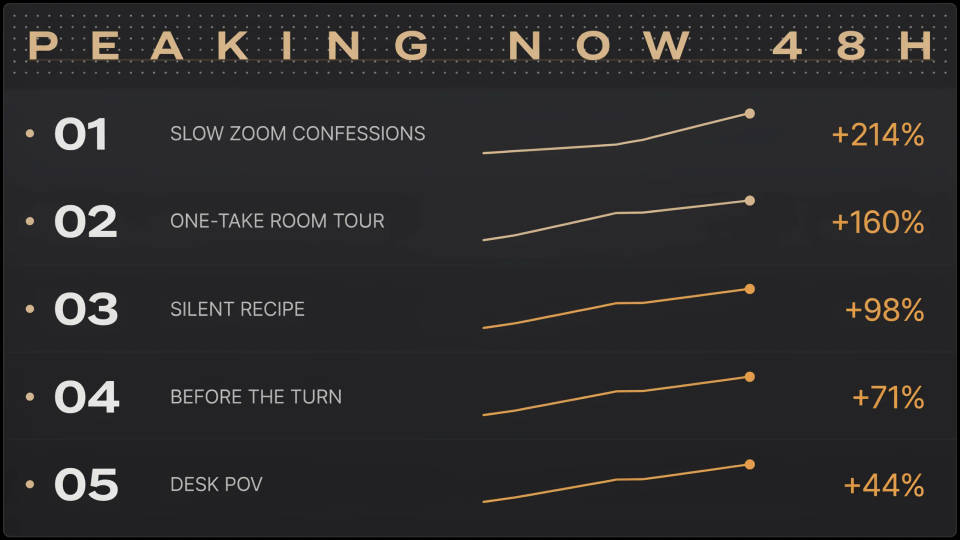
A trend has a window of days. Match the framing and pacing of the format that is peaking, render it tonight, and post while it still travels. No booking, no location, no waiting on an edit.
Cinematic scene
One image to a 9-scene cinematic video.
Renovation timelapse
Photo of any real-estate becomes a cinematic renovation timelapse video with construction SFX and music.
Time-freeze effect
Cinematic time-freeze short film for any scene
Short film creator
Go from any idea to a finished short film with scenes, visuals, video, and music.
Seamless video loop
Stitch 2-10 frames into a perfectly looping video with smooth cinematic transitions between each one.
Runway walk
Get a runway walk video clip with virtual try-on built in from a garment photo and a model photo.
All on Morphic
Models
Kling 3.0, Seedance 2.0, Veo 3.1, Hailuo 2.3, and more. Pick the model that fits the post and swap any time.
Photos into motion
Animate a still from your camera roll, then direct the movement with a prompt instead of an editing timeline.
Running TikTok ads
Paid creative is a different job to organic posting. The TikTok ad generator handles native-looking ad hooks and creator-style spots.
The rest of your feed
Cross-post the same idea to every other channel with the social media post generator, sized and framed for each one.
