Every video model
Shorts you can generate
Make a YouTube Short in three steps
- 01
Open Morphic
Sign up and start creating on a free-flowing, infinite visual canvas.
- 02
Describe the Short
Hook, beats, payoff. Write it in 9:16 and keep it moving.
- 03
Generate and refine
Render in minutes. Recut the opening, add narration, and export in HD.
Use cases
Hooks that survive the swipe
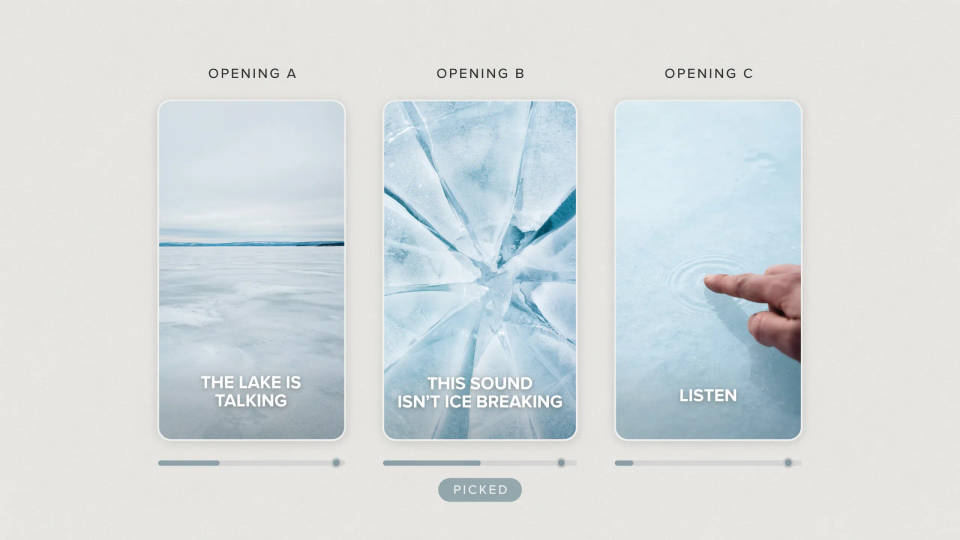
The Shorts shelf gives you one second before a thumb decides. Generate three openings for the same idea, watch them back to back on the Canvas, and publish the one that earns the second second.
Faceless channels at episode pace
No camera, no set, no on-camera presenter. Turn a written idea into vertical footage, add narration, and ship a Short the same afternoon you thought of it. A channel becomes a writing habit instead of a production schedule you have to clear a day for.
Series that look like a series
Save the format as a Workflow and rerun it for every episode. Same opening rhythm, same look, new topic. Viewers recognise episode nine from the first frame, which is what turns a view into a subscribe.
Shorts that answer a search
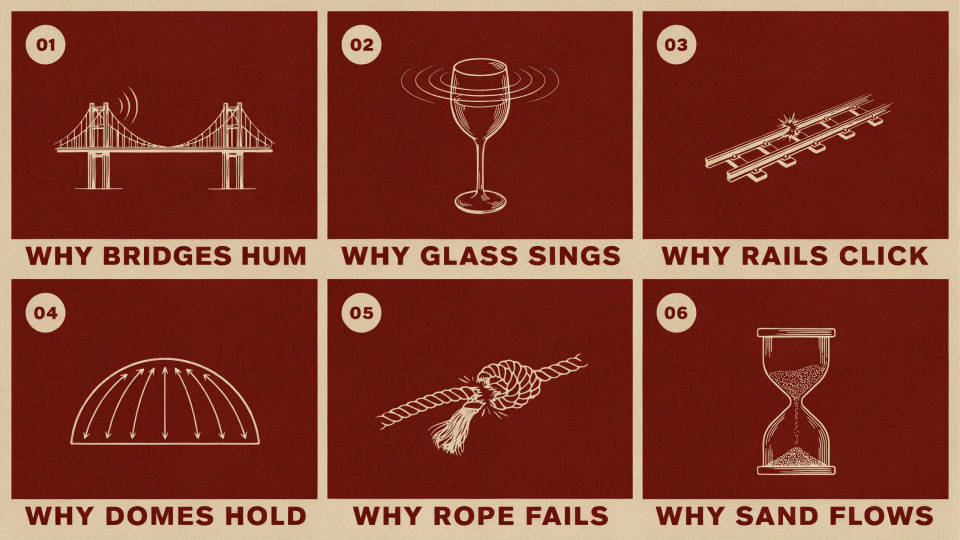
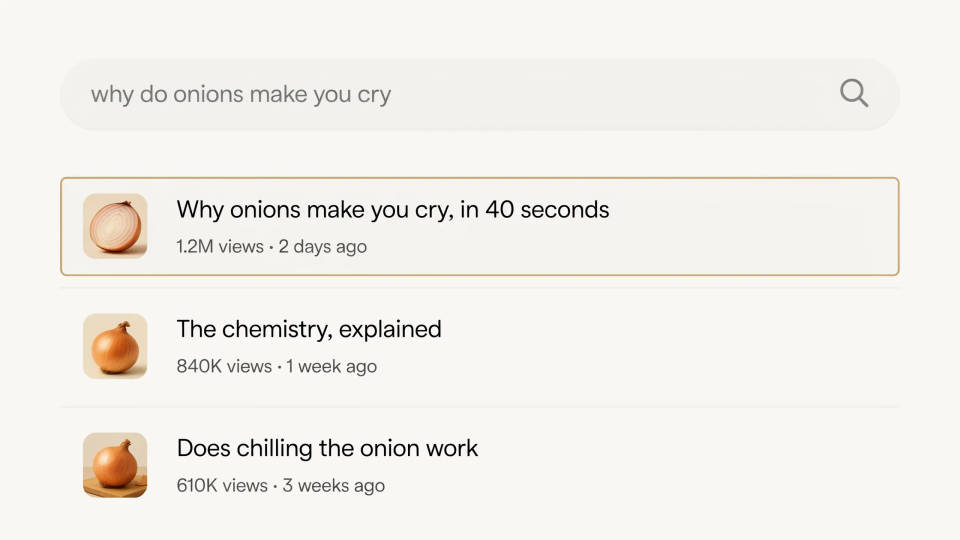
Shorts surface in YouTube search and suggested long after they leave the shelf. Build one around the question people actually type, answer it in the first line, and the video keeps earning views for months.
Cinematic scene
One image to a 9-scene cinematic video.
Renovation timelapse
Photo of any real-estate becomes a cinematic renovation timelapse video with construction SFX and music.
Time-freeze effect
Cinematic time-freeze short film for any scene
Put yourself in a movie
Drop in a photo of yourself. Get a 12-second cinematic movie with animation and a matched soundtrack.
Short film creator
Go from any idea to a finished short film with scenes, visuals, video, and music.
Runway walk
Get a runway walk video clip with virtual try-on built in from a garment photo and a model photo.
All on Morphic
Models
Kling 3.0, Seedance 2.0, Veo 3.1, Hailuo 2.3, and more. Swap models mid-episode any time, without rebuilding the Short around a new one.
Narration and sound
Generate a voiceover, lay it under the cut with music and effects, and set the level per clip.
Thumbnails
Shorts keep earning clicks from search and suggested feeds long after the shelf moves on. Design the frame that wins them.
B-roll
Fill the middle of an episode with cutaways generated to match the exact line being narrated, so attention never drifts.
