Every video model
One workspaceCaptions in a new language
Translate subtitles in three steps
- 01
Open Morphic
Sign up and start creating on a free-flowing, infinite visual canvas.
- 02
Upload and pick a language
Drop in the clip and name the language you want the subtitles in.
- 03
Style and export
Set the type, then export in HD with the translated captions timed and burned in.
Use cases
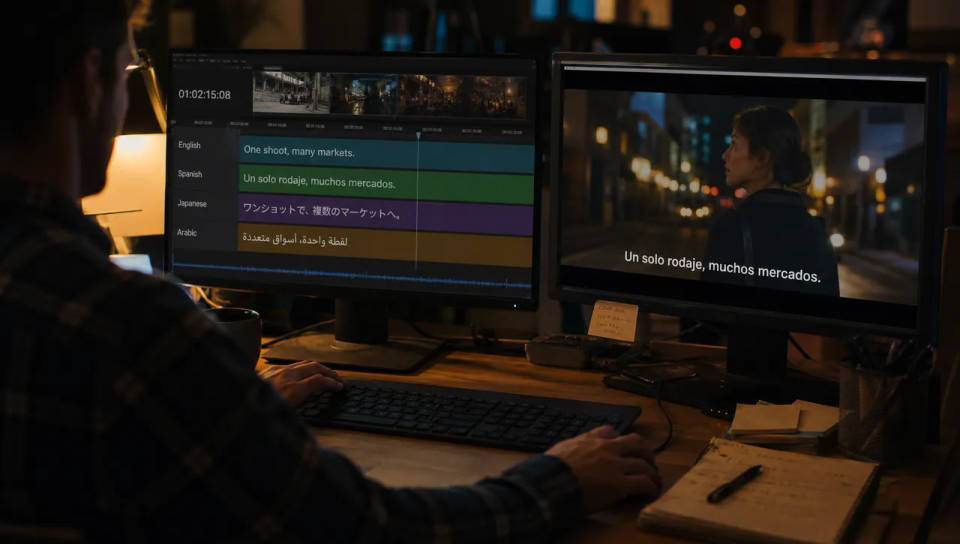
One shoot, many markets
Translate the transcript and burn it onto the same footage to reach a new language without a reshoot or a subtitling vendor. The timing carries over untouched, so the only new work is naming the target language and reviewing the result.
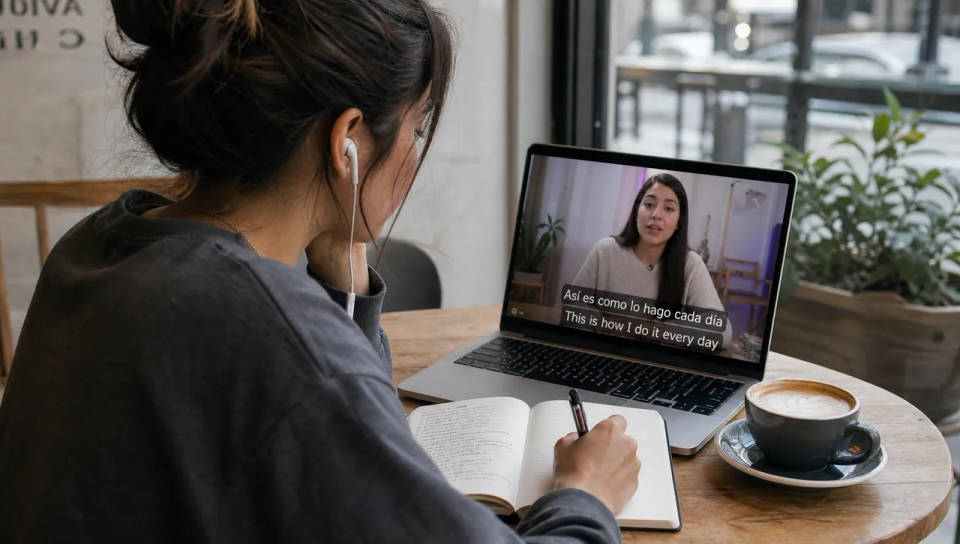
Bilingual cut for learners
Keep the original and the translation on screen together so a viewer can follow both. Language creators and cross-border brands use this to reach two audiences with a single cut, and to show wording that a monolingual caption would hide.
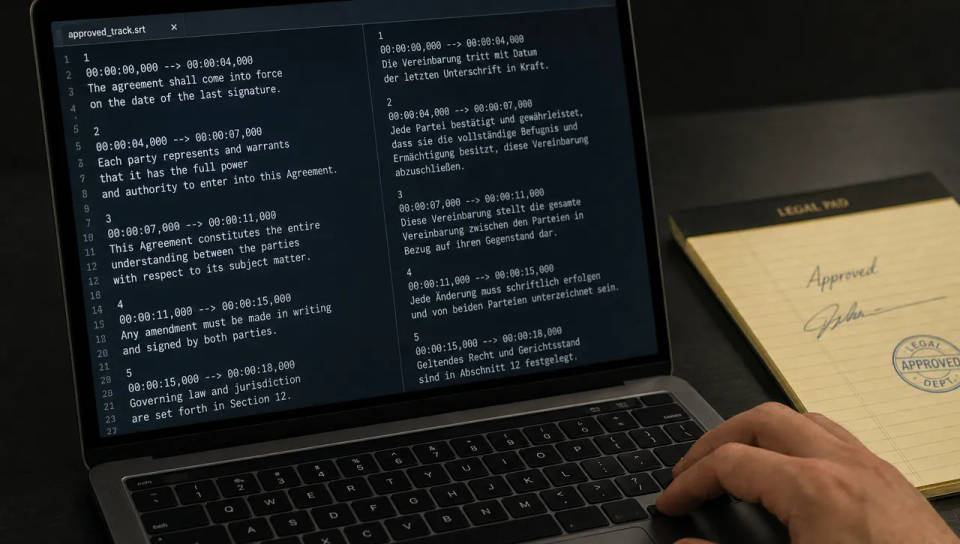
Localise an approved track
Start from an SRT that has already been signed off and translate that, rather than transcribing again from scratch. The structure and timing stay intact, so a caption track that legal or a client already cleared keeps its shape in the new language.
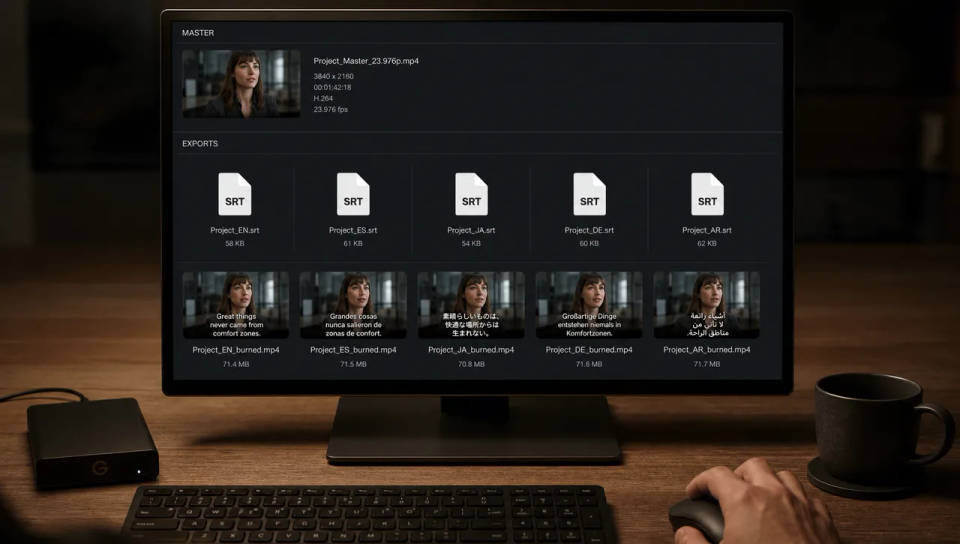
Deliver localised sidecars
Export a translated SRT per language alongside the burned-in cut. A platform that wants captions as a file gets the sidecar, while feeds that autoplay muted get the version with the text already on the footage. Every language traces back to one transcript.
Dance your character
Upload a character image and make it dance in any style.
Time-freeze effect
Cinematic time-freeze short film for any scene
Cinematic scene
One image to a 9-scene cinematic video.
Put yourself in a movie
Drop in a photo of yourself. Get a 12-second cinematic movie with animation and a matched soundtrack.
Motion transfer
Pair a character image with a reference video. Your character picks up that exact motion.
Video style transfer
Restyle any video in a completely new visual style. Every frame transforms, all motion stays intact.
All on Morphic
From one language to manyModels
Kling 3.0, Seedance 2.0, Veo 3.1, and Ideogram for shots that need legible words inside the frame.
AI subtitle generator
Transcribe and caption a clip from scratch before you translate the track into other languages.
AI video translator
Go beyond captions and replace the spoken audio in a new language with matched lip sync.
Bilingual cuts
Keep both languages on screen at once, styling each line and choosing which sits on top.
